EasyManua.ls Logo

Ninja BL201 - User Manual

Ninja BL201
16 pages
Print Icon
To Next Page IconTo Next Page
Loading...
www.ninjakitchen.com
1 877 646-5288
®
BL201
OWNER’S GUIDE
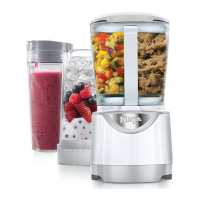
Kitchen System Pulse
®

Questions and Answers

  • R
    Ryan ParkerJul 31, 2025
    What to do if my Ninja Blender motor doesn’t start?
    • B
      Brianna DavisJul 31, 2025
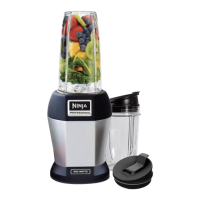
      If the motor of your Ninja Blender doesn't start, ensure the container is securely aligned and locked on the motor base (for the 40 oz bowl). For the Nutri Ninja cup, verify that the tabs are seated in the slots and turned to the left. Also, check that the lid is securely on the container (40 oz bowl) in the correct position with the arrows aligned. Confirm that the plug is securely inserted into the electrical outlet and check the fuse or circuit breaker in your electrical box. If the unit is overloaded or overheated, unplug it and wait approximately 30 minutes to reset before using it again.
  • M
    Michael SilvaAug 4, 2025
    What to do if Nutri Ninja cup is leaking?
    • T
      Tamara SnowAug 4, 2025
      If your Nutri Ninja cup is leaking, make sure that the Nutri Ninja blade assembly set is tightly screwed onto the cup before blending. Turn the lid tightly clockwise.
  • J
    Joanna BurnettAug 8, 2025
    What to do if my Ninja BL201 Blender doesn’t mix well?
    • C
      Cory BrownAug 9, 2025
      If your Ninja Blender doesn't mix well, pulse ingredients for the best results. Press down on the cup in short intervals for even blending and chopping. For frozen ingredients, pulse in short intervals of 2-5 seconds and repeat.
  • C
    Connie HopkinsAug 12, 2025
    What to do if my Ninja BL201 doesn’t turn off?
    • A
      ashleycunninghamAug 12, 2025
      If your Ninja Blender doesn’t turn off, release your hand from the Nutri Ninja cup or the “pulse” handle on the bowl lid.
  • J
    James RossAug 17, 2025
    Why is food unevenly chopped in my Ninja Blender?
    • S
      Steven SmithAug 18, 2025
      If food is unevenly chopped in your Ninja Blender, it could be because you are chopping too much food at once, or you are not pulsing properly. Try removing some of the food items.
  • S
    Sydney SmallAug 21, 2025
    Why is food too finely chopped or too watery in my Ninja Blender?
    • E
      Erica DeleonAug 21, 2025
      If the food is too finely chopped or too watery when using your Ninja Blender, it has been over-processed. Pulse ingredients for the best results. Press down on the Nutri Ninja cup or bowl lid handle in short intervals.
  • P
    perry45Aug 26, 2025
    How to achieve snow from ice cubes in Ninja Blender?
    • K
      Kara OrtegaAug 27, 2025
      For best results, use ice straight from the freezer. Try using short pulses instead of one long one.

Summary

Important Safety Instructions

Polarized Plug and Extension Cord Warnings

Specific warnings about polarized plugs and avoiding extension cords.

General Safety Precautions

Comprehensive safety guidelines for operating the appliance to prevent injury, fire, or electric shock.

Technical Specifications

Getting to Know Your Ninja Kitchen System Pulse

Appliance Components Overview

Identifies and labels all parts, including cups, bowls, blades, and motor base.

Before First Use Procedures

Important Safeguards and Warnings

Key safety instructions and warnings to review before initial operation.

Initial Cleaning and Setup

Steps for washing, drying, and preparing appliance parts for first use.

Nutri Ninja Cup Usage

Assembly, Pulsing, and Removal

Step-by-step guide for assembling, operating, and disassembling the Nutri Ninja cup.

Bowl Usage

Assembly, Pulsing, and Removal

Step-by-step guide for assembling, operating, and disassembling the main processing bowl.

Suggested Uses

Heavy Mix Processing Note

Important instructions for mixing heavy doughs to prevent overheating.

Care and Maintenance

Cleaning Instructions

Guidance on how to clean appliance parts by hand or in a dishwasher.

Storage Guidelines

Recommendations for proper storage of the appliance and its components.

Motor Thermostat Reset

Procedure to reset the motor if it overheats or stops operation.

Troubleshooting and Support

Ordering Replacement Parts

Information on how to order additional parts and attachments from the manufacturer.

Warranty and Registration

One Year Limited Warranty

Details the limited warranty period, coverage, exclusions, and claim process.

Product Registration Process

Instructions for registering the product to receive safety notifications.

Ninja BL201 Specifications

General IconGeneral
Power700 W
Blade MaterialStainless Steel
SettingsPulse
Dishwasher SafeYes
Warranty1 Year
Capacity72 oz

Related product manuals