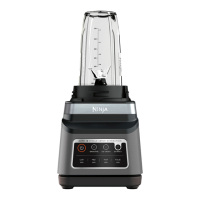
4 5
BlendSense is best used to achieve smooth blends such as smoothies,
frozen drinks, smoothie bowls, dips, purees, doughs, and sauces.
Simply press the dial to start the BlendSense program.
SENSE
Starts blending
to sense your
ingredients.
1
ENJOY
Blends to perfection,
no matter the
portion size.
3
BLEND
Automatically chooses
the blending speed,
time, and pulses.
2
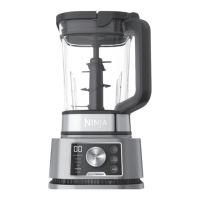
BlendSense
Intelligent BlendSense program that revolutionises traditional blending
by sensing your ingredients and blending to perfection every time.
The BlendSense program will be active by default. Press button,
then START/STOP. Once the program begins, it will automatically
stop when blending is complete. To stop blending before
the end of the program, press the dial again.
TECHNOLOGY
ERROR DETECTION
INITIAL BLENDING
SENSING
In the first 15 seconds, actively adjusts speed
and time based on ingredients and recipe size.
BLENDING POSSIBILITIES
BLENDING
Blends continuously without pulsing.
THICK MODE
Creates thick
spoonable results.
DOUGH
Processes doughs and
batters, including pie, pizza,
and cookie doughs. Use with
Dough Blade Assembly.
CRUSH AND MAX-CRUSH
Detects tougher and frozen ingredients, then
adjusts the pulsing pattern for a smooth blend.
NOTE: Once blending possibility is selected, runtime will count down on the display in seconds.
Total time varies from seconds up to almost two minutes.
INSTALL
Illuminates if no
vessel is installed or
if a vessel is installed
incorrectly. To resolve,
reinstall the vessel.
ADD LIQUID
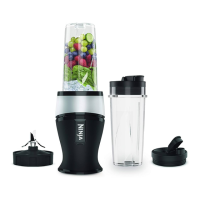
When using the Single-Serve Cup, this illuminates
if, during blending, your recipe requires more
liquid to blend. When “ADD LIQUID ” displays
on the dial, press START/STOP and remove the
cup from the base. Add 140-240ml of additional
liquid. Reinstall the cup, then press START/STOP
to run the BlendSense program again.
ENGLISH



 To Next Page
 Loading...