LARGE CHOP:
Cutting into
bite-sized pieces.
SMALL CHOP:
Precision level
of chopping.
MINCE:
Finest level of
chopping.
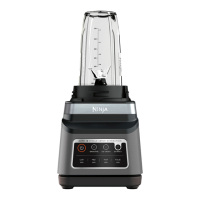
LARGE CHOP, SMALL CHOP, and MINCE: Jug and Processor Bowl only
Smart preset programs combine unique pausing patterns that process for you. Press
MODE, turn the dial to select your desired program, then press START/STOP. The program
will automatically stop when complete. Press the dial again to stop the program sooner.
They do not work in conjunction with the BlendSense program or Manual programs.
NOTE: Number of seconds is displayed for each program's runtime.
Processing
MODE
PROGRAMS
PROGRAMS
Manual
7ninjakitchen.eu6
Go manual for total control of your blending speed and textures.
Press MANUAL, turn the dial to select your desired speed, then
press START/STOP. When selected, each speed runs continuously
for 60 seconds. Press the dial again to stop the program sooner.
START SLOW (Speeds 1–3):
Always start at low speed to better incorporate
ingredients and prevent them from sticking to
the sides of the vessel.
DIAL UP THE SPEED (Speeds 4–7):
Smoother blends call for higher speeds. Low speeds
are great for chopping veggies, but you’ll need to
ramp up for purees and dressings.
HIGH-SPEED BLENDING (Speeds 8–10):
Blend until your desired consistency is reached.
The longer you blend, the better the breakdown
and smoother the outcome will be.
VARIABLE SPEED CONTROL (Speeds 1–10): Jug only.
LOW, MEDIUM, HIGH Speeds:
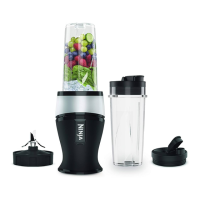
Single-Serve Cup and Processor Bowl only.
NOTE: Once speed is selected, runtime will count
up on the display in seconds.
ENGLISH



 To Next Page
 Loading...