EasyManua.ls Logo

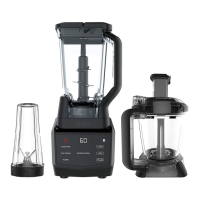
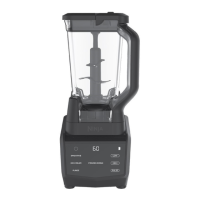
Ninja Smart Screen Blender DUO - User Manual

Ninja Smart Screen Blender DUO
15 pages
Print Icon
To Next Page IconTo Next Page
Loading...
ninjakitchen.com
Smart Screen
Blender DUO®
with FRESHVAC™
Technology
CT661V
OWNER’S GUIDE

Questions and Answers

  • P
    Patrick BrownAug 19, 2025
    How to fix a Ninja Blender that won't turn on?
    • T
      taylor28Aug 19, 2025
      If your Ninja Blender doesn't turn on, first ensure it's properly plugged into a power outlet. The display should show “ ” once connected. Next, make sure the container is correctly placed on the base and rotated clockwise until it clicks into place. Once secured, the available programs should illuminate, indicating the blender is ready for use.
  • M
    Michael PatelAug 21, 2025
    What to do if my Ninja Blender doesn't turn off?
    • M
      Michael BenderAug 21, 2025
      To turn off your Ninja Blender, remove the container from the base by rotating it counterclockwise and lifting it. The display should then turn off. As a precaution, unplug the power cord from the outlet.
  • D
    Darrell HensleyAug 23, 2025
    How to remove Ninja Blender from counter?
    • M
      Mark PatelAug 25, 2025
      If your Ninja Blender is difficult to remove from the counter for storage, place your hands underneath both sides of the motor base and gently pull the unit up and toward you.
  • J
    Jessica SheppardAug 26, 2025
    How to release a stuck FreshVac Pump on my Ninja Smart Screen DUO Blender?
    • T
      Tom DavilaAug 26, 2025
      To release the FreshVac Pump from the Ninja Blender container, press the pump release button (up arrow) and lift up.
  • V
    Vincent ThomasAug 27, 2025
    Why does my Ninja Blender touchscreen show a blinking message?
    • S
      Suzanne MurphyAug 27, 2025
      If the touchscreen display of your Ninja Blender shows a blinking [“]” message, the Smart Screen™ Motor Base is detecting the installed container. This message may appear if you're trying to use a program not designed for the container you have installed. The programs available for a particular container will illuminate once the container is properly installed.
  • W
    watsonmichaelAug 30, 2025
    Why doesn't the FreshVac Pump lock onto the container of my Ninja Smart Screen DUO Blender?
    • A
      Anthony RodriguezAug 30, 2025
      The FreshVac Pump on your Ninja Blender will not lock onto the pitcher lid or cup. Once the pump is activated, it will seal to the lid and become secure.
  • J
    John TrevinoSep 1, 2025
    Why is my Ninja Blender not mixing well, and how can I fix it?
    • C
      Chad LewisSep 1, 2025
      If your Ninja Blender isn't mixing well and ingredients are getting stuck, try using the pre-set programs for optimal results, as the pulses and pauses help ingredients settle towards the blade assembly. If the issue persists, adding some liquid can help. When filling the cup, layer ingredients in this order: fresh fruit or veggies, leafy greens or herbs, liquids or yogurt, seeds, powders, or nut butters, and finally, ice or frozen ingredients.
  • N
    Natalie MorrisSep 3, 2025
    What do the lights mean on my Ninja Blender FreshVac pump?
    • J
      jason01Sep 3, 2025
      Here's what the lights on your FreshVac pump indicate: * A white LED light means the pump is activated and vacuum sealing is in progress. * A green LED light signals that the vacuum seal is complete, and the pump will automatically shut off. * A blinking light indicates that the batteries have been loaded incorrectly or need replacement.
  • C
    Collin BrownSep 5, 2025
    Why won't the motor base of my Ninja Smart Screen DUO Blender stick to the counter?
    • K
      kimberly02Sep 5, 2025
      If the motor base of your Ninja Blender won’t stick to the counter, ensure both the surface and the suction feet are clean. Note that the suction feet only adhere to smooth surfaces and may not stick to materials like wood, tile, or non-polished finishes.
  • L
    leslieglennSep 7, 2025
    What to do if the pump on my Ninja Smart Screen DUO won't turn on?
    • J
      Joshua MedinaSep 7, 2025
      If the pump on your Ninja Blender won’t turn on: * Ensure that working batteries are correctly installed and the battery cover is securely in place. * If using an optional AC adapter, make sure it is manufactured by SharkNinja, as other adapters are not compatible. * If you're using a SharkNinja AC adapter, verify that the connector is fully inserted into the pump.

Summary

Safety Information

General Safety Precautions

Outlines critical safety measures for operating the appliance and handling its components.

Product Overview

Key Parts and Components

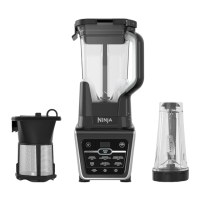
Lists and illustrates all components included with the Ninja Smart Screen Kitchen System.

Initial Setup and Use

FreshVac Pump Battery Installation

Step-by-step guide for inserting batteries into the FreshVac Pump for operation.

Optional AC Power Cord Usage

Instructions on powering the FreshVac pump using an optional AC adapter.

Control Panel Functions

Understanding Auto-iQ Programs

Explains intelligent pre-set blending programs for both pitcher and cup applications.

Manual Blending Settings

Details how to use the LOW, HIGH, and PULSE manual blending functions for custom control.

Vacuum Blending with the FreshVac Pitcher

Vacuum Blending with the Single-Serve FreshVac Cup

Care & Maintenance

Cleaning and Washing Instructions

Instructions for cleaning the motor base, pump, and all detachable parts.

Appliance Storage Guidelines

Guidance on how to properly store the appliance and its various components.

Resetting the Motor Thermostat

Procedure to reset the motor if it overheats and temporarily disables operation.

Troubleshooting Guide

Replacement Parts

Product Registration

One (1) Year Limited Warranty

Ninja Smart Screen Blender DUO Specifications

General IconGeneral
ModelNinja Smart Screen Blender DUO
Wattage1200 watts
Voltage120 volts
Blade MaterialStainless Steel
Control TypeTouchscreen
ProgramsAuto-iQ programs
Dishwasher Safe PartsYes
BPA FreeYes
Smart TechnologyYes
Capacity72 oz
BladesTotal Crushing Blades
Speed Settings10
Warranty1 year

Related product manuals