EasyManua.ls Logo

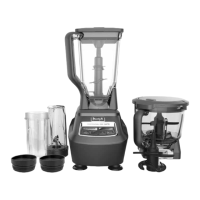
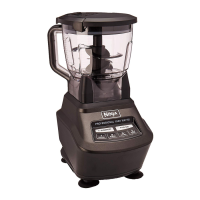
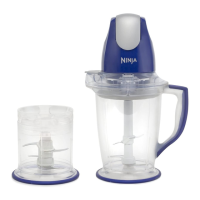
Ninja Master Prep QB900 series - User Manual

Ninja Master Prep QB900 series
16 pages
Print Icon
To Next Page IconTo Next Page
Loading...
Master Prep
®
OWNER’S GUIDE
QB900 series
®

Questions and Answers

  • R
    Rita CollinsJul 27, 2025
    Why is my Ninja Master Prep QB900 motor not starting?
    • E
      erin09Jul 27, 2025
      If the Ninja Blender motor isn’t starting, several factors could be at play. First, ensure the bottom of the motor head is clean and free of any food blocking the connection with the containers. Also, check that you haven't overfilled the container with food. The unit may have overheated; if so, unplug it and allow it to cool for about 10 minutes before trying again. Confirm that the splash guard and power head are securely attached to the container. Lastly, verify that the plug is correctly inserted into the electrical outlet and inspect the fuse or breaker; replace the fuse or reset the breaker if necessary.
  • F
    Francis ConradAug 3, 2025
    What to do if my Ninja Blender is chopping food unevenly?
    • A
      Amy CookeAug 3, 2025
      If your Ninja Blender is chopping food unevenly, it might be due to processing too much food at once or the food pieces being too large. Try cutting the food into smaller, evenly sized pieces and process smaller amounts per batch.
  • F
    fsimsAug 10, 2025
    How to prevent my Ninja Master Prep QB900 Blender from over-processing food?
    • D
      David FreemanAug 10, 2025
      To prevent your Ninja Blender from over-processing food, which results in it being too finely chopped or watery, it is likely that the food has been over processed. Use brief pulses or process for a shorter time. Allow the blades to come to a complete stop between pulses.
  • K
    Kirk RyanAug 18, 2025
    What to do if food collects on the splash guard of my Ninja Blender?
    • W
      williamsjordanAug 19, 2025
      If food collects on the splash guard, safety cover, or the sides of the pitcher or bowl of your Ninja Blender, you may be processing too much food. Turn the machine off, wait for the blades to stop rotating, and then remove the power head and splash guard. Remove some of the food before continuing.

Summary

Important Safety Instructions

Getting Started

Using the Master Prep Pitcher

Using the Master Prep Bowl

Hints & Tips for Using Your Ninja Master Prep

Cleaning and Maintenance

Troubleshooting Guide

One (1) Year Limited Warranty

Product Registration

Register your new Ninja® product for safety notifications and support.

Two (2) Year Limited Warranty

Ninja Master Prep QB900 series Specifications

General IconGeneral
BrandNinja
ModelMaster Prep QB900 series
CategoryBlender
LanguageEnglish

Related product manuals