2524
14
Settings Menu – Changing System Settings
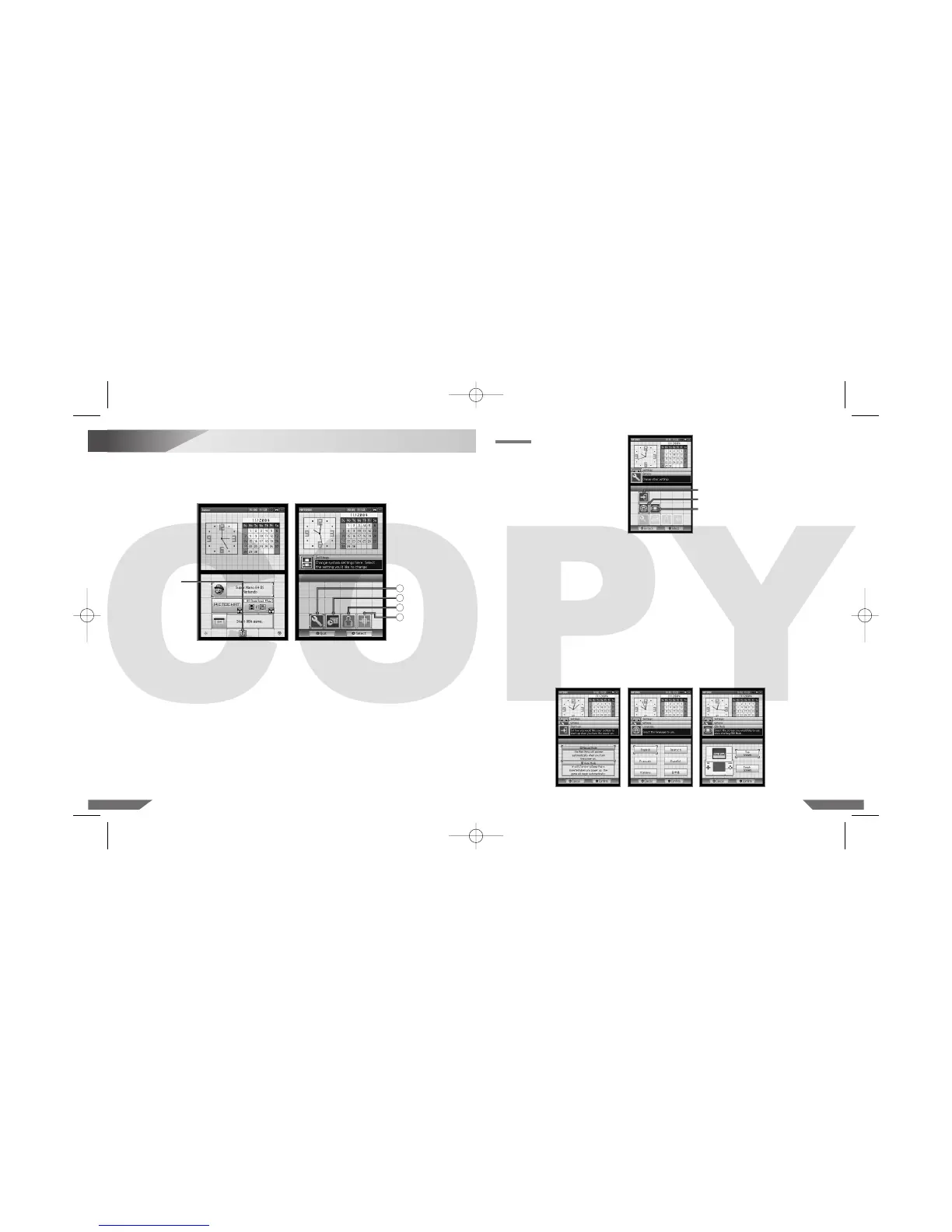
Various items can be adjusted from the Settings Menu. To access the Settings Menu, touch the
Settings Panel on the Nintendo DS Menu Screen. (Illustration 17)
The Settings Menu will appear. Each of the four menu panels will open a different set of options you
can adjust. (Illustration 18)
Illustration 19
Select the menu panel for the options you would like to adjust.
1. OPTIONS: Start-up Mode, Screen Language, Game Boy Advance Display
2. CLOCK: Date, Alarm, Time
3. USER: Colour, Birthday, User Name, Message
4. TOUCH SCREEN
See the following pages for a description and instructions for each option.
NOTE: Once you have finished with the system settings, touch QUIT. A confirmation message
will then appear. If you touch YES, the Nintendo DS Lite will be turned off automatically. Turn
the power on to see the new settings take effect and resume using the Nintendo DS Lite.
OPTIONS
Start-up Mode
Screen Language
Game Boy Advance
Display
• Start-up Mode (START-UP)
This option sets the mode the Nintendo DS Lite will start in when the power is turned on. Select
from A AUTO MODE or M MANUAL MODE.
In Auto Mode, the Nintendo DS Lite will load a game if there is a Game Card or Game Pak in
either slot. The Nintendo DS Lite will load the Game Card first if both slots have games in them.
If no game is loaded, the Nintendo DS Menu Screen will appear.
In Manual Mode, the Nintendo DS Menu Screen will appear. (Illustration 20)
• Screen Language (LANGUAGE)
This option sets the language used for non-game functions like menus. (Illustration 21)
• Game Boy Advance Display (GBA MODE)
This option allows you to set which screen (upper or lower) you would like to use as the game
screen when a Game Boy Advance game is played on the Nintendo DS Lite. (Illustration 22)
Illustration 20 Illustration 21 Illustration 22
Illustration 17 Illustration 18
Settings Panel
1
2
3
4
Menu Panels












 To Next Page