Meter Set Up
Note: If the meter turns o at any time
during Set Up, go back to Step #1
under Meter Set Up and begin
again.
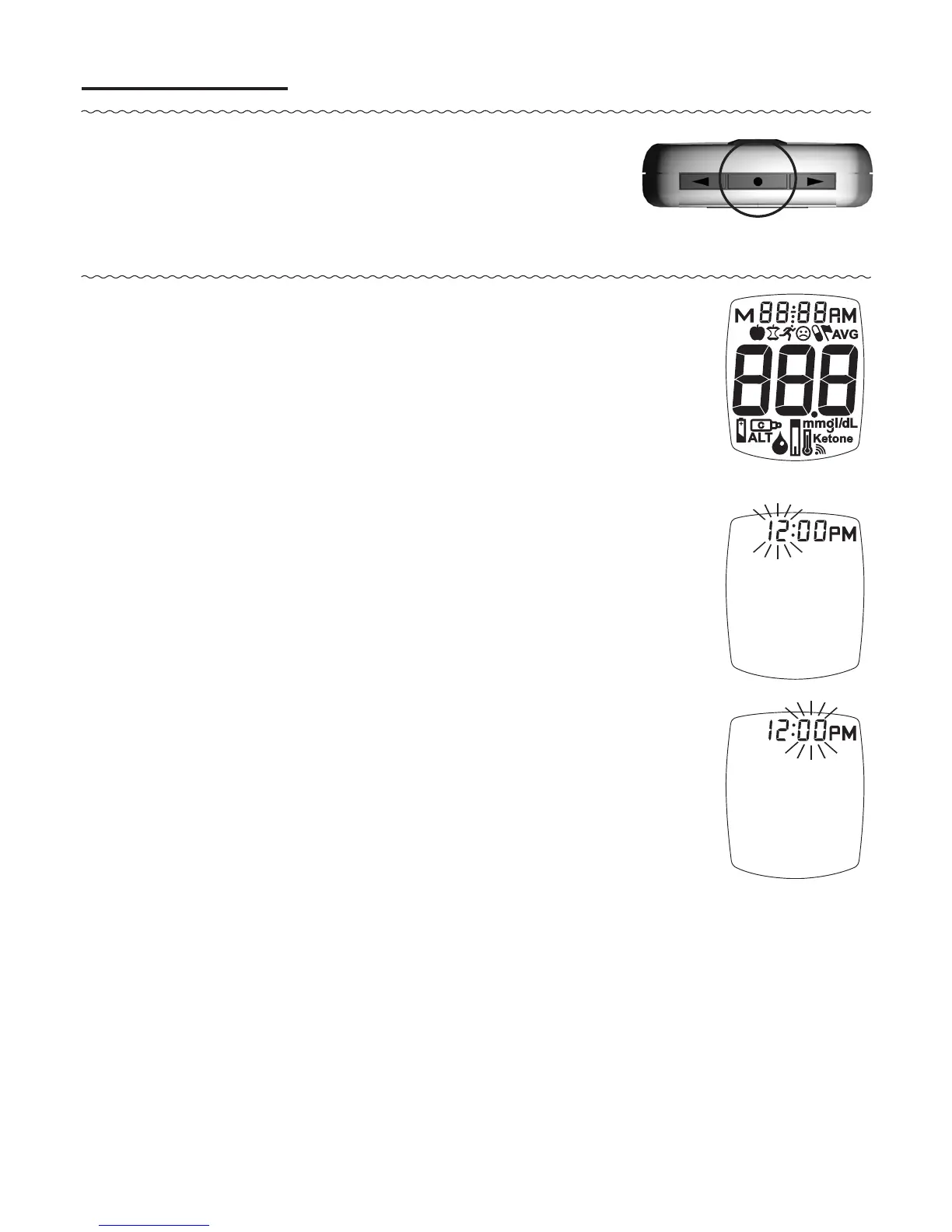
1. With meter o, press and hold
“ • ” Button until the full Display is
shown and a series of beeps sound
(aer about 10 seconds). Release “ • ”
Button. Meter goes into Set Up.
Set Time/Date
2. e hour flashes. To change, press
“ ▶ ” or “ ◀ ” Button on top of the meter
to select the hour. Like many alarm
clocks, to set “AM” or “PM”, scroll
through the hours until “AM” or “PM”
appears in the Display. Press “ • ” Button
to set.
3. e minutes flash. To change, press
“ ▶ ” or “ ◀ ” Button to select the
minutes. Press “ • ” Button to set.
31
TMX_OB_GutsENG_RE4NPD03r6.indd 31 7/15/15 3:37 PM



 To Next Page