33
Set Event Tags, Ketone Alert and Test Reminders
Meter comes with Event Tags, Ketone Test Alert and all
Test Reminders o.
Note: If the meter turns o at any time during Set Up, go
back to Step #1 under Meter Set Up and begin again.
Event Tags
Event Tags are used to mark a test result that was taken
during a specic event.
1. Aer setting the year, press “ ▶ ” or “ ◀ ”
Button to turn Event Tags on or o. Press
“ • ” Button to set, then the Meter goes to
set Ketone Test Alert.
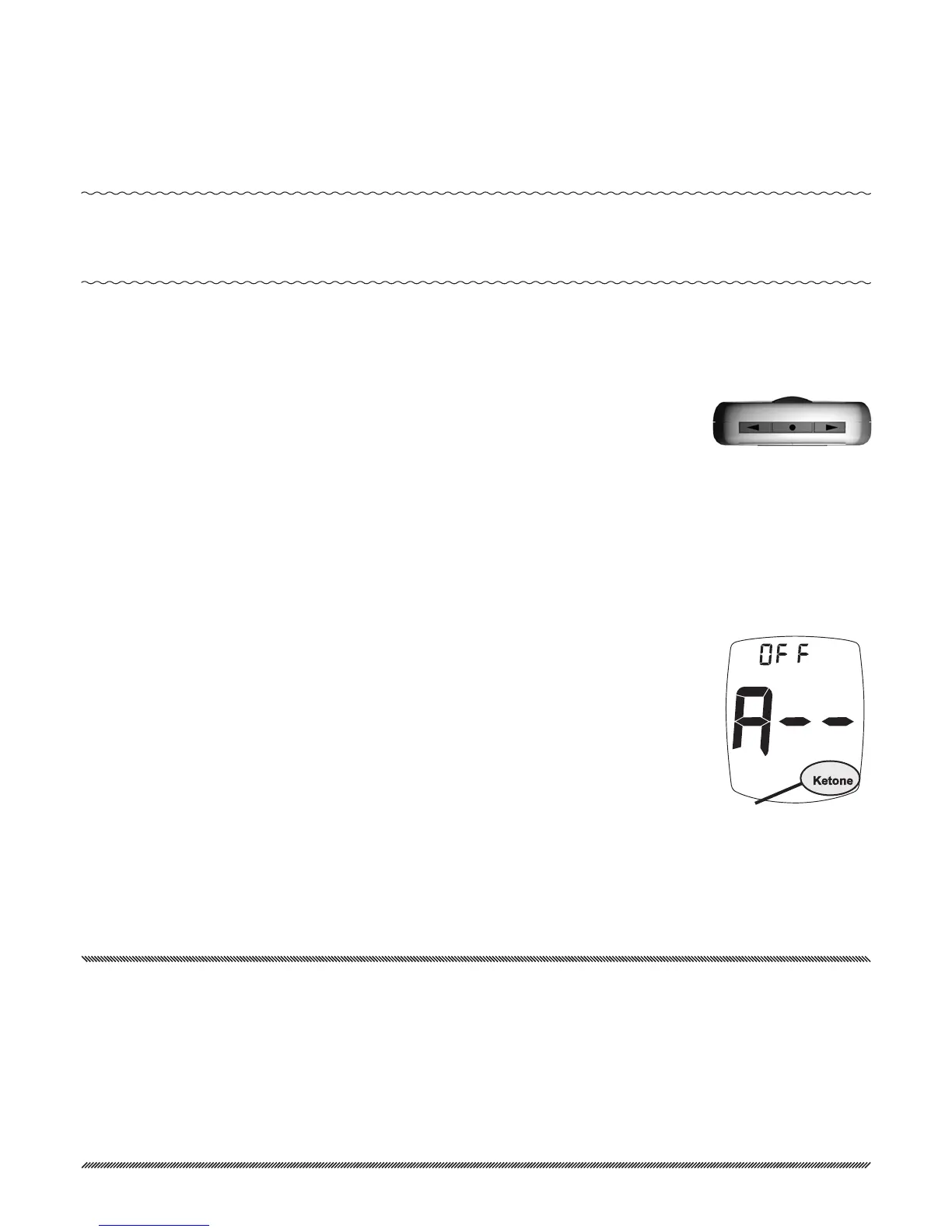
Ketone Test Alert
When a blood glucose result is over
240 mg/dL, the Ketone Test Alert is a
reminder to check your ketones per your
treatment plan.
2. Press “ ▶ ” or “ ◀ ” Button to turn Alert
on or o. Press “ • ” Button to set, then
the Meter goes to set Test Reminder.
Caution! When a Ketone Test Alert is shown in the Dis-
play, it does not mean that ketones have been
detected in your blood. Perform a ketone test
per your treatment plan, as prescribed by your
Doctor or Healthcare Professional.
Ketone Test
Alert
Top of Meter
TMX_OB_GutsENG_RE4NPD03r6.indd 33 7/15/15 3:37 PM



 To Next Page