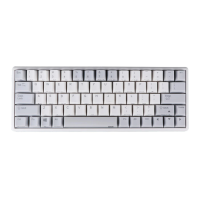
out,choose the key of need to be set and it will show the chosen status.Then single
pree the “Set Color”key,choose the color in the dialog box of “color“ that pops out
and confirm. Then set up much key color as the chosen color.
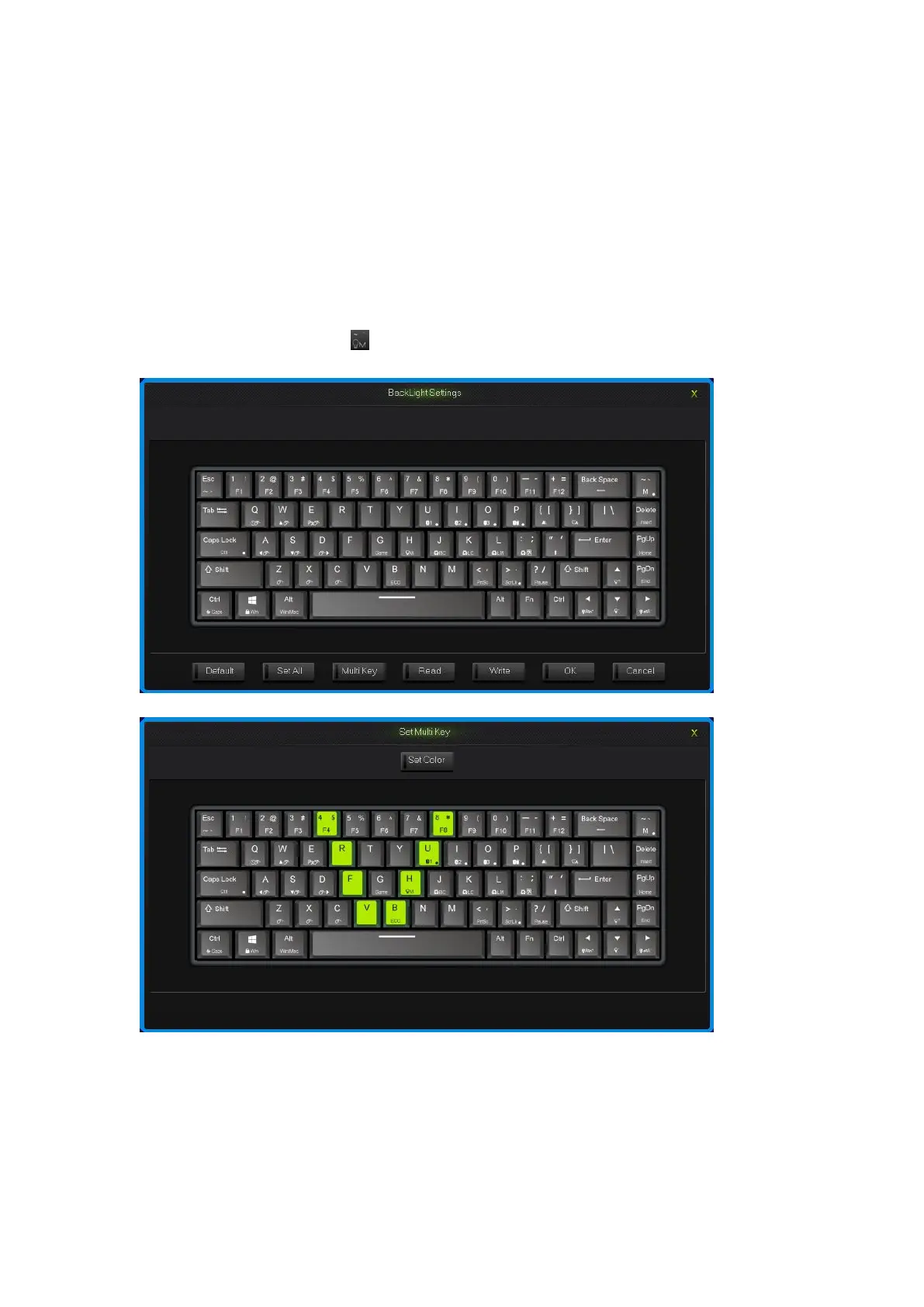
Single press on any key on the backlight interface, choose the color in the dialog box
of “color” that pops out and confirm. Then fast set up the chosen key color as the
chosen color.
Click into the “Program” Key after set up the backlight, finish the set up for custom
backlight.
Custom backlight are available under both modes. Exchange custom backlight and
normal backlight with “FN+ ”.
Backlight settings interface
Set Multi Key interface
How to configure keyboard:
Under OFFICE mode, press the “M” key on the top right corner , “M” light turn on,
then goes into custom mode of program1,“M” light flash, then goes into custom mode


 To Next Page