25
6.4 Capturing distance
The minimum recommended sound source distance for
the LF10 is approximately 0.3 meters (1.0 ). If the distance
is shorter than this, the location of sound sources will not
be accurately displayed.
There is no specific maximum distance at which the
LF10 can be used. In practical cases, the distance is
oen limited to approximately 130 meters (430 ). This
depends on how loud the sound source of interest is, and
louder sound sources in an otherwise quiet environment
can be detected at even larger distances. Conversely,
quieter sound sources usually require closer proximity.
6.3 Reflections
The LF10 can sometimes show reflections of sound sources,
most commonly in closed environments. In the event
you suspect a reflection, move around the object you are
inspecting and examine it with the camera from different
directions. If the sound moves around or completely
disappears, it is most likely a reflection or interference.
If the source stays in one place when you move the camera,
you have located an actual sound source.
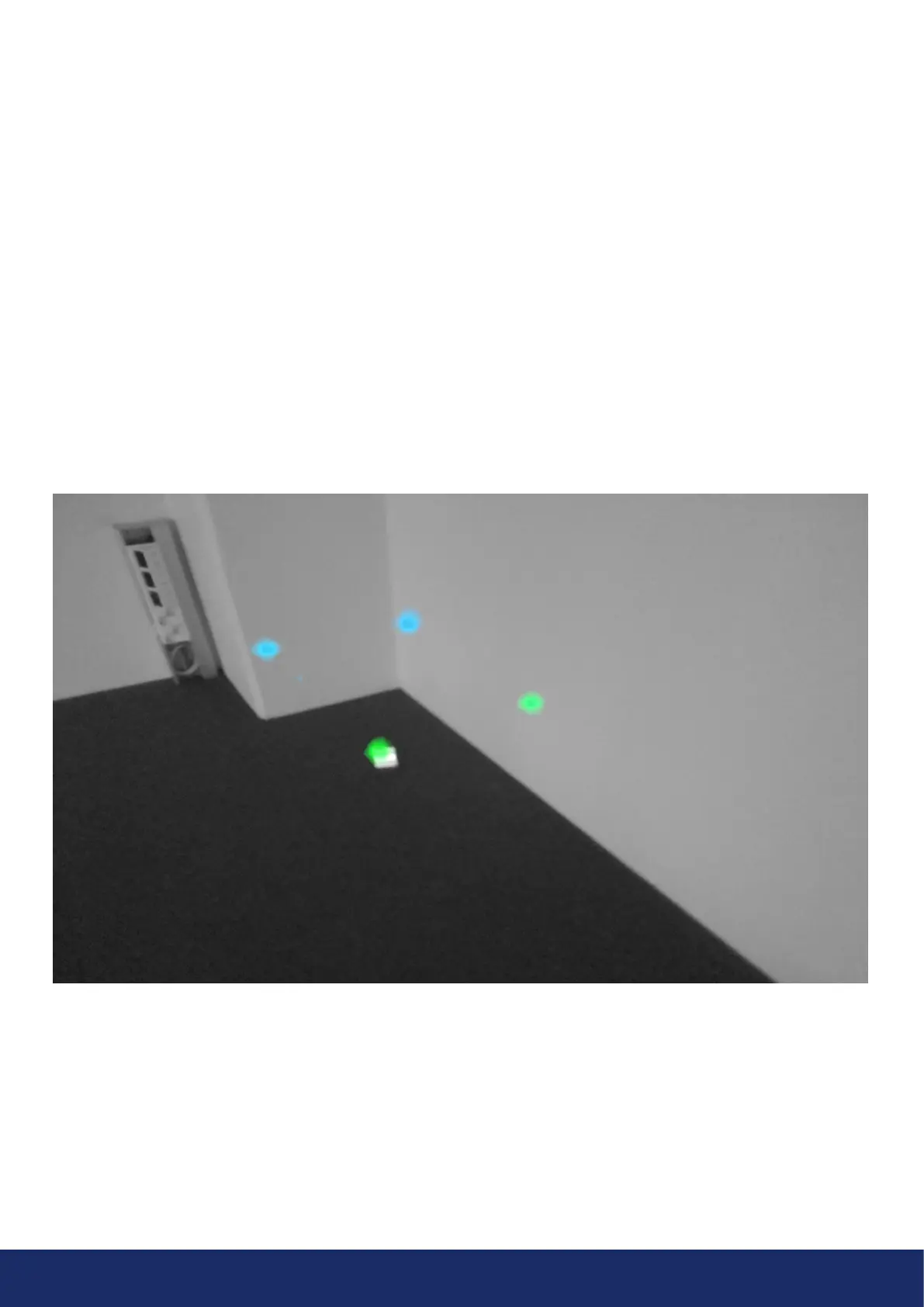
To determine whether the camera displays an actual
sound source or a reflection, you can also utilize the multi-
source mode. The multi-source mode brings visibility to
actual sound sources and one or multiple reflections. By
moving the LF10 around the object you are inspecting,
you can discard reflections (Image 13).
Image 13: An example of an actual sound source and three reflections shown by the LF10 in multi-source mode. The actual sound
source is on the floor, while the three reflections are visible on the walls. When the camera is moved around, the location of the
actual sound source remains the same, while the reflections move around on the walls and are not visible from all angles.



 To Next Page