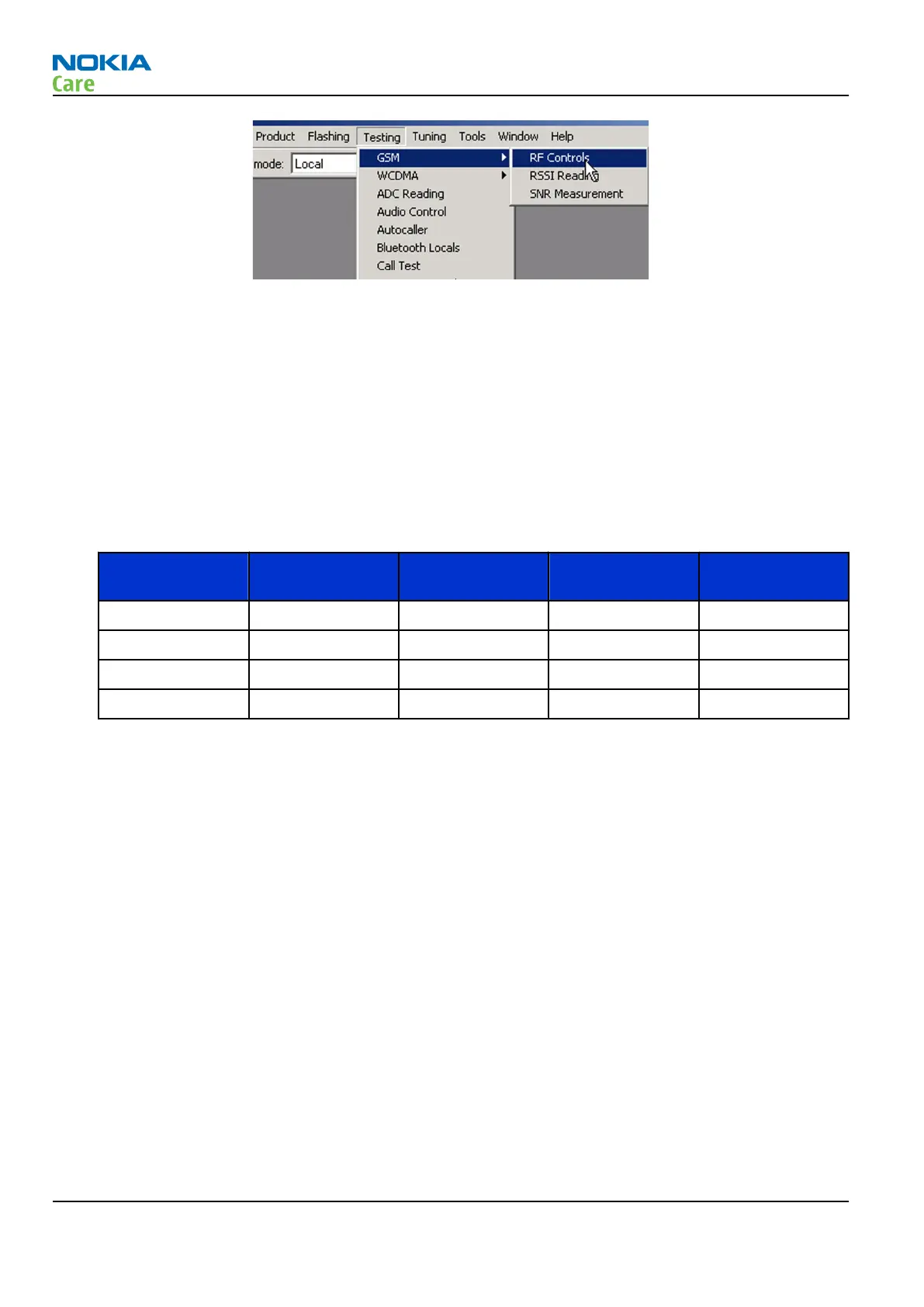
ii In the
RF Controls
window:
• Select band.
• Set Active unit to “Rx” (Default ).
• Set Operation mode to “Burst” (Default).
• Set Rx/Tx channel (see table below).
• Apply a frequency (see table below) to the RF-connector.
Note: Remember to compensate for cable attenuation, specific for MJ-122. You will find the values
in the Service tools section.
Apply a signal to the RF-connector (remember to compensate for cable attenuation). See values in
the table below.
Band Channel (RX and
TX)
Input frequency
(MHz)
Offset (kHz) Power level
(dBm)
GSM850 190 881.66771 67.710 -90
GSM900 37 942.46771 67.710 -90
GSM1800 700 1842.86771 67.710 -90
GSM1900 661 1960.06771 67.710 -90
RM-272; RM-273
RF Troubleshooting and Manual Tuning Guide
Page 4 –10 COMPANY CONFIDENTIAL Issue 1
Copyright © 2007 Nokia. All rights reserved.



 To Next Page