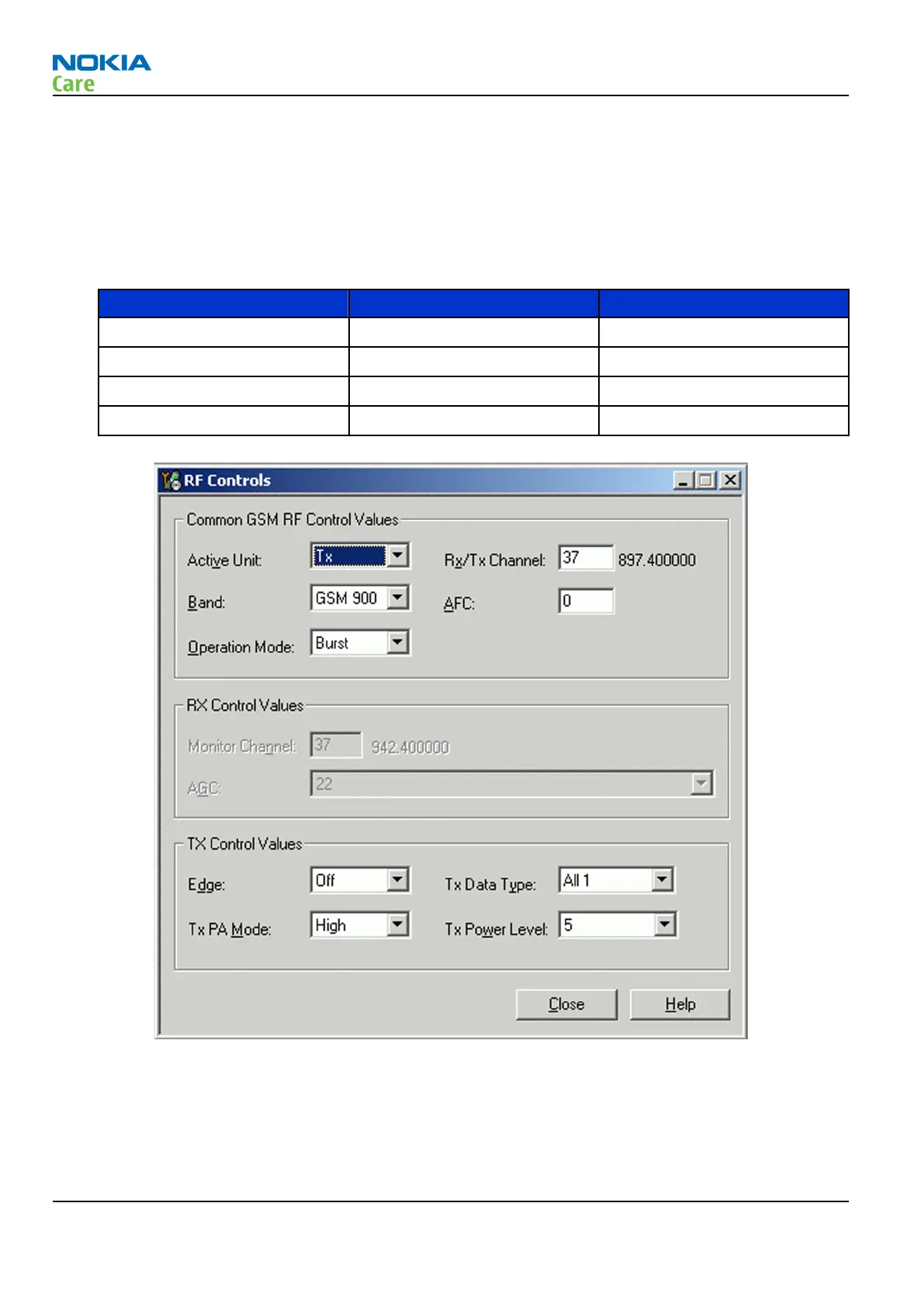
• Set Operation mode to “Burst” (Default).
• Set Tx data type to “All1” (Default).
• Set Rx/Tx channel (see table below)
• Set Edge to “Off” (Default).
• Set Tx PA mode to “High” (Default).
• Set power level (see table below)
Band Channel (RX and TX) TX power level
GSM850 190 5
GSM900 37 5
GSM1800 700 0
GSM1900 661 0
Figure 22 RF Controls window
RM-272; RM-273
RF Troubleshooting and Manual Tuning Guide
Page 4 –16 COMPANY CONFIDENTIAL Issue 1
Copyright © 2007 Nokia. All rights reserved.



 To Next Page