iii Choose the product manually from File→Open Product , and click OK.
Wait for the phone type designator (e.g. “RM-1” ) to be displayed in the status bar.
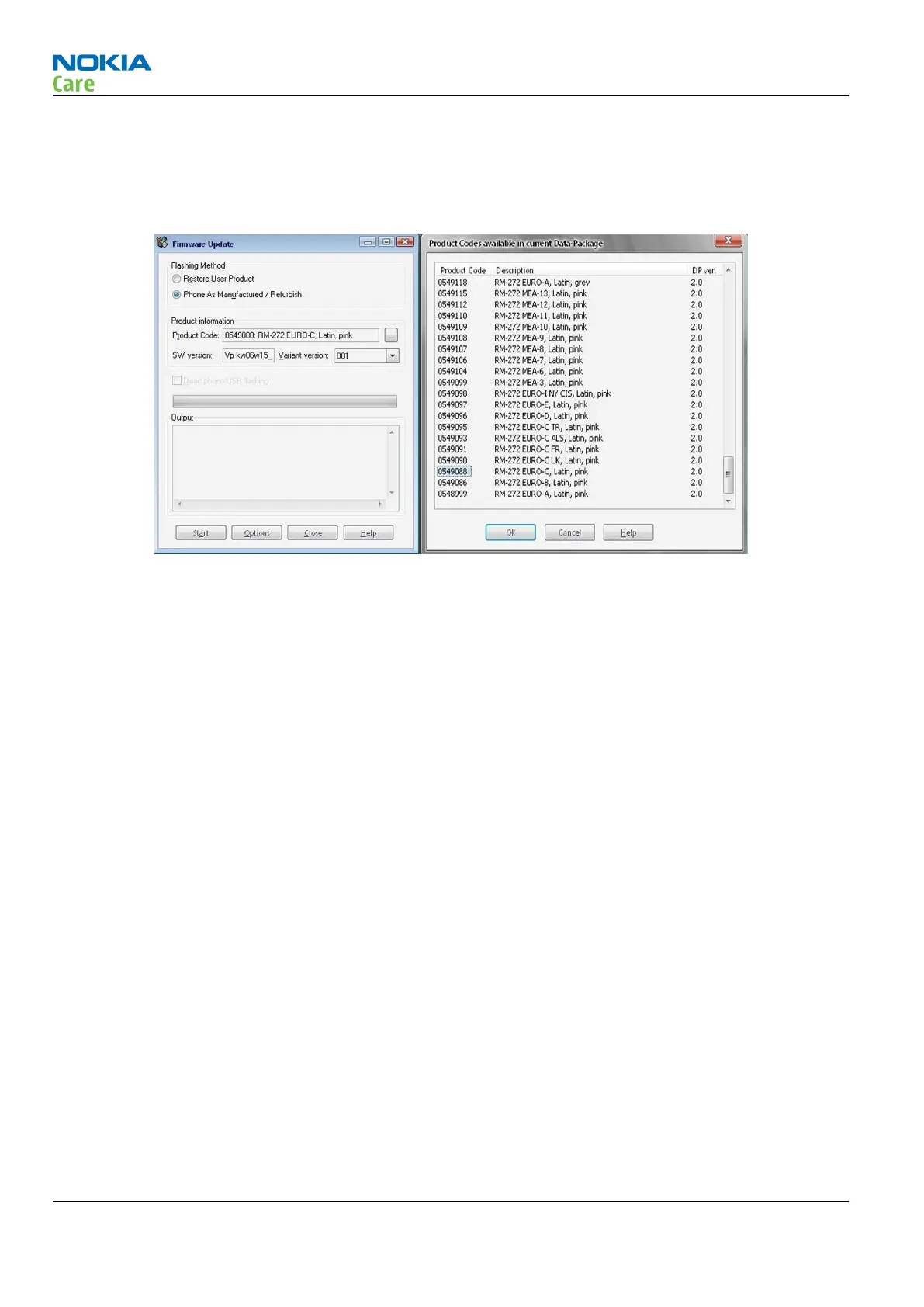
iv Go to Flashing→Firmware Update and wait until
Phoenix
reads the product data as shown in the
following picture.
v To continue, click Start.
Progress bars and messages on the screen show actions during phone programming, please wait.
RM-272; RM-273
BB Troubleshooting and Manual Tuning Guide
Page 3 –44 COMPANY CONFIDENTIAL Issue 1
Copyright © 2007 Nokia. All rights reserved.



 To Next Page