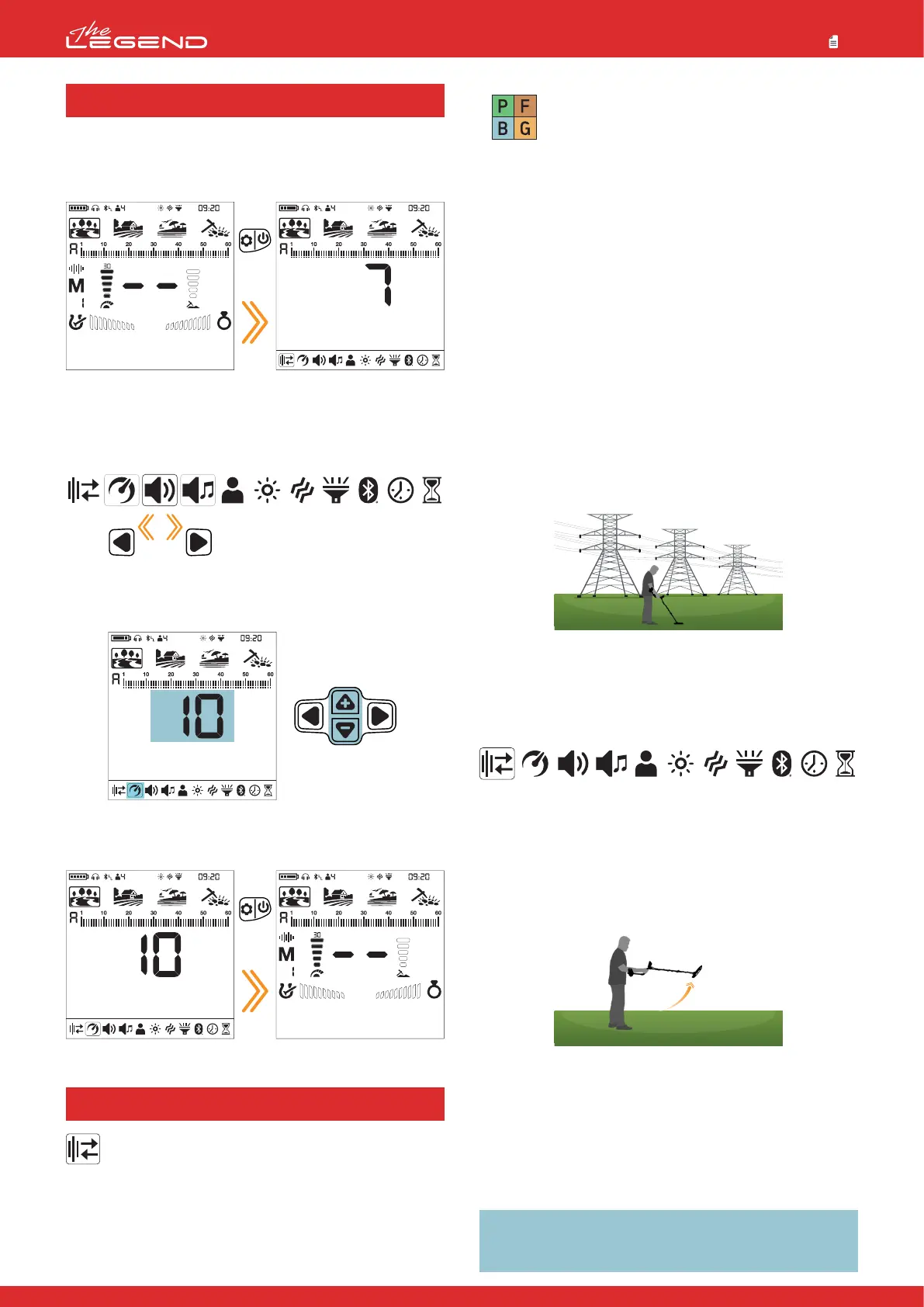
To go into the settings menu, press the Power & Settings Button
once. Once the button is pressed all the settings will be displayed
at the bottom of the screen. The selected setting will be shown
framed and its value will be displayed on screen.
Navigation Through Settings
You can navigate through the settings using the right and left
buttons.
The selected setting will blink for easier viewing.
Adjusting a Setting
You can adjust the value of a setting using the plus (+) and minus
(-) buttons.
Exiting the Settings Menu
Press the Power & Settings Button once to exit the settings menu.
It is used to eliminate the electromagnetic interference that
the device receives from another detector which operates in
the same frequency range nearby or from the surroundings
(high voltage power lines, cellular base stations, wireless
radios and other electromagnetic devices).
There are 13 channels available for all frequencies including Multi
frequency. The default channel is 1.
SETTINGS
1. Frequency Shift
Press
once
Press
once
16
Park
Goldfield
Beach
Field
Frequency Shift only affects the mode and
frequency currently selected; changes made in
one mode does not affect the other modes or
frequencies.
If too much noise is received when the search coil is lifted in the
air, this may be caused by the local electromagnetic signals or high
sensitivity level.
To obtain maximum depth performance, to eliminate the noise
caused by electromagnetic interference, try shifting the frequency
first before decreasing the sensitivity.
Detectors may become noisy due to electrical interference and may
exhibit erratic behavior such as loss of depth or unstable target ID.
The Frequency Shift setting allows you to slightly shift the detector
transmit frequency to eliminate unwanted noise.
Frequency Shift can be done in 2 ways in The LEGEND: Manual
and Automatic.
In the manual Frequency Shift, the operator listens to each channel
and selects the one with the least noise.
In the automatic one, the device scans all the channels and picks
the least noisy one itself. This feature is often referred to as Noise
Cancellation as well.
Shifting the Frequency
1. Hold the coil stationary and away from the ground.
2. Press the Power & Settings Button once. Select the Frequency
Shift setting using the right and left buttons. The current channel
will be displayed on screen.
Manual Use
1. Using the plus (+) and minus (-) buttons, go through the frequency
channels.
2. Select the one you think is the one with the least interference.
Automatic Use
1. Before doing a noise cancellation, lift the device UP in the air as
shown in the picture and hold it still until the process is completed.
2. Press the Pinpoint & Accept/Reject Button once.
3. The device will start scanning all the channels and each channel
number will be displayed on screen.
4. When the process is done, automatically selected channel
number will be displayed and a confirmation sound will be heard.
Press the Power & Settings Button once to go back to the main
screen.
IMPORTANT! Automatic Frequency Shift selects the quietest
channel based on various criteria. However, sometimes the
selected channel may still present some noise.



 To Next Page