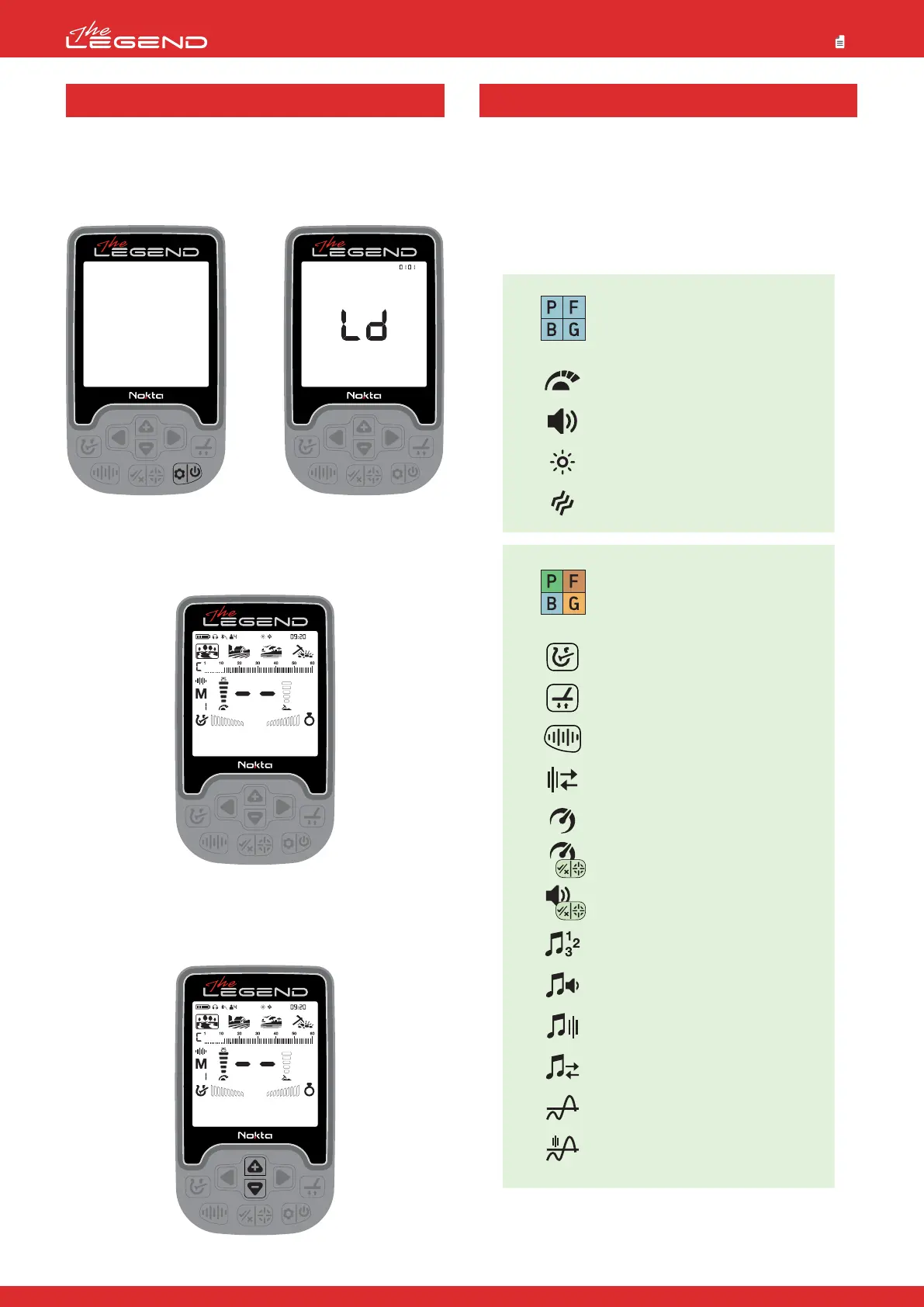
1. Assemble the device as per the instructions on page 1.
2. Press and hold the Power & Settings Button for a second to turn
on the device. Loading message ''Ld'' will appear on screen and the
software version will be displayed at the upper right corner.
3. When the device is turned on, it will start in the Park mode and
in Multi frequency. You can change the mode based on ground
conditions. You can find more details on search modes and
frequencies further in this manual.
4. You can increase the sensitivity if needed. Increasing the
sensitivity will offer you greater depth. However, if the surroundings
or the ground cause excessive noise in the device, you need to
lower the sensitivity setting.
5. You can start detecting!
Certain settings are common to all modes; changes in these
settings will take effect in all modes.
Most of the settings are mode based and they only affect the
mode currently selected; changes made in one mode do not affect
the others.
Common settings and mode-based settings are marked as below
throughout the manual:
QUICK GUIDE COMMON AND MODE-BASED SETTINGS
6
Custom Discrimination Pattern
Ground Balance
Frequency
Frequency Shift
Recovery Speed
Iron Filter / Stability / Bottle Cap Rejection /
Ground Suppressor / Deep Target Identification /
Iron Rejection in Beast Mode
Audio Gain
Number of Tones
Tone Volume
Tone Frequency
Tone Break
Threshold Level
Threshold Frequency
Sensitivity
Volume
Backlight
Vibration
Park
Goldfield
Beach
Field
Mode-based Settings
Park
Goldfield
Beach
Field
Common settings



 To Next Page