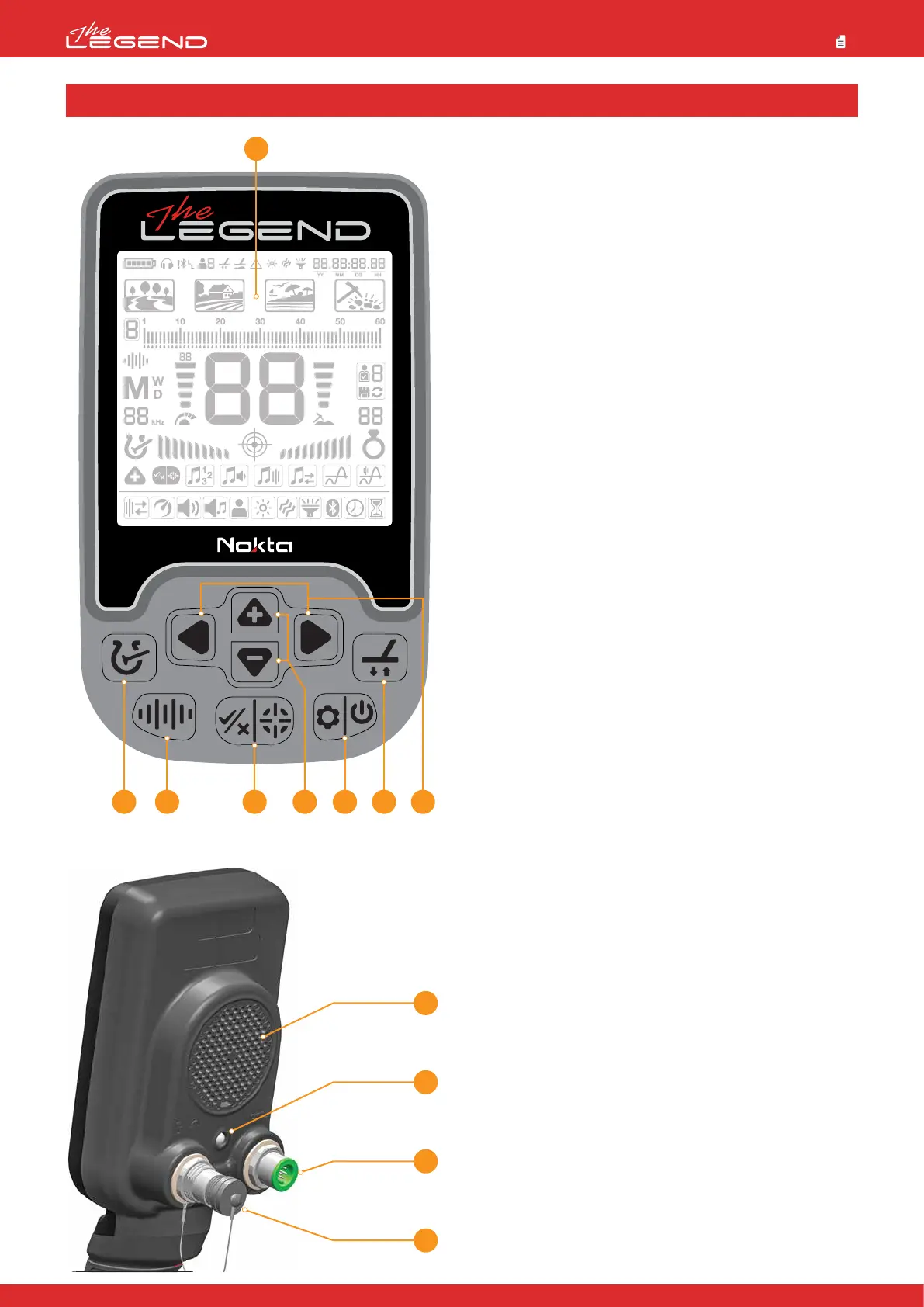
1. LCD Screen
2. Power & Settings Button
To turn the device on, press the button for 1 second. To go into or
to get out of settings, press once. To turn the device off, press and
hold.
Note: While in settings, pressing the button long will not turn the
device off.
3. Pinpoint & Accept/Reject Button
It is used for pinpointing on the main screen. This button has
multiple functions in discrimination and other settings which are
explained in detail in the related sections of the manual.
4. Frequency Button
Allows you to select the operating frequency amongst the Multi
and single frequencies.
5. Discrimination Button
Allows you navigate between the discrimination patterns offered
by The LEGEND.
6. Right and Left Buttons
On the main screen, they are used to navigate between the modes
and in the settings menu, they are used to navigate through the
settings.
7. Plus (+) and Minus (-) Buttons
On the main screen, they are used to increase or decrease the
sensitivity and in the settings menu, they are used to change the
value of a setting.
8. Ground Balance Button
In The LEGEND, you can ground balance the detector in 3 different
ways using this button. For details, please read page 12.
5 4
1
3
12
11
10
7 2 8 6
9. Speaker
10. LED Flashlight
11. Search Coil Input Socket
12. Wired Headphones and Charging Input Socket
IMPORTANT! If no headphones or charging cable is plugged in the
socket, please keep it closed with the screw cap.
9
INTRODUCTION TO THE DEVICE
2



 To Next Page