The LEGEND comes with Bluetooth® wireless headphones. The
Bluetooth® headphones are NOT waterproof and should not be
exposed to water.
The wireless connection will work as long as the system box of the
device is not submerged in the water. In other words, you can use
your wireless headphones while searching in shallow water with
the coil submerged underwater. Please remember though, that the
wireless headphones should not contact with water.
In case of the system box being submerged underwater, the
wireless connection will not work. In this case, you need to
purchase our optional Nokta Waterproof Headphones for land
and underwater use. If you will not submerge the headphones
underwater but just the system box, then you can also purchase
our Nokta Koss Headphones with waterproof connector.
For land use only, you can also purchase our optional headphones
adapter should you want to use The LEGEND with your own wired
headphones.
HEADPHONES
11. Time Tracking
WARNING MESSAGES
The LEGEND offers a unique feature for the users; time
tracking. Starting from the initial power-up it saves the
usage time and displays it on screen when this setting is
selected.
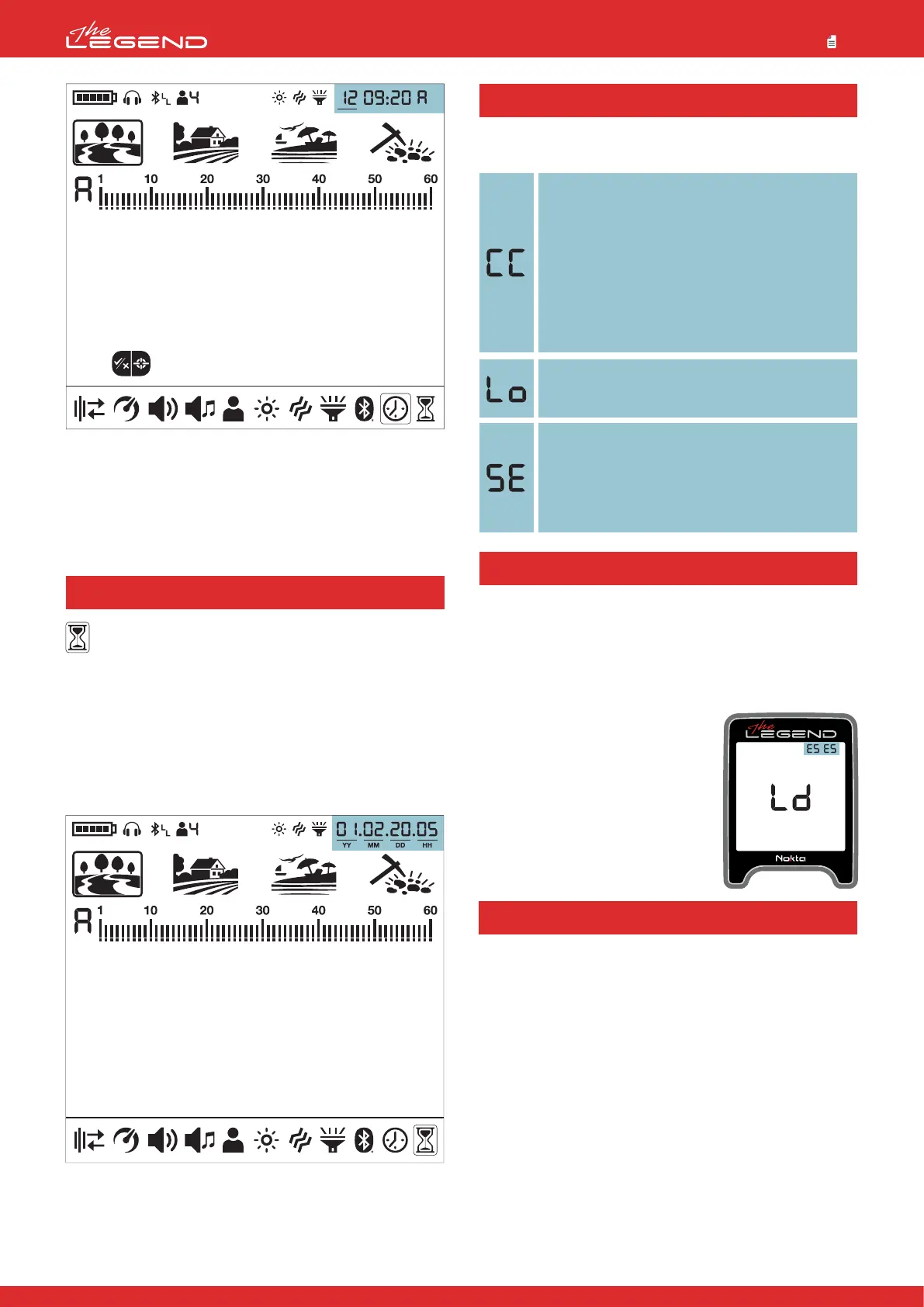
When Time Tracking is selected in the settings, the user can see
how much time he/she has spent with The LEGEND in
year/month/day/hour format.
Displaying the Usage Time
1. Press the Power & Settings Button once. Select Time Tracking
using the right and left buttons.
2. In the upper right corner, you can see how long the device has
been running. For example, the usage time in the screen above is
1 year, 2 months, 20 days and 5 hours.
3. Press the Power & Settings Button once to go back to the main
screen.
SOFTWARE UPDATE
The LEGEND has software update capability. All software updates
made after the device is released to the market will be announced
on the product's web page along with updating instructions.
System Version Information:
The software version of The LEGEND will be displayed at the
upper right corner each time you turn the detector on.
NOTE: After the device is updated, if E5
E5 error code comes up where the
software version is displayed, this
means that the update has not been
installed correctly. You need to reload
the software again in such a case.
30
4. Then using the right and left buttons select the hour and
minutes and set the time using the plus (+) and minus (-) buttons.
5. Press the Pinpoint & Accept/Reject Button once to go back to
settings.
6. Press the Power & Settings Button once to go back to the main
screen.
The device will shut down shortly after one of the below
messages is displayed on screen:
Check Coil (CC)
It indicates an interruption in the search coil
transmitter signal. The search coil connector may be
unattached, loose or disconnected. If you own
another detector with the same coil connector, please
be sure that you have not attached the wrong coil by
mistake. If none of the above exists, the search coil or
its cable may have a defect. If the issue continues
when you change the search coil, there may be an
issue in the coil control circuit.
Low Battery (Lo)
When battery is depleted, ''Lo'' message appears on
display and the device shuts down.
System Error (SE)
Turn the device back on if the device shuts down
after this warning. If the problem persists, reset the
device by pressing and holding the Power & Settings
Button for 30 seconds. If the problem still exists,
contact technical service.



 To Next Page