GATEWAY QUICK START GUIDE
May 2019 Information subject to change without notice. 5
Step 1a: Static WAN IP Configuration
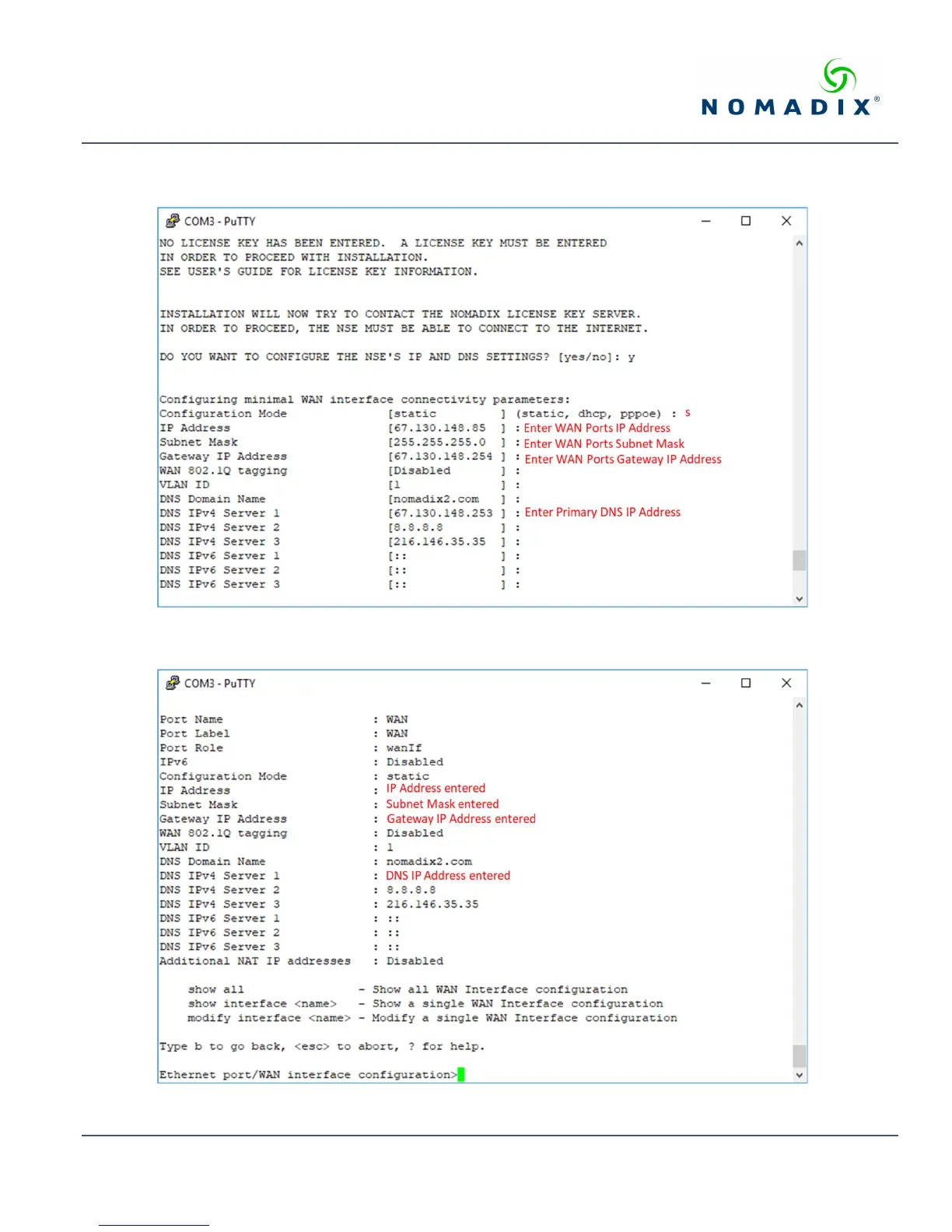
Accept static as the default configuration mode and enter the following mandatory settings shown in Figure 2.
Figure 2: Initial WAN port settings
A WAN port summary page will then be displayed as shown in Figure 3.
Figure 3: WAN port static IP configuration summary page



 To Next Page