GATEWAY QUICK START GUIDE
Nomadix Inc. 6
If everything is correct in the summary, type b[ack] to return to the previous menu and proceed to Step 2 to enter the location
information.
Otherwise, select an option from the Ethernet port configuration menu to display or make changes to the WAN port settings.
When finished with the settings, type b[ack] to return to the previous menu and proceed to Step 2 to enter the location
information.
Step 1b: DHCP Client Configuration
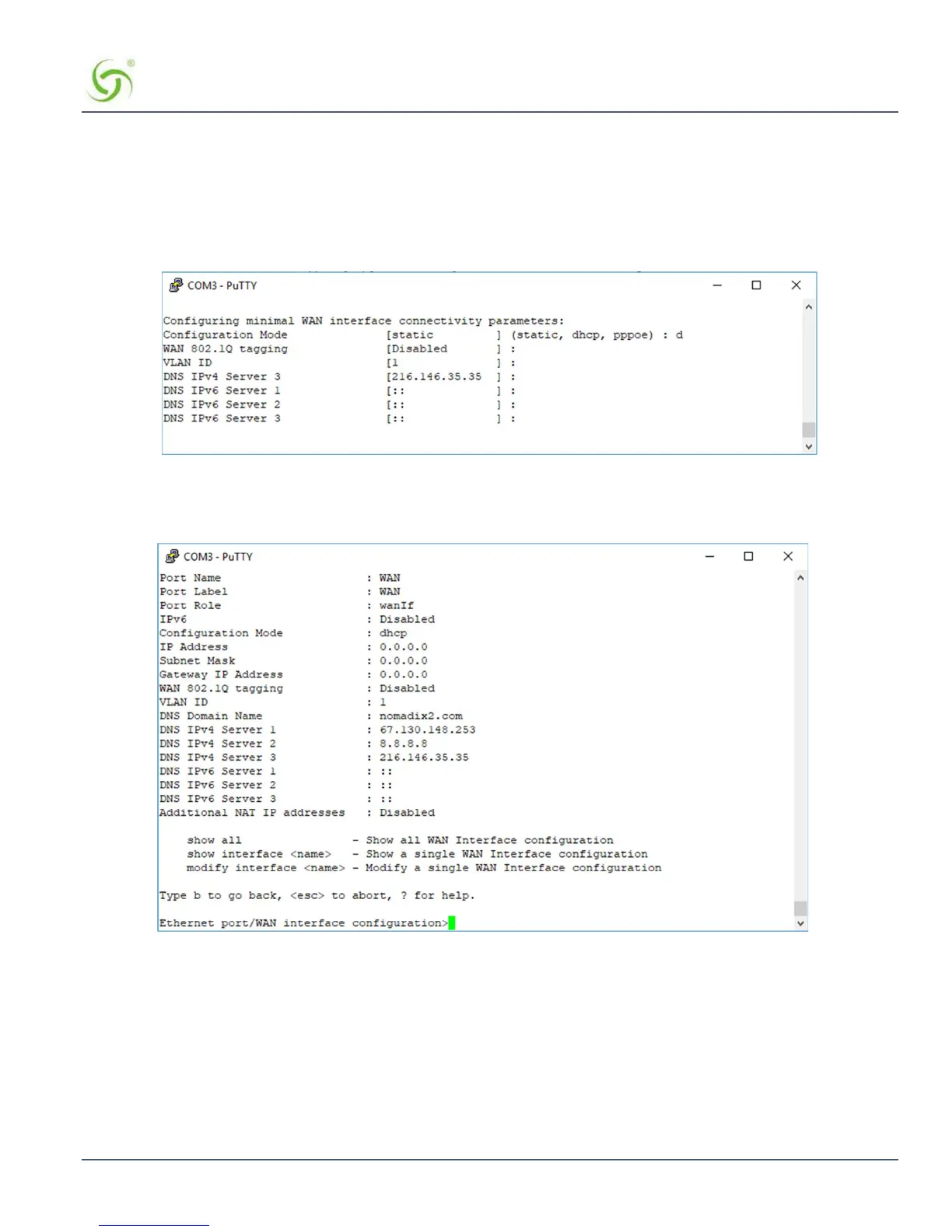
Type d[hcp] for the configuration mode as shown in Figure 4.
Figure 4: Selecting DHCP Client for WAN configuration
A WAN port summary page will then be displayed as shown in the example Figure 5.
Figure 5: WAN port DHCP client configuration summary page
If everything is correct in the summary, type b[ack] to return to the previous menu and proceed to Step 2 to enter the location
information.
Otherwise, select an option from the Ethernet port configuration menu to display or make changes to the WAN port settings.
When finished with the settings, type b[ack] to return to the previous menu and proceed to Step 2 to enter the location
information.



 To Next Page