ACCESS GATEWAY
136 System Administration
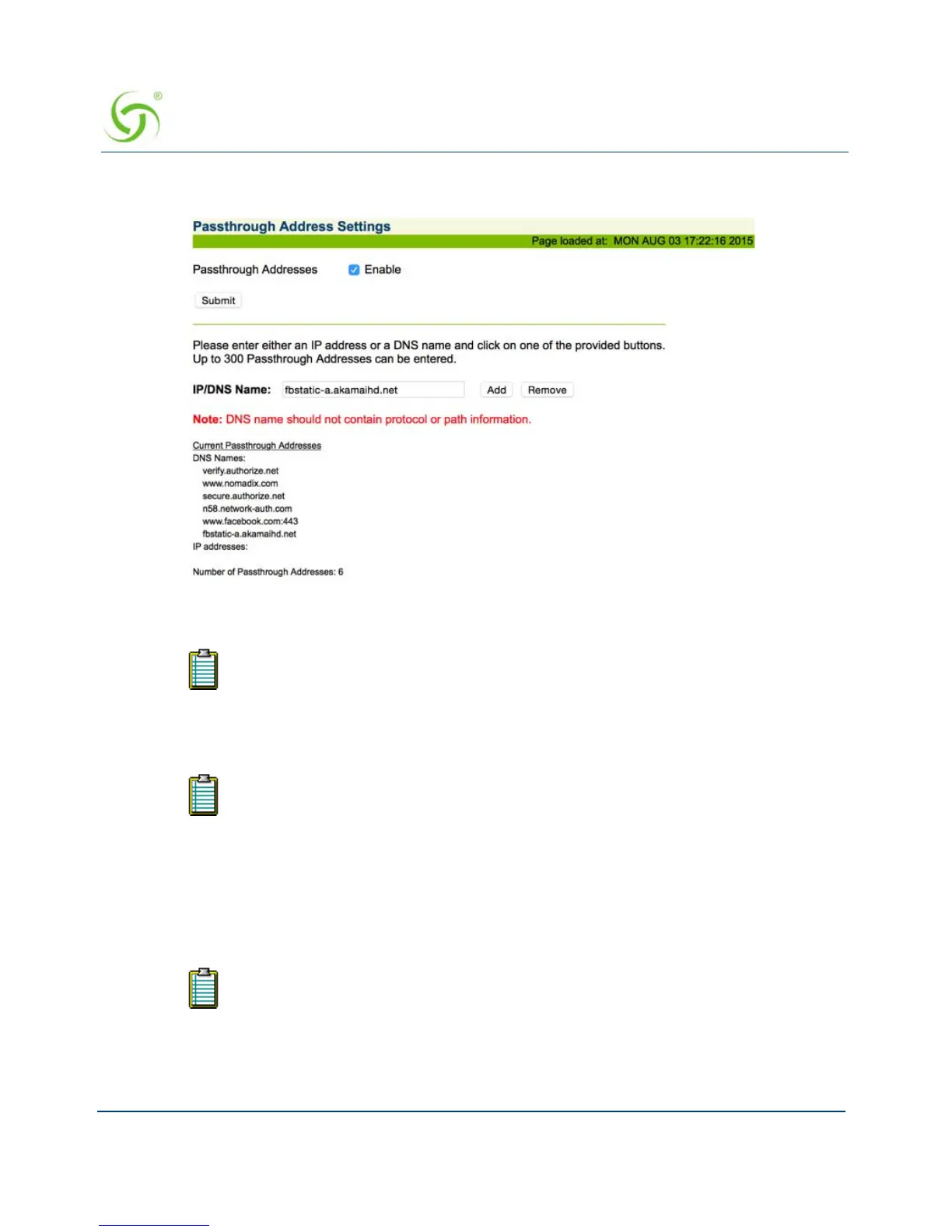
1. From the Web Management Interface, click on Configuration, then Passthrough
Addresses. The Passthrough Address Settings screen appears:
2. If required, enable Passthrough Addresses, then click on the Submit button.
3. In the IP/DNS Name field, enter the IP address or DNS name of the pass-through you want
to add or remove from the system.
4. If adding this pass-through, click on the Add button, otherwise click on Remove to delete
this pass-through from the list.
Assigning a PMS Service {PMS}
The Access Gateway can be integrated with existing Property Management Systems. For
example, by integrating with a hotel’s PMS, the Access Gateway can post charges for Internet
If you are supporting Facebook athentication, you must add Passthrough
Addresses www.facebook.com:443 and fbstatic-a.akamaihd.net.
The system only accepts route DNS names (for example, www.nomadix.com). Do
not include protocol, port, or path information.
Your product license may not support this feature.



 To Next Page