ACCESS GATEWAY
232 System Administration
Japanese (Shift_JIS)
Spanish
Other, with drop-down menu (see note)
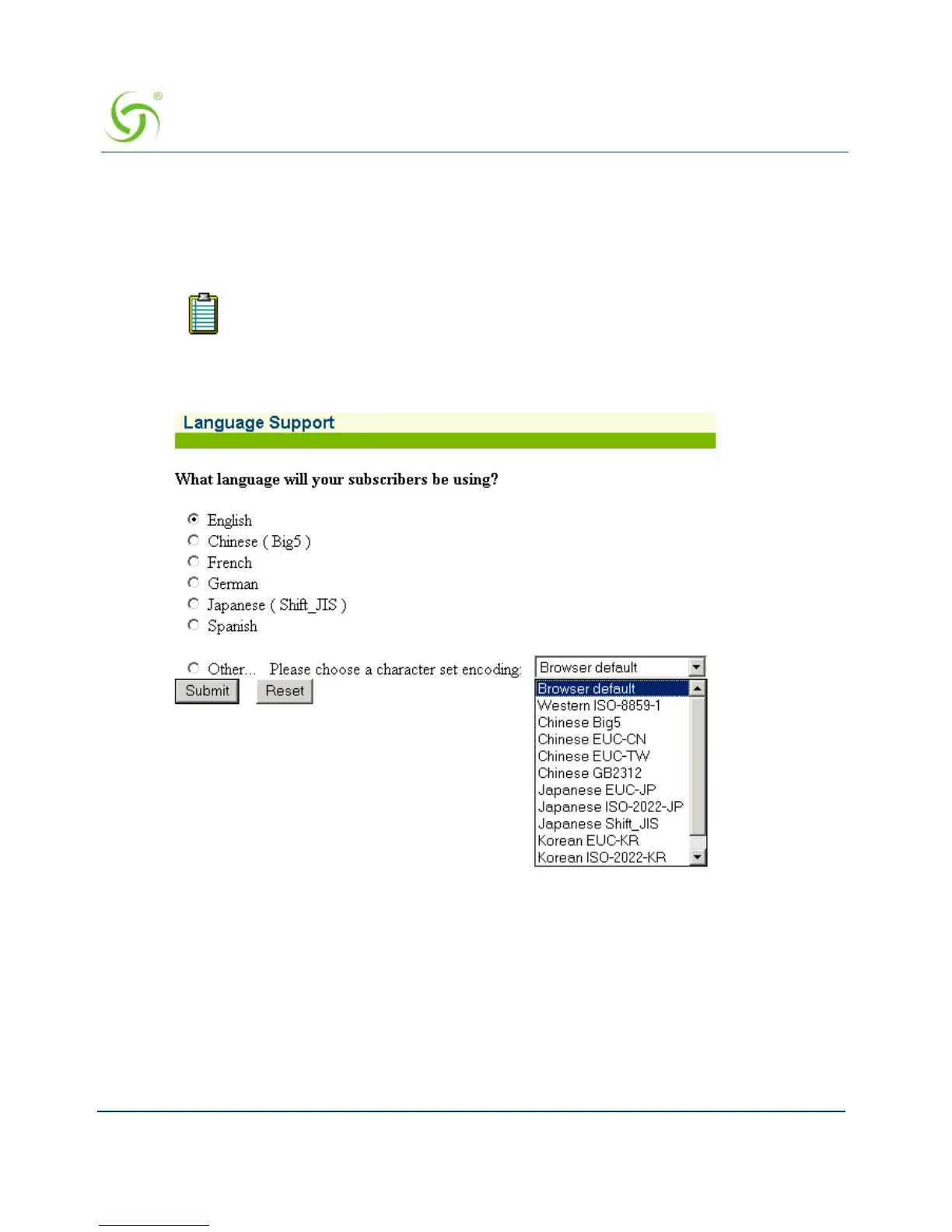
1. From the Web Management Interface, click on Subscriber Interface, then Language
Support. The Language Support screen appears:
You can also change the language of the Web Management Interface. See
“Selecting the language of the Web Management Interface” on page 78.



 To Next Page