NOOK HD+ User Guide 57
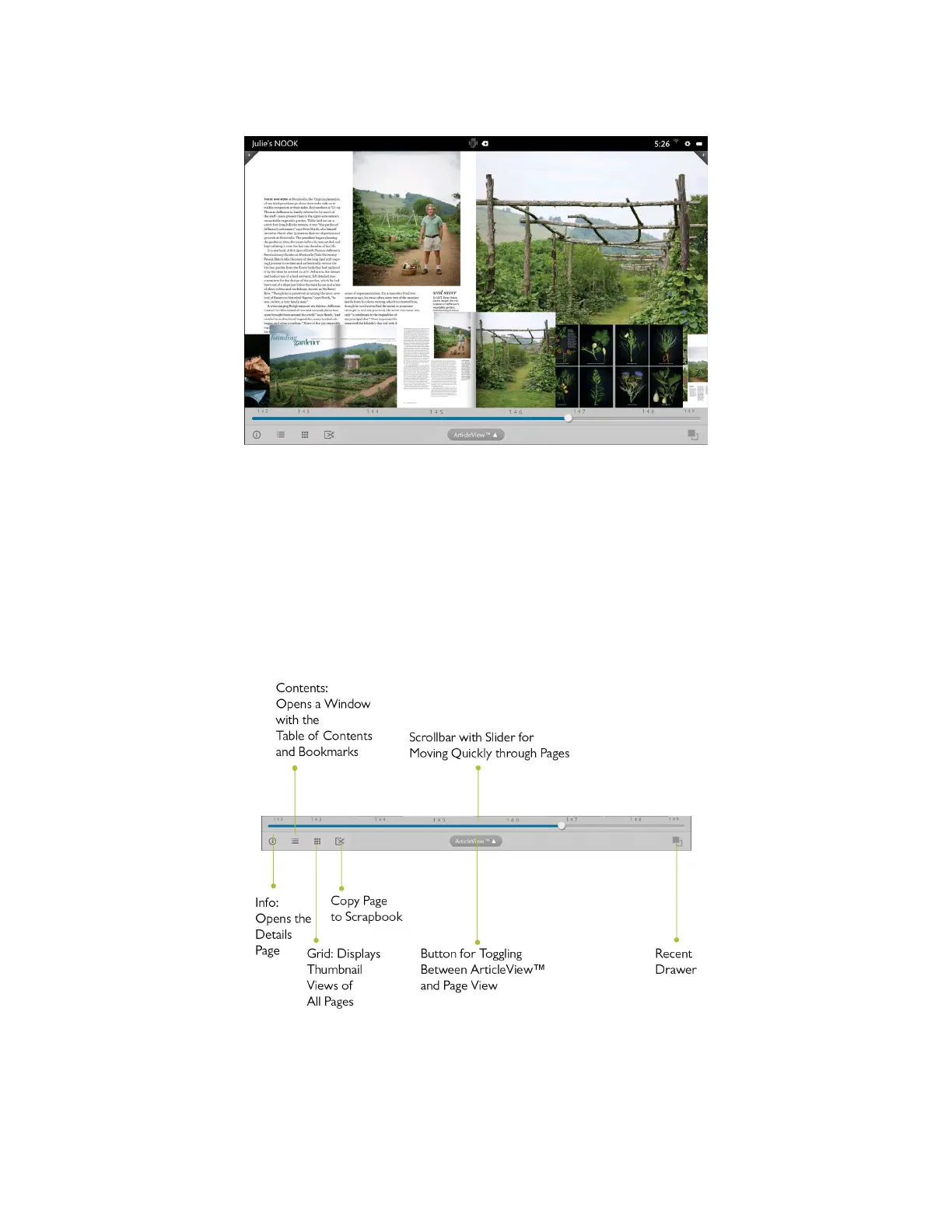
An example of Magazine View with the Reader Tools open, displaying thumbnails and a slider for navigating from page to page.
Once you’re viewing a page without the thumbnail images, you can turn the page and view the next page by tap-
ping on the right-hand side of the screen. You can flip back to a previous page by tapping on the left-hand side of the
screen.
In Magazine View, you can bookmark a page by tapping the + icon in the upper right-hand corner of the screen.
To view a list of bookmarks, open the Reader Tools, tap the Contents icon, and tap the Bookmarks tab. To jump to a
page that has been bookmarked, tap on the page where it is listed in Bookmarks list. To clear the list of bookmarks,
tap the Clear all bookmarks button at the bottom of the bookmarks list.
The picture below describes the tools available in Magazine View.



 To Next Page