70 NOOK HD+ User Guide
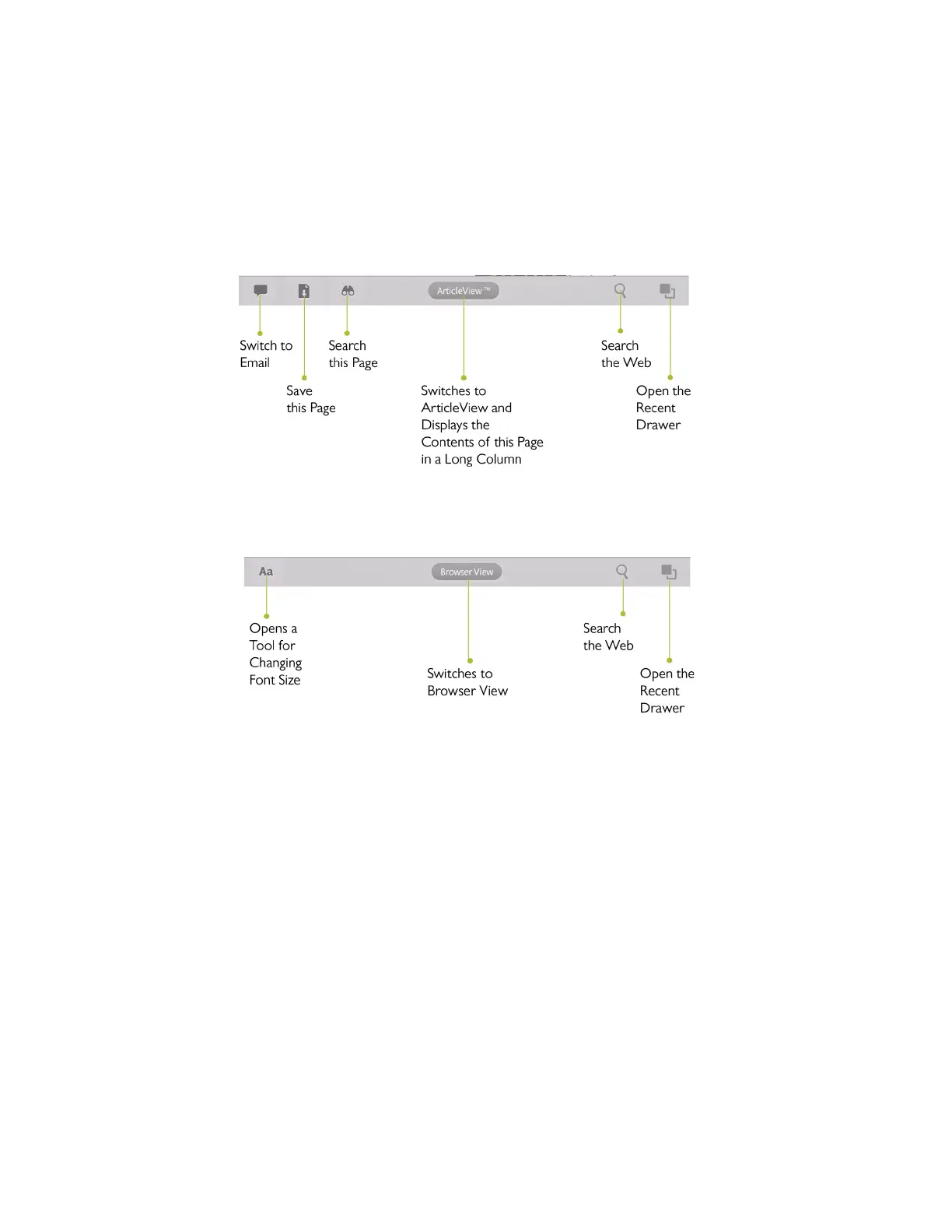
Toolbars for Browser View and Article View
The Browser oers two ways of displaying Web content:
• Browser View - the traditional way of displaying Web pages; their text and graphics appears as they would in
any other browser
• Article View - a way of viewing the main text and images of the Web page in a long column
In Browser View, the following toolbar appears at the bottom of the screen:
The Toolbar in Browser View.
In Article View, the toolbar changes to look like this:



 To Next Page