10.4.3 User Manual Contents April 17, 2020
Firmware: 5.2.1 Page 81 of 142
HYPACK Setup for WBMS, iWBMS, iWBMSh & iWBMSe
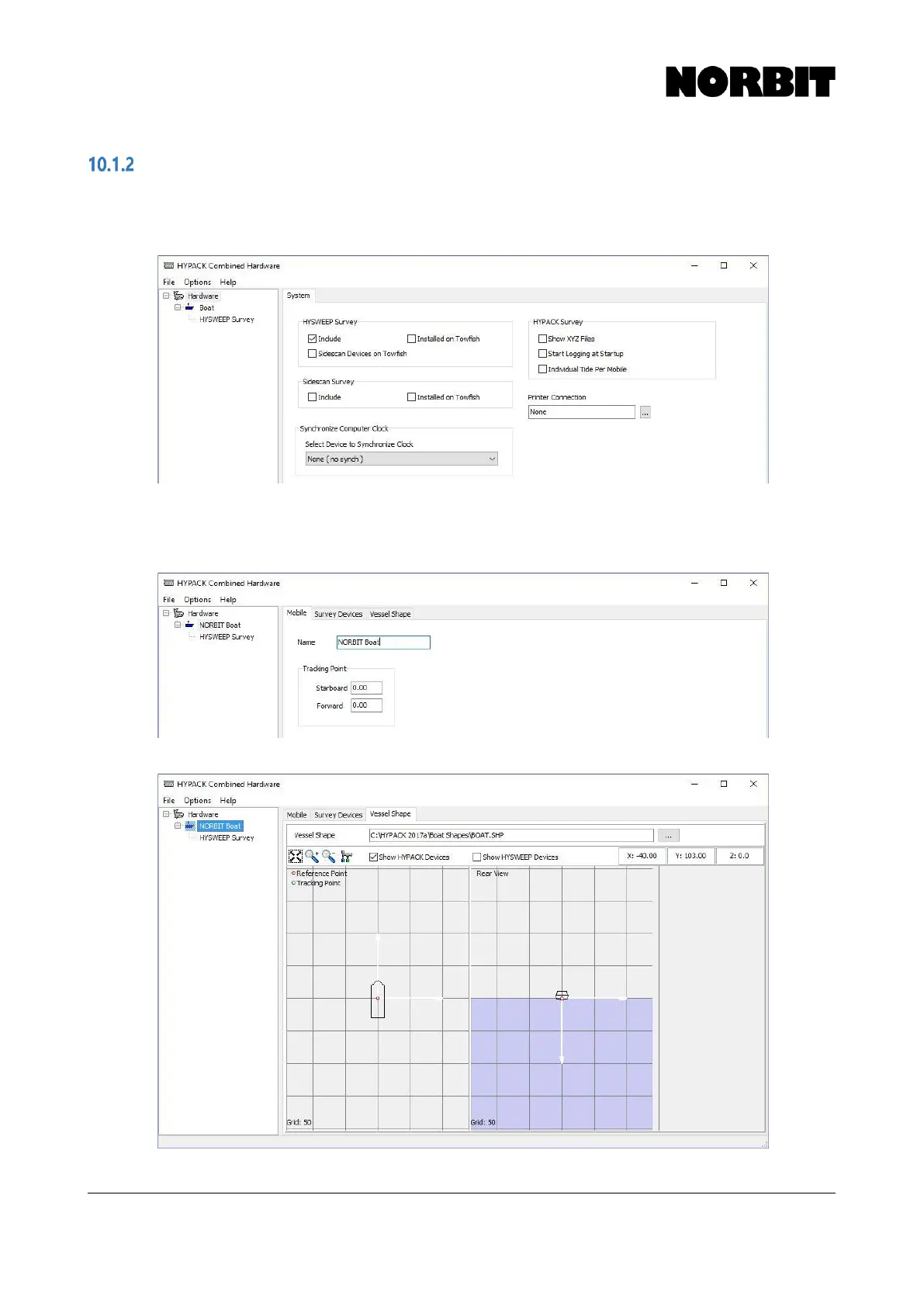
Step 1. Enable HYSWEEP Survey
Check Include under HYSWEEP Survey. This allows devices to be added for multibeam surveys.
Step 2. Define Boat
Select Boat and give it a name. For more intuitive visualization, add a tracking point, preferably to
the sonar reference point (for standard installations). Edit Vessel Shape as appropriate.



 To Next Page