EasyManua.ls Logo

NordicTrack E 7.2 - User Manual

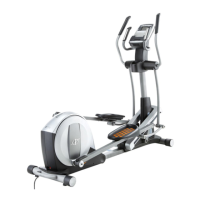
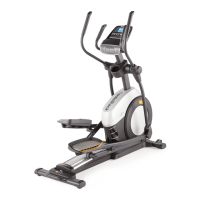
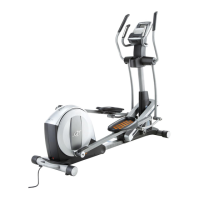
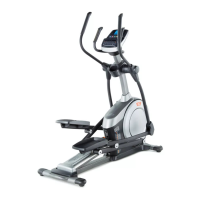
NordicTrack E 7.2
36 pages
Print Icon
To Next Page IconTo Next Page
Loading...
USER%S MANUAL
!"#$%&'()*+"#',"-%&
CAUTION
Read all precautions and instruc-
tions in this manual before using
this equipment. Keep this manual
for future reference.
Model No. NTEVEL77911.0
Serial No.
.#$/"'/0"'1"#$%&'2)*+"#'$2'/0"'13%-"'
%+45"'64#'#"6"#"2-"7
www.iconeurope.com
QUESTIONS?
86'94)'0%5"':)"1/$421;'4#'$6'/0"#"'%#"'
*$11$2<'3%#/1;'3&"%1"'-42/%-/')1='
UNITED KINGDOM
Call: >?@AB'>?C'>>C
From Ireland: >AD'CE'DFG>E
Website: HHH7$-421)334#/7")
E-mail: -1)IJ$-42")#43"7-4*
Write:
8KL('M"%&/0'N'O$/2"11;'P/Q7
-R4'M8'S#4)3'TPK
UV3#"11'.%9
KW!XPUOLY,
.OG>'AZ[
\(8XU,']8(S,L^
AUSTRALIA
Call: G?>>'CCD'BB>
E-mail: %)1/#%&$%--J$-426$/2"117-4*
Write:
8KL('M"%&/0'N'O$/2"11
TL'_4V'FDA
.8(!XL('M8PP!'(!.'EGAD
W\!XYWP8W
Question and Answer IconNeed help?

Do you have a question about the NordicTrack E 7.2 and is the answer not in the manual?

Overview

This document is the User's Manual for the NordicTrack E 7.2 elliptical, Model No. NTEVEL77911.0. It provides comprehensive information regarding the assembly, operation, maintenance, and safety precautions for the elliptical.

Function Description

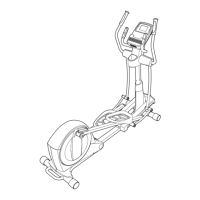
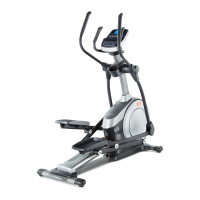
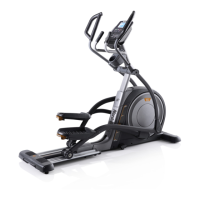
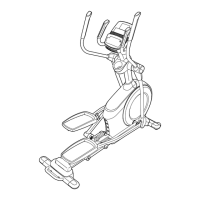
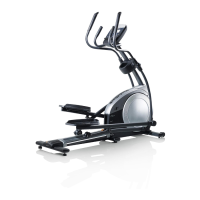
The NordicTrack E 7.2 elliptical is a home exercise machine designed to provide an effective and enjoyable cardiovascular workout. It allows users to engage in low-impact exercise that targets various muscle groups, including the legs, glutes, and upper body. The elliptical simulates walking or running without the high impact on joints, making it suitable for a wide range of fitness levels. It features adjustable resistance and ramp incline to vary workout intensity and target different muscles. The console provides real-time exercise feedback, onboard workouts, and compatibility with iFit Live for personalized training experiences.

Important Technical Specifications

  • Model Number: NTEVEL77911.0
  • Dimensions:
    • Length: 5 ft. 8 in. (173 cm)
    • Width: 2 ft. 2 in. (66 cm)
  • Weight: 176 lbs. (80 kg)
  • Maximum User Weight: 330 lbs. (150 kg)
  • Power Source: Power Adapter (119)
  • Resistance System: Adjustable, with multiple resistance levels.
  • Ramp Incline: Adjustable to vary pedal motion and target different muscles.
  • Heart Rate Monitoring: Handgrip heart rate monitor and optional chest heart rate monitor compatible.
  • Console Display: Matrix display showing time, distance, calories, RPM, stride, resistance, and heart rate. Features multiple display tabs including Speed, My Trail, and Calorie.
  • Workout Programs: Ten calorie workouts and ten performance workouts (onboard).
  • iFit Live Compatibility: Optional iFit Live module for personalized workouts, tracking, and competition. Requires internet connection and USB port for setup.
  • Audio System: MP3/CD player compatible via audio cable, with volume control on the console.

Usage Features

  • Mounting and Dismounting: Users should hold handlebars or upper body arms when mounting/dismounting. Step onto the lower pedal first, then the other. When dismounting, wait for pedals to stop, then step off the higher pedal first.
  • Pedal Motion: Pedals can turn in either direction, but forward motion (as indicated by an arrow) is recommended. The elliptical does not have a freewheel, meaning pedals continue to move until the flywheel stops; users should reduce speed in a controlled manner.
  • Resistance Adjustment: Resistance levels can be manually adjusted using the console's Resistance increase and decrease buttons.
  • Ramp Incline Adjustment: The ramp incline can be changed by pulling the ramp handle upward to the desired level. To lower, press the latch button, pull the handle, and lower to the desired incline, ensuring the latch pin engages firmly.
  • Console Operation:
    • Manual Mode: Begin pedaling or press any button to turn on. Select manual mode (automatically selected if no iFit Live module is connected). Adjust resistance as desired. Display shows continuous exercise feedback.
    • Onboard Workouts: Select from ten calorie or ten performance workouts. Workouts are divided into one-minute segments with programmed resistance and target speed. Users are prompted to maintain target speed. Resistance can be manually overridden but will reset for the next segment.
    • iFit Live Workouts: Requires an optional iFit Live module and iFit.com membership. Allows downloading personalized workouts, creating custom workouts, tracking results, and competing with other users. Features a personal trainer voice guide (audio setting can be adjusted).
    • Heart Rate Monitoring: Hold handgrip contacts for at least 15 seconds for an accurate reading. A heart symbol flashes in the calorie display when pulse is detected. The heart rate monitor is an exercise aid, not a medical device.
    • Sound System: Connect an MP3 or CD player to the console's jack using an audio cable. Adjust volume via console buttons or the player.
    • Console Settings: Access information mode by pressing and holding the Display button. Allows viewing usage information (total hours, total distance), selecting units of measurement (English/Metric), adjusting display contrast, checking iFit Live module status, and checking for downloads.
  • Automatic Shut-off: The console turns off automatically after several minutes of inactivity.

Maintenance Features

  • Regular Inspection: Inspect and tighten all parts regularly. Replace worn parts immediately.
  • Cleaning: Use a damp cloth and mild soap to clean the elliptical. Keep liquids away from the console and avoid direct sunlight to prevent damage.
  • Leveling: If the elliptical rocks during use, turn one or both leveling feet beneath the rear of the frame until stable.
  • Greasing Rollers: If rollers squeak on the tracks, apply a small amount of white marine grease evenly to each roller. Pedal the elliptical to distribute the grease, then wipe off any excess.
  • Reed Switch Adjustment: If the console displays incorrect feedback, the reed switch may need adjustment. This involves removing the left disc, locating the reed switch, aligning it with a magnet on the pulley, loosening a screw, sliding the switch closer to or away from the magnet, retightening, and rocking the pulley to test.
  • Drive Belt Adjustment: If pedals slip at the highest resistance, the drive belt may need adjustment. This is a more involved process requiring removal of several covers and parts (shield cover, upper body leg covers, pedal arm, roller arm) to access and tighten the belt adjustment screw. Reattach all parts after adjustment.

Safety Precautions

  • Consult a physician before starting any exercise program, especially for individuals over 35 or with pre-existing health problems.
  • Use the elliptical only as described in the manual.
  • Ensure all users are informed of precautions.
  • Intended for home use only; not for commercial or institutional settings.
  • Keep indoors, away from moisture, dust, garages, covered patios, or water.
  • Place on a level surface with at least 3 ft. (0.9 m) clearance in front/rear and 2 ft. (0.6 m) on each side. Use a mat to protect the floor.
  • Keep children under 12 and pets away from the elliptical.
  • Wear appropriate athletic clothing and shoes; avoid loose clothing.
  • Hold handlebars or upper body arms when mounting, dismounting, or using.
  • The heart rate monitor is an exercise aid, not a medical device.
  • Pedals continue to spin when stopping; reduce speed in a controlled manner.
  • Keep back straight; do not arch.
  • Stop immediately if feeling faint or experiencing pain during exercise.
  • If exposed to cold temperatures, allow the elliptical to warm to room temperature before plugging in the power adapter to prevent damage.
  • For iFit Live module, ensure antenna and transmitter are at least 8 in. (20 cm) from all persons.

NordicTrack E 7.2 Specifications

General IconGeneral
BrandNordicTrack
ModelE 7.2
CategoryElliptical Trainer
LanguageEnglish

Related product manuals