EasyManua.ls Logo

NordicTrack EXP2000 XI - User Manual

NordicTrack EXP2000 XI
29 pages
Print Icon
To Next Page IconTo Next Page
Loading...
USER'S MANUAL
CAUTION
Read all precautions and instruc-
tions in this manual before using
this equipment. Save this manual
for future reference.
Serial Number Decal
Model No. NTTL10610
Serial No.
Find the serial number in the location
shown below. Write the serial number
in the space above for reference.
Visit our website at
www.nordictrack.com
new products, prizes,
fitness tips, and much more!
QUESTIONS?
If you have questions, or if there
are missing parts, we will guar-
antee complete satisfaction
through direct assistance from
our factory.
TO AVOID UNNECESSARY DE-
LAYS, PLEASE CALL DIRECT TO
OUR TOLL-FREE CUSTOMER
HOT LINE. The trained techni-
cians on our Customer Hot Line
will provide immediate assis-
tance, free of charge to you.
CUSTOMER HOT LINE:
1-888-825-2588
Mon.–Fri., 6 a.m.–6 p.m. MST
Patent Pending
Question and Answer IconNeed help?

Do you have a question about the NordicTrack EXP2000 XI and is the answer not in the manual?

Summary

Important Safety Precautions

General Safety Guidelines

Essential safety guidelines and warnings for operating the treadmill, covering usage, environment, and user restrictions.

Key Operational Warnings

Critical warnings and cautions regarding treadmill operation, health, and user protection.

Before You Begin

Component Identification

Diagram and labels identifying the main parts and components of the NordicTrack EXP 2000 XI treadmill.

Assembly

Assembly Instructions

Step-by-step guide for assembling the treadmill, requiring two people and basic tools.

Operation and Adjustment

Walking Belt Lubrication

Information on the PERFORMANT LUBE™ walking belt and cautions against using other lubricants.

Connecting the Power Cord

Detailed instructions and safety warnings for plugging in the treadmill's power cord and proper grounding.

Features of the Console

Console Features and iFIT.com Integration

Overview of the console's advanced features, including preset programs, custom workouts, and iFIT.com interactive technology.

Getting Started

Operating Cautions

Important cautions to observe before operating the treadmill console and starting exercise.

Startup Procedure

Step-by-step instructions for starting the treadmill, including key insertion and weight entry.

How to Use the Manual Mode

Manual Mode Operation and Display Guide

Instructions for using the manual mode, adjusting speed and incline, and understanding console displays.

How to Use Preset Programs

Console Display Information

Explanation of the console's Speed/Pace display, Heart Rate measurement, and reset procedures.

Preset Program Operation

Step-by-step guide on selecting and starting the five preset workout programs.

How to Create Custom Programs

Creating Custom Workout Programs

Instructions for programming personalized speed and incline settings for custom workout routines.

How to Use the Fitness Test Program

Fitness Test Program Procedure

Guide to using the fitness test program to measure relative fitness level and understand results.

How to Use the Pulse-Driven Program

Pulse-Driven Program Setup

Instructions for setting up and using the pulse-driven program for heart rate-targeted workouts.

Connecting Audio Sources

Connecting to CD Players

Instructions for connecting the treadmill to portable CD players for iFIT.com audio programs.

Connecting to Stereos

Instructions for connecting the treadmill to home or portable stereos for iFIT.com audio programs.

Connecting to Computers

Instructions for connecting the treadmill to computers for iFIT.com audio or web programs.

Using iFIT.com Programs

Connecting to VCRs

Instructions for connecting the treadmill to VCRs for iFIT.com video programs.

Running iFIT.com Programs

Step-by-step guide to using iFIT.com CD and video programs for guided workouts.

Using Web-Based iFIT.com Programs

Web Program Operation

Instructions for accessing and using iFIT.com programs directly from the website via a computer.

Console Modes and Information

Information and Demo Mode

Explanation of the console's information mode for tracking usage hours and miles, and switching units.

Optional Chest Pulse Sensor

Pulse Sensor Functionality

Details on the optional chest pulse sensor for enhanced heart rate monitoring and hands-free operation.

Folding and Moving the Treadmill

Folding for Storage

Instructions on how to fold the treadmill into its storage position, including safety precautions.

Moving the Treadmill

Guidance on how to safely move the folded treadmill using its wheels.

Lowering for Use

Instructions on how to safely unfold and lower the treadmill from its storage position for use.

Troubleshooting and Maintenance

Power and Display Issues

Resolving problems related to power not turning on, turning off during use, and console display malfunctions.

Belt and Incline Adjustments

Troubleshooting belt speed, centering, slippage, and incline adjustment issues.

Conditioning Guidelines

Exercise Planning and Guidelines

Guidelines for planning workouts, understanding exercise intensity, and improving cardiovascular condition.

Suggested Stretches

Recommended Stretching Exercises

Descriptions and illustrations of basic stretches for warm-up, cool-down, and flexibility.

Overview

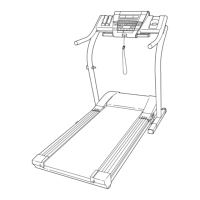
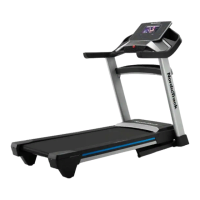
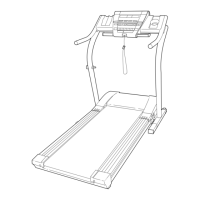
The NordicTrack EXP 2000 XI is a revolutionary treadmill designed to provide an effective exercise program in the convenience of your home. It combines advanced technology with innovative design, and when not in use, it can be folded up, requiring less than half the floor space of other treadmills.

Function Description

The NordicTrack EXP 2000 XI offers a comprehensive range of features to support various exercise goals. At its core, it functions as a motorized treadmill with a walking belt that can be adjusted for speed and incline. The console serves as the central control and feedback hub, providing continuous exercise data and allowing users to interact with various programs.

The treadmill operates in several modes:

  • Manual Mode: This mode allows users to manually control the speed and incline of the walking belt. Speed can be adjusted in small increments (0.1 mph) or larger increments (0.5 mph) using dedicated buttons, with a range from 0.5 mph to 10 mph. The incline can be changed by 0.5% increments, ranging from 1% to 10%. The console displays elapsed time, distance, laps completed, approximate calories burned, and heart rate (when using the pulse sensor). An LED track visually represents 1/4-mile laps, and a Training Zone display indicates exercise intensity.
  • Preset Programs: The treadmill includes five preset workout programs: Mountain Trail, Power Hike, Trail Run, Canyon Run, and Gorge Trail. Each program automatically adjusts the speed and incline settings over several time segments to provide a structured workout. The console displays a simplified profile of the program, remaining time, and segment-specific speed settings. Users can manually override speed and incline settings during a program, though these adjustments are not stored.
  • Custom Programs: Users can create and store their own custom workout programs. These programs are divided into one-minute segments, allowing for personalized speed and incline settings for each segment. The console's Record button enables programming, and the settings are stored in memory for future use.
  • Fitness Test Program: This program is designed to measure your relative fitness level. It requires the use of an optional chest pulse sensor. The program consists of seven 4-minute segments followed by a 2-minute cool-down. During the program, the treadmill automatically adjusts speed and incline to gradually increase intensity until your heart rate reaches 70% of your estimated maximum heart rate. The console displays your fitness level at the end of the test.
  • Pulse-Driven Program: This program automatically adjusts the speed and incline of the treadmill to keep your heart rate near a target level during your workout. It also requires an optional chest pulse sensor. The console allows users to enter their age to calculate target heart rates. If the heart rate is not detected, the treadmill's speed and incline may automatically decrease.
  • iFIT.com Interactive Technology: The treadmill integrates with iFIT.com, offering a personal trainer experience. Users can connect the treadmill to a home stereo, portable stereo, CD player, VCR, or computer to play special iFIT.com CD or video programs. These programs automatically control the treadmill's speed and incline while a personal trainer guides the workout with high-energy music. An electronic "chirping" sound alerts users to upcoming speed and incline changes. The treadmill can also connect to a computer to access programs directly from the iFIT.com website, providing basic, audio, and video programs.

The console also features a built-in pulse sensor on the handrails for measuring heart rate. Hand weights can be used during workouts for upper-body exercise.

Usage Features

The NordicTrack EXP 2000 XI emphasizes user safety and convenience.

  • Safety Key: A safety key with a clip is essential for operation. The clip attaches to the user's waistband, and if the key is pulled from the console, the walking belt will stop, preventing injury in case of a fall.
  • Power Cord and Surge Suppressor: The treadmill requires a grounded 120-volt AC, 15-amp circuit and must be plugged into a UL 1449 listed single-outlet surge suppressor (not included) to protect against voltage changes. It is not compatible with GFCI-equipped outlets.
  • On/Off Switch: A main on/off switch is located near the power cord for easy power control.
  • Folding and Moving: The treadmill can be folded into a vertical storage position to save space. To fold, the incline must be set to 1%, the key removed, and the power cord unplugged. The treadmill is then lifted and secured with a storage latch. For moving, it can be tilted back onto its front wheels and rolled to a desired location. Lowering the treadmill involves releasing the latch and carefully pivoting it back to the floor.
  • Handrails: Handrails are provided for balance and support during exercise.
  • Water Bottle Holder: A water bottle holder is integrated into the console for hydration during workouts.
  • Book Holder: A book holder is also included on the console for reading while exercising.
  • User Weight Limit: The treadmill is designed for users weighing up to 275 pounds.
  • Environmental Considerations: It is recommended to place the treadmill on a level surface with adequate clearance (eight feet behind, two feet on each side) and to use a mat underneath to protect the floor. The treadmill should be kept indoors, away from moisture, dust, and direct sunlight, and should not be used in temperatures above 85° Fahrenheit in the storage position.

Maintenance Features

Regular maintenance ensures the longevity and proper functioning of the treadmill.

  • Regular Inspection and Tightening: All parts should be inspected and properly tightened regularly.
  • Walking Belt Lubrication: The walking belt is coated with a high-performance lubricant. Users are advised never to apply silicone spray or other substances to the walking belt or platform, as this can cause deterioration and excessive wear. If lubricant appears on the top of the belt, it should be wiped off with a soft cloth and a mild, non-abrasive cleaner.
  • Walking Belt Alignment and Tension: If the walking belt slows when walked on, it may be overtightened or damaged. Users can adjust the tension of the rear roller bolts using an allen wrench to ensure proper tightness (allowing 3 to 4 inches of lift on each side of the belt from the walking platform). If the belt is off-center, adjustments can be made to the rear roller bolts to center it.
  • Console Functionality: If the console displays do not function properly, troubleshooting steps include checking the key insertion, power cord connection, circuit breaker, and on/off switch. The Reed Switch and Magnet, which measure speed, can be inspected and adjusted if speed readings are incorrect.
  • Incline Calibration: If the incline does not change correctly, a recalibration procedure can be performed by removing and reinserting the safety key while the incline is changing.
  • Cleaning: The treadmill should be cleaned regularly. The motor hood should only be removed by an authorized service representative.
  • Decal Replacement: If any warning decals are missing or illegible, free replacements can be ordered from customer service.

NordicTrack EXP2000 XI Specifications

General IconGeneral
User Capacity300 Lbs
Built-in Programs20
iFit CompatibilityYes
Cooling FanYes
BluetoothYes
FoldingYes

Related product manuals