EasyManua.ls Logo

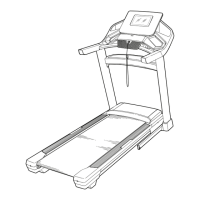
NordicTrack NTL10421.0 - User Manual

NordicTrack NTL10421.0
44 pages
Print Icon
To Next Page IconTo Next Page
Loading...
Serial Number
Decal
Model No. NTL10421.0
Serial No.
Write the serial number in the space
above for reference.
CAUTION
Read all precautions and
instructions in this manual before
using this equipment. Save this
manual for future reference.
nordictrack.com
USER’S MANUAL
ACTIVATE YOUR
WARRANTY
To register your product and
activate your warranty today,
go to my.nordictrack.com
CUSTOMER CARE
For service at any time, go to
support.nordictrack.com.
Or call 1-800-TO-BE-FIT
(1-800-862-3348)
Mon.–Fri. 6 a.m.–6 p.m. MT
Sat. 8 a.m.–12 p.m. MT
Please do not contact the store.

Questions and Answers

  • M
    martinezlisaAug 7, 2025
    What to do if my NordicTrack NTL10421.0 Treadmill power turns off during use?
    • S
      Stephanie MercadoAug 7, 2025
      If your NordicTrack Treadmill turns off during use, there are a few things you can check: * Check the power switch. If the switch has tripped, wait five minutes, and then press the switch back in. * Make sure that the power cord is plugged in. If it is, unplug it, wait five minutes, and then plug it back in. * Remove the key from the console and then reinsert it.
  • D
    Dr. Matthew GardnerAug 13, 2025
    How to fix NordicTrack NTL10421.0 Treadmill that won't turn on?
    • N
      nbrownAug 13, 2025
      If your NordicTrack Treadmill doesn't turn on, try the following: * Ensure the power cord is plugged into a surge suppressor, and that the surge suppressor is plugged into a properly grounded outlet. * If the treadmill is connected to an AFCI-equipped outlet and your circuit breaker trips repeatedly when the treadmill is used, see the front cover of this manual to purchase an arc filter. * Ensure the key is inserted into the console after plugging in the power cord. * Check the power switch located on the treadmill frame near the power cord. If the switch protrudes, it has tripped. To reset it, wait five minutes and then press it back in.
  • D
    Daniel LaraAug 19, 2025
    How to fix NordicTrack NTL10421.0 Treadmill console displays if they don't function properly?
    • C
      Carrie CamposAug 19, 2025
      If the displays of your NordicTrack Treadmill console do not function properly: * If the console does not boot up properly, or if the console freezes and does not respond, reset the console to the factory default settings. * Continue holding the reset button until the console turns on.
  • R
    ryanrussoAug 26, 2025
    Why is the walking belt on my NordicTrack NTL10421.0 Treadmill slowing down when I walk on it?
    • J
      Jacob BeasleyAug 26, 2025
      If the walking belt on your NordicTrack Treadmill slows down when you walk on it: * If the walking belt is overtightened, remove the key and unplug the power cord. Use the hex key to turn both idler roller screws counterclockwise, 1/4 of a turn. * Your treadmill features a walking belt coated with high-performance lubricant. Never apply silicone spray or other substances to the walking belt or the walking platform unless instructed to do so by an authorized service representative.
  • K
    kmartinAug 30, 2025
    What to do if the walking belt is off-center or slips on my NordicTrack NTL10421.0?
    • J
      jcastroAug 31, 2025
      If the walking belt is off-center or slips when walked on your NordicTrack Treadmill: * If the walking belt is off-center, first remove the key and unplug the power cord. If the walking belt has shifted to the left, use the hex key to turn the left idler roller screw clockwise 1/2 of a turn; if the walking belt has shifted to the right, turn the left idler roller screw counterclockwise 1/2 of a turn. * If the walking belt slips when walked on, first remove the key and unplug the power cord. Using the hex key, turn both idler roller screws clockwise, 1/4 of a turn.

Summary

Warning Decal Placement

Warning Decal Locations

Shows where warning decals are located on the treadmill for safety.

Important Safety Precautions

General Usage Warnings

Lists critical safety rules for operating the treadmill to prevent injury.

Extended Service Plans

Service Plan Options

Details preventive and standard service plans with coverage details.

Before You Begin

Treadmill Identification

Introduces the treadmill and provides a diagram for parts identification.

Assembly Instructions

Assembly Requirements

Lists tools, number of people, and initial steps for treadmill assembly.

Connecting Power and Surge Protection

Proper Power Cord Connection

Guides on connecting the power cord and using a surge suppressor safely.

Console Features and Diagram

Console Layout and Functionality

Explains the console diagram and its features like iFit and manual controls.

Starting the Treadmill

Power On Procedure

Step-by-step guide to turn on the treadmill and use the safety key.

Touch Screen Operation

How to interact with the console's touch screen interface and input data.

Console Setup and Configuration

Initial Console Setup

Steps for connecting to Wi-Fi, customizing settings, and iFit account setup.

Using the Treadmill Modes

Manual Mode Usage

How to operate the treadmill in manual mode, adjusting speed and incline.

Advanced Workout Modes

Map Workout Guide

Instructions for selecting and using pre-set map workouts on the console.

Custom Workout Creation

Draw Your Own Map Workout

Steps to create and save custom map routes for personalized workouts.

iFit Workouts

Distance or Time Workout Scheduling

How to schedule distance or time-based workouts via iFit.com.

Console Settings and Updates

Customizing Settings

Changing units, time zones, and other console preferences.

Wireless Network Setup

Connecting to Wi-Fi

Steps to connect the console to a wireless network for iFit access.

Console Audio and Cushioning

Bluetooth Sound System

Pairing devices and using the console's speakers for audio playback.

Adjustable Cushioning System

How to adjust the treadmill's cushioning for comfort and impact reduction.

Optional Heart Rate Monitor

FCC Compliance Information

Folding and Moving the Treadmill

Folding and Storage

Step-by-step guide to safely fold the treadmill for storage.

Moving the Treadmill

Instructions for safely moving the folded treadmill.

Unfolding for Use

Procedure to safely unfold the treadmill for operation.

Maintenance and Troubleshooting

Routine Care and Inspection

Cleaning, part tightening, and general maintenance procedures.

Power and Incline System Issues

Solutions for power loss and incorrect incline function.

Troubleshooting Belt and Connectivity

Belt Speed and Alignment Problems

Fixes for slow belts, off-center belts, and slipping issues.

Wireless Connectivity Issues

Steps to resolve problems connecting to a wireless network.

Console Troubleshooting and Reset

Resolving Console Freezes

How to reset the console to factory defaults for unresponsive issues.

Exercise Guidelines and Intensity

Heart Rate Training Zones

Guidance on exercise intensity, measuring heart rate, and training zones.

Workout and Frequency Advice

Recommendations for warm-up, cool-down, and workout frequency.

Suggested Stretches

Stretching Exercises Guide

Instructions for performing basic stretches for flexibility.

Part Identification List

Exploded Drawing A - Base Assembly

Exploded Drawing B - Console Components

Exploded Drawing C - Frame Assembly

Exploded Drawing D - Console Housing

Ordering Replacement Parts

Limited Warranty Information

NordicTrack NTL10421.0 Specifications

General IconGeneral
Product NameNordicTrack NTL10421.0
CategoryTreadmill
Speed0-12 MPH
Display7" Smart HD Touchscreen
FoldingYes
Weight Capacity300 Lbs
Cooling FanYes
AudioDual 2" Speakers
BluetoothYes
ProgramsiFit Enabled

Related product manuals