EasyManua.ls Logo

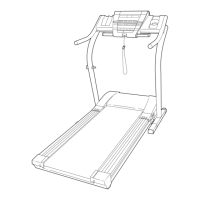
NordicTrack NTTL25905 - User Manual

NordicTrack NTTL25905
34 pages
Print Icon
To Next Page IconTo Next Page
Loading...
USER'S MANUAL
CAUTION
Read all precautions and instruc-
tions in this manual before using
this equipment. Save this manual
for future reference.
Serial Number Decal
Model No. NTTL25905
Serial No.
Find the serial number in the location
shown below. Write the serial number
in the space above for reference.
Visit our website at
www.nordictrack.com
new products, prizes,
fitness tips, and much more!
QUESTIONS?
If you have questions, or if there
are missing parts, we will guar-
antee complete satisfaction
through direct assistance from
our factory.
TO AVOID UNNECESSARY DE-
LAYS, PLEASE CALL DIRECT TO
OUR TOLL-FREE CUSTOMER
HOT LINE. The trained techni-
cians on our Customer Hot Line
will provide immediate assis-
tance, free of charge to you.
CUSTOMER HOT LINE:
1-888-825-2588
Mon.–Fri., 6 a.m.–6 p.m. MST
Patent Pending

Questions and Answers

  • H
    Heather GuzmanAug 12, 2025
    What to do if my NordicTrack Treadmill power does not turn on?
    • S
      Sarah PalmerAug 12, 2025
      If your NordicTrack Treadmill isn't powering on, there are several things to check: * Ensure the power cord is plugged into a surge suppressor, and that the surge suppressor is plugged into a properly grounded outlet, using only a single-outlet surge suppressor that meets all specifications. * Confirm that the safety key is fully inserted into the console. * Check the circuit breaker located on the treadmill near the power cord. If the switch protrudes, wait five minutes, and then press it back in. * Also, verify that the on/off switch located on the treadmill near the power cord is in the 'on' position.
  • J
    Jonathan JonesAug 17, 2025
    Why does my NordicTrack NTTL25905 turn off during use?
    • M
      Margaret BryantAug 17, 2025
      If your NordicTrack Treadmill is shutting off while you're using it, try these steps: 1. Examine the circuit breaker located on the treadmill frame near the power cord. 2. Ensure that the power cord is securely plugged in. 3. Remove and re-insert the safety key fully into the console. 4. Verify that the on/off switch is in the 'on' position. If the treadmill still won't run after these checks, no answer.
  • W
    William PetersonAug 25, 2025
    How to fix a NordicTrack NTTL25905 walking belt that is off-center or slips?
    • E
      ericevansAug 25, 2025
      To address a walking belt that's off-center or slipping on your NordicTrack Treadmill: * If the belt is off-center, first remove the key and unplug the power cord. If the belt has shifted left, use an Allen wrench to turn the left rear roller bolt clockwise 1/2 turn. If it has shifted right, turn the bolt counterclockwise 1/2 turn. * If the belt slips, first remove the key and unplug the power cord. Then, using the Allen wrench, turn both rear roller bolts clockwise 1/4 of a turn.
  • M
    Madison PerezAug 29, 2025
    How to recalibrate the incline on a NordicTrack NTTL25905?
    • M
      Michael WhiteAug 29, 2025
      To recalibrate the incline on your NordicTrack Treadmill: With the key in the console, press one of the Incline buttons. While the incline is changing, remove the key. After a few seconds, re-insert the key. The treadmill will automatically rise to the maximum incline level and then return to the minimum level. This process will recalibrate the incline system.
  • D
    Douglas RiveraSep 5, 2025
    What to do if NordicTrack NTTL25905 Treadmill walking belt slows when walked on?
    • M
      mmorganSep 5, 2025
      If the walking belt on your NordicTrack Treadmill slows down when you walk on it: * Ensure you are using a single-outlet surge suppressor that meets all the specifications. * If the walking belt is overtightened, remove the key and unplug the power cord. Use an Allen wrench to turn both rear roller adjustment bolts counterclockwise 1/4 of a turn.

NordicTrack NTTL25905 Specifications

General IconGeneral
Motor2.6 CHP DurX Commercial Plus Motor
Running Area20" x 60"
Weight Capacity300 lbs
FoldingYes
Display10" HD Touchscreen
Programs32

Related product manuals