4. OPERATION AND USE
In booting status, click ① then the unit will be shut down.
(2) Mode switch and target temperature Setting
2.2 1 Mode switch
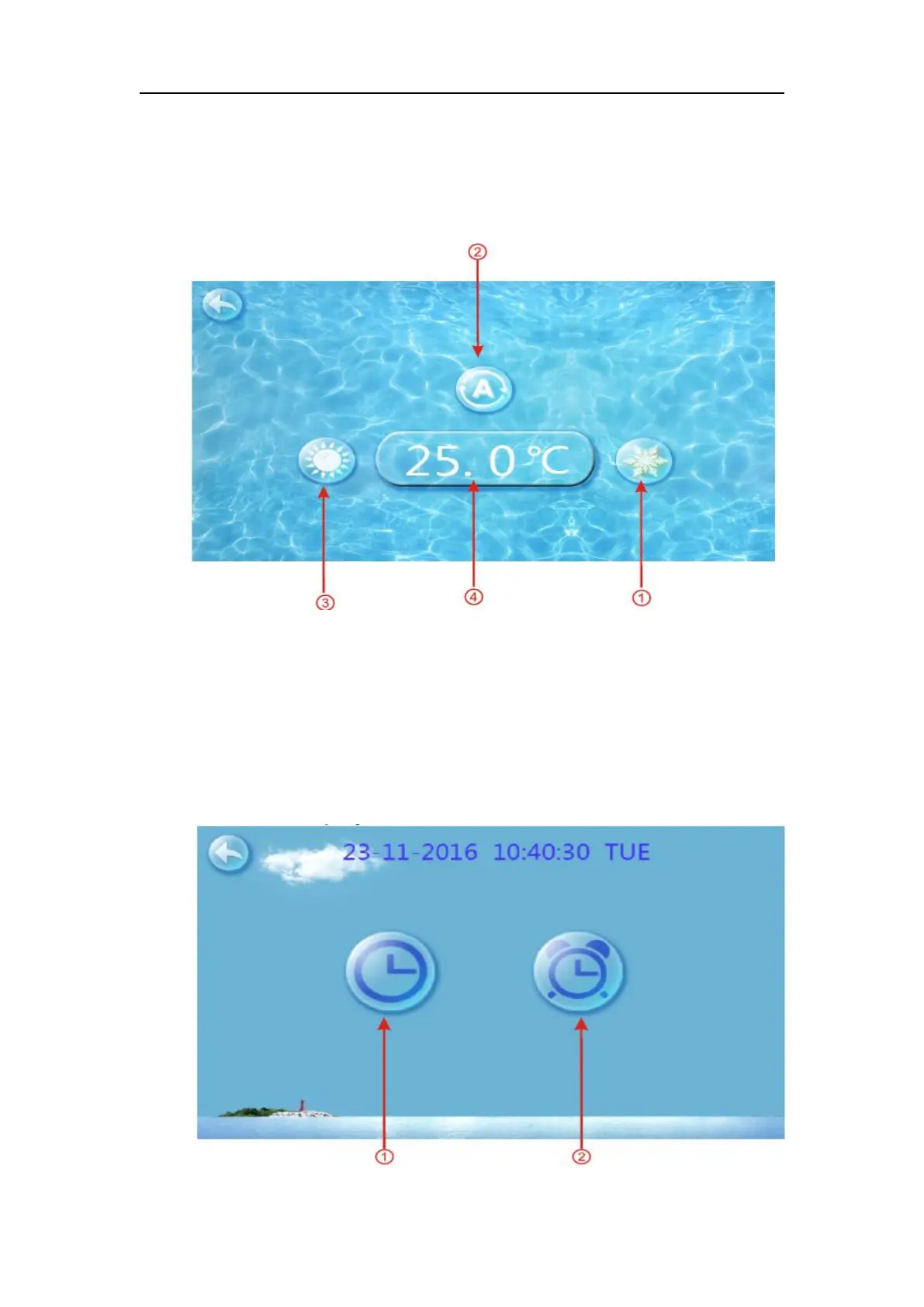
In the main interface, click mode button or inlet water temperature setting button,
interface displays as follows:
Click the refrigeration mode button ① , automatic mode button ② or heating mode
button ③ then you can select the corresponding mode.
Note: when the unit is designed for single automatic mode or single thermal mode, the
mode can not be switched.
2-2 Target temp. setting
Click the temperature set button ④, you can set the target temperature.
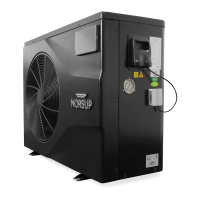
(3) Clock setting
In the main interface, click on the clock Settings button, interface displays as follows:



 To Next Page