26 Installing the chassis
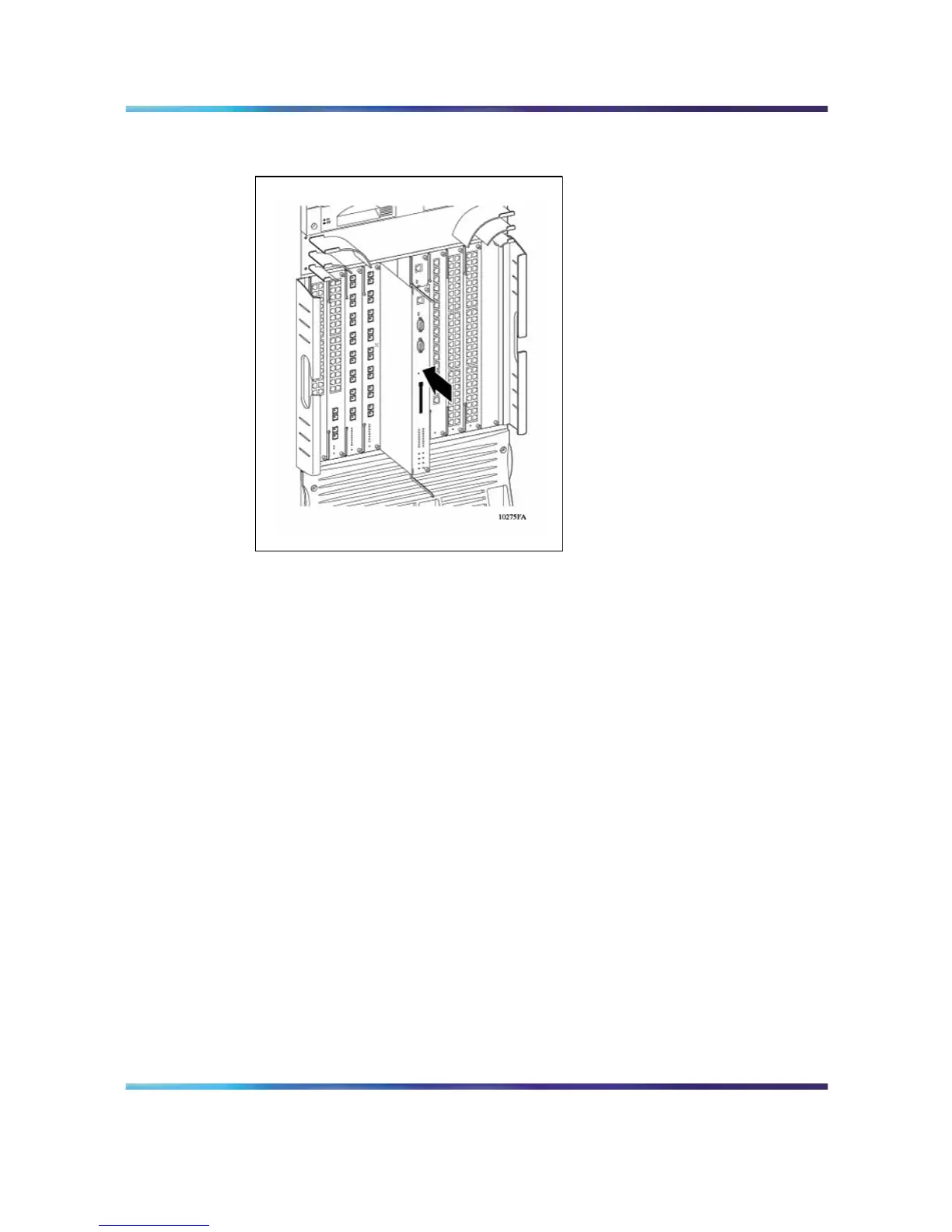
Figure 12
Installing a module: 8010co chassis
The 8010 chassis provides eight slots for installing interface modules and
two slots for installing Ethernet Routing Switch 8691SF or 8692SF switch
fabric modules. Slots are numbered from the top down. Install Ethernet
Routing Switch 8600 interface modules in slots 1 through 4 and in slots 7
through 10. Slots 5 and 6 are reserved for Ethernet Routing Switch 8600
Series switch fabric modules.
The 8006 chassis provides four slots for installing interface modules and
two slots for installing 8691SF or 8692SF switch fabr ic modules. Slots are
numbered from the top down. The 8600 interface modules are installed in
the top four slots. Slots 5 and 6 are reserved for Ethernet Routing Switch
8600 Series switch fabric modules.
The 8003 chassis provides two slots for installing Ethernet Routing Switch
8600 interface modules and one slot for installing a 8691SF Switch Fabric
Module. Slots are numbered from the top down. Figure 13 "Installing a
module: 8003, 8006, and 8010 chassis" (page 27) shows the location of the
modules in the 8003, 8006, and 8010 chassis.
Nortel Ethernet Routing Switch 8600
Quick Start
NN46205-310 01.01 Standard
4.1 21 December 2006
Copyright © 2006 , Nortel Networks Nortel Networks Confidential
.



 To Next Page