Installing a power module 29
Installing DC power modules
Install the power supply that you ordered with your chassis in the leftmost
bay. (Figure 14 "Installing a power supply in an 8010co chassis" (page
28)) The 8006 and 8010 chassis have three power supply bays, which are
numbered 1, 2, and 3 left to right as viewed from the front of the chassis.
The DC power supply shipment contains several hardware accessories.
Use the following checklist to verify the contents of the 8004DC shipping
container.
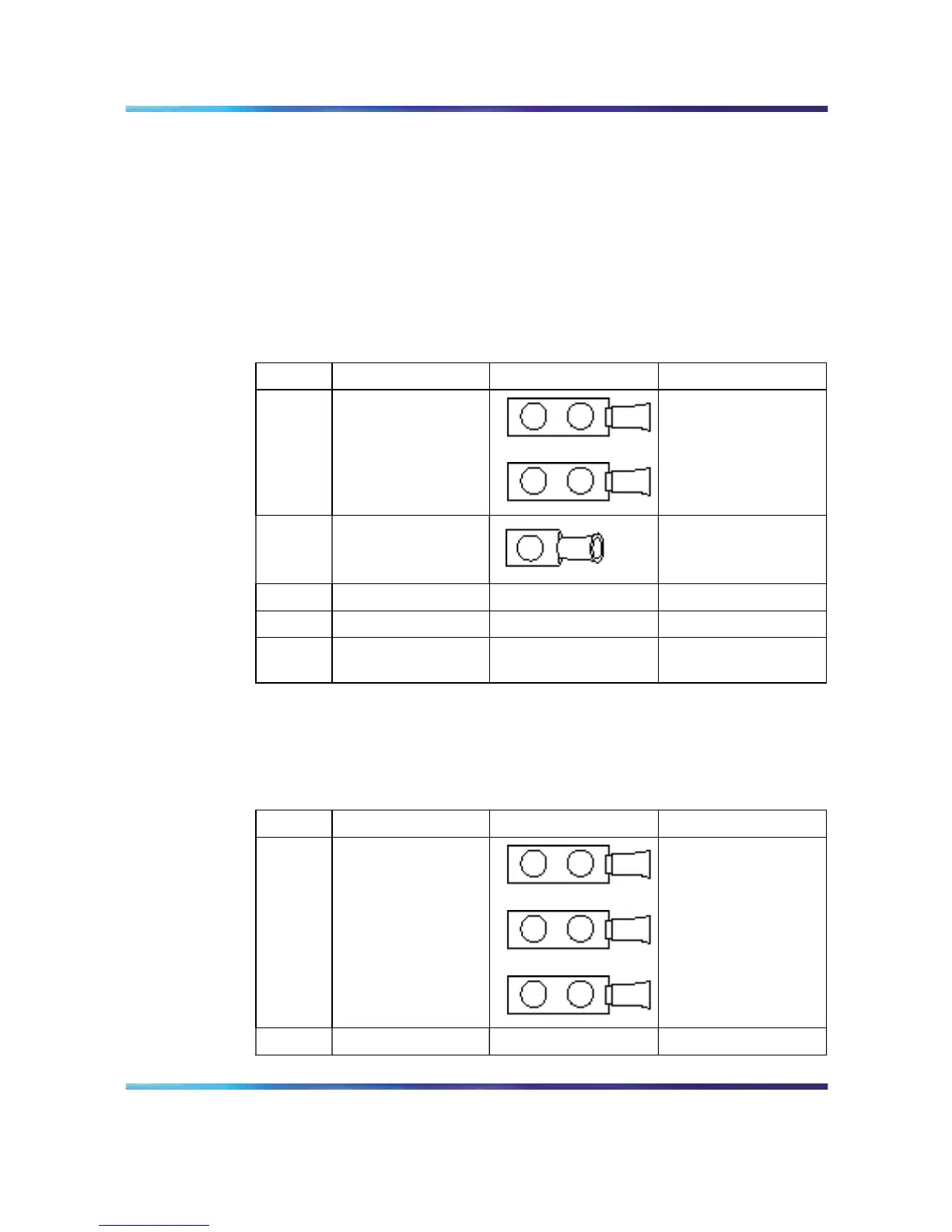
Table 2
DC power supply shipping accessories: 8004DC
Check
Accessory Use to
2 two-hole crimp
lug terminals with
attached tubing
(8004)
Connect the positive
and negative power
inputs
1 one-hole crimp
lug terminal with
attached tubing
Connect the ground
stud
5 nuts
Connect all leads
5 lock washers Connect all leads
1 washer Connect the ground
stud
Use the following checklist to verify the contents of the 8005DC shipping
container.
Table 3
DC power supply shipping accessories: 8005DC
Check
Accessory Use to
3 two-hole crimp
lug terminals with
attached tubing
Connect the positive
and negative power
inputs
6 nuts
Connect all leads
Nortel Ethernet Routing Switch 8600
Quick Start
NN46205-310 01.01 Standard
4.1 21 December 2006
Copyright © 2006 , Nortel Networks Nortel Networks Confidential
.



 To Next Page