28 Installing the chassis
Installing a power module
Install the power supply that you ordered with your chassis in the leftmost
bay. The 8006, 8010, and 8010co chassis have three power supply bays,
numbered 1, 2, and 3 left to right as viewed from the front of the chassis.
The 8003 chassis has 2 power supply bays, numbered 1 and 2 left to right.
Installing AC power modules
Step Action
1
Remove the filler panel or cover from the power bay, if necessary.
To remove the filler panel, see "Removing a module or power filler
panel" (page 14).
2
Grasp the handle of the new power supply and push the power
supply firmly into the bay.
3
Tighten the retaining screws until the power supply is firmly seated.
4
Connect the power cord to the power supply and to an AC power
outlet that is connected on a circuit with no other equipment
connected to it.
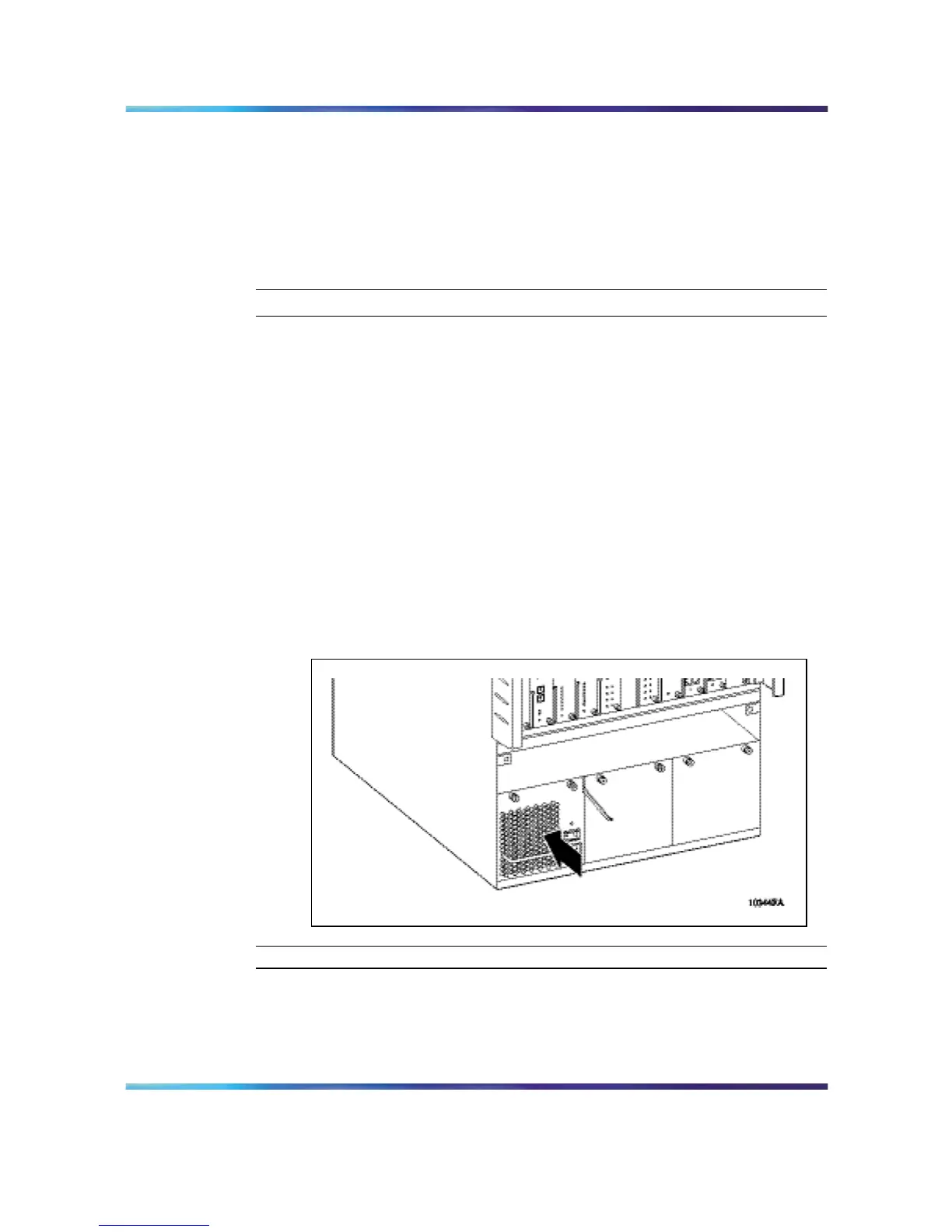
Figure 14 "Installing a power supply in an 8010co chassis" (page 28)
shows where the power supply is installed in an 8010co chassis.
Figure 14
Installing a power supply in an 8010co chassis
—End—
Nortel Ethernet Routing Switch 8600
Quick Start
NN46205-310 01.01 Standard
4.1 21 December 2006
Copyright © 2006 , Nortel Networks Nortel Networks Confidential
.



 To Next Page