34 Installing the chassis
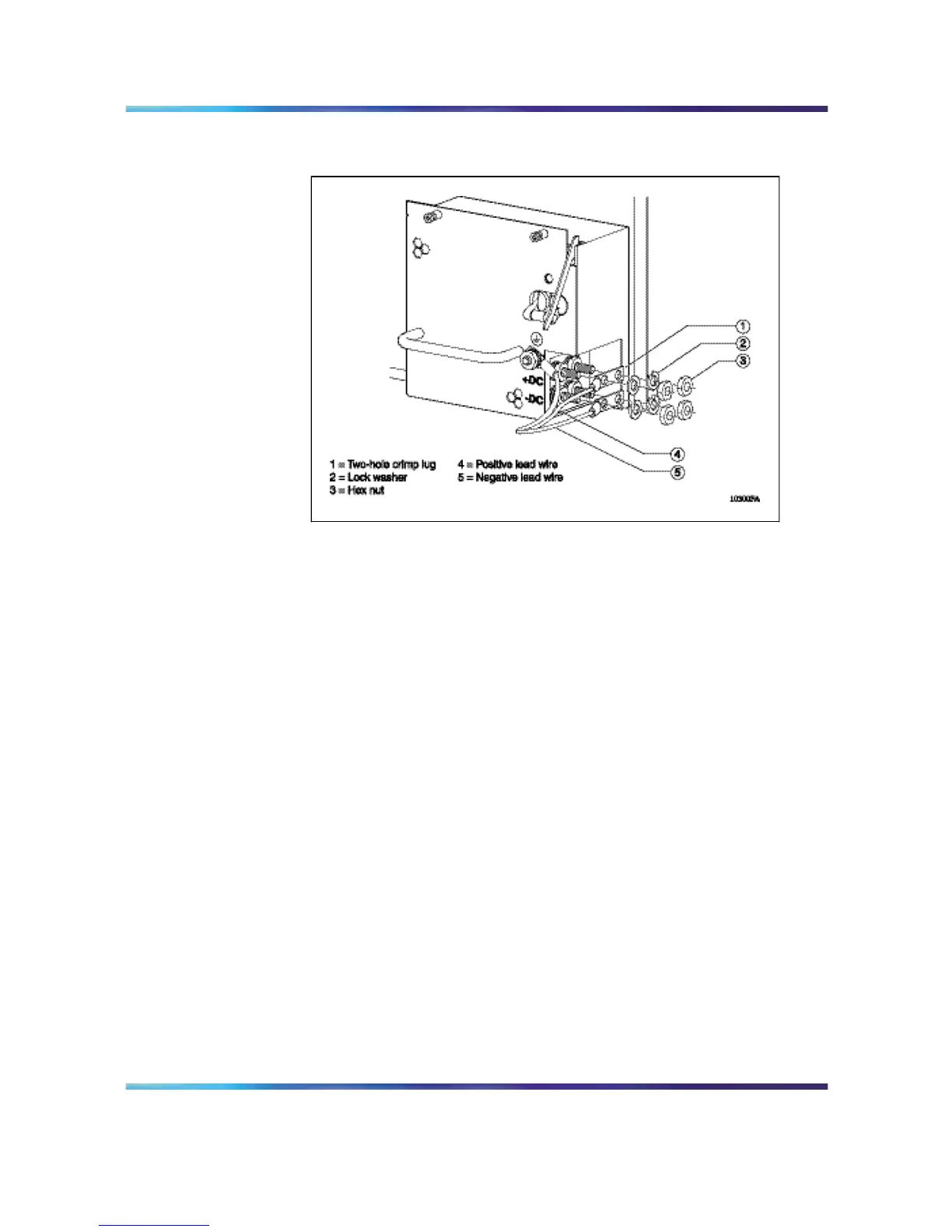
Figure 19
Attaching voltage leads to power supply terminals
9
Attach the negative voltage lead to the negative terminal on the
power supply, inserting a lock washer between the crimp lug and
each hex nut.
10
Using a 7/16 in. hex wrench, tighten the hex nut on each terminal.
11
Attach the earth ground cable to the system or rack ground for your
DC input power source.
12
Attach the positive and negative terminal leads to the DC input power
source according to the proper safety and technical specifications for
your 48 V power distribution system.
13
Using a Phillips screwdriver, replace the plastic safety cover on the
power supply.
14
Firmly slide the power supply all the way into the bay.
15
Tighten the retaining screws until the power supply is seated firmly.
16
Turn the DC input power source on, or reset the power source circuit
breaker, to provide power to the power supply.
17
Turn the power supply switch to the on position.
Note: If your chassis contains two or three non-redundant power
supplies, turn on the power supplies simultaneously. If you wait
longer to turn on the second power supply, one of the power
supplies can shut off within 7 seconds. To correct this condition,
Nortel Ethernet Routing Switch 8600
Quick Start
NN46205-310 01.01 Standard
4.1 21 December 2006
Copyright © 2006 , Nortel Networks Nortel Networks Confidential
.



 To Next Page