Northstar Explorer 660 Installation and Operation Manual22
4 Navigation: Highway display
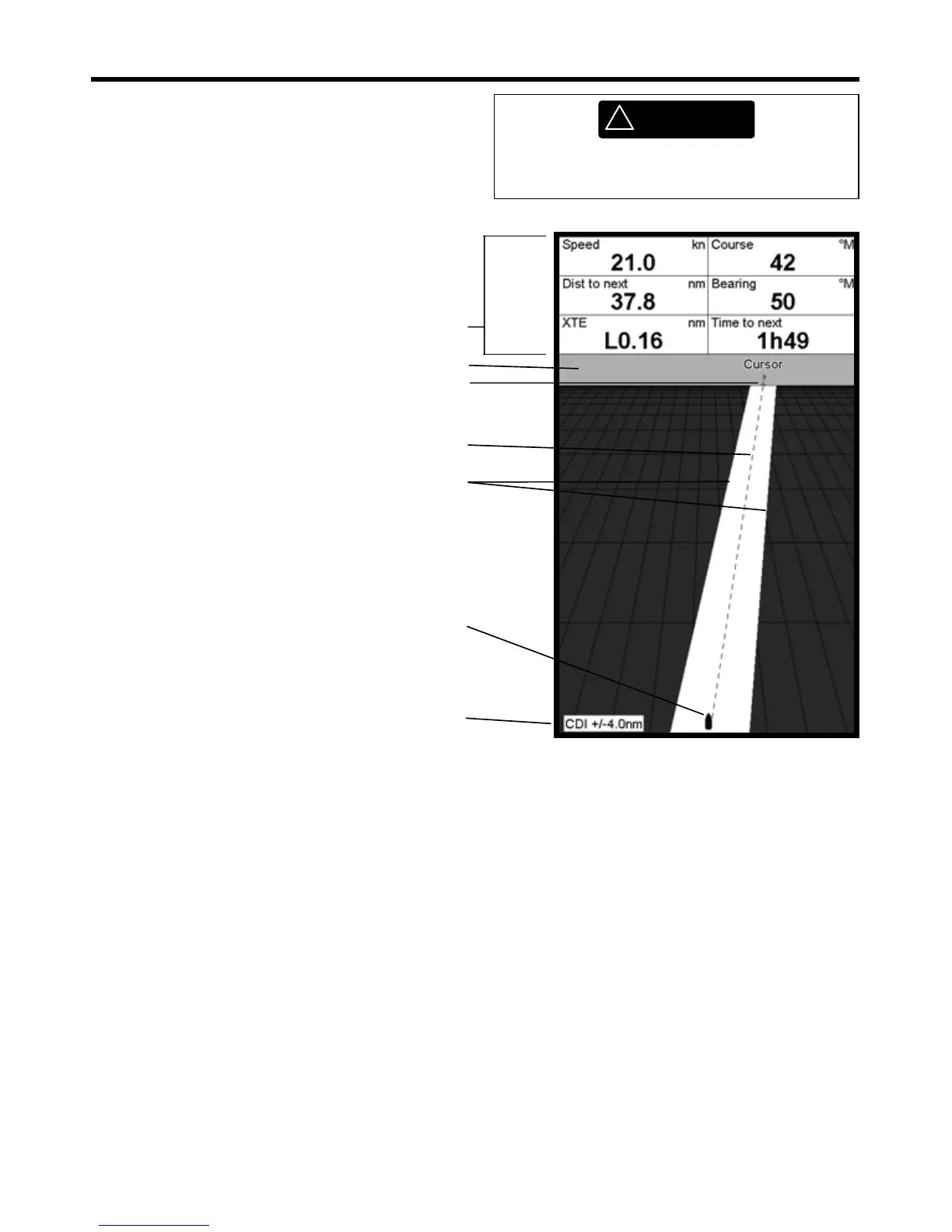
The highway display has a bird’s eye view of the
boat’s course to a destination:
To show the Highway display, press DISPLAY,
select Other, then select Highway.
CDI lines, parallel to the boat’s plotted course
(see Appendix C, CDI). The CDI lines are like a
highway over the water where the boat will
move.
Optional data header (see section 2-6-3)
Boat position is at the bottom, centre of
the display
Boat’s plotted course to destination
The highway display shows:
Destination waypoint
Optional compass (see section 2-6-3)
CDI scale
!
WARNING
The highway display does not show land,
dangerous waters or chart symbols.



 To Next Page