Northstar Explorer 660 Installation and Operation Manual56
15-8 Setup > Alarms
Press MENU one or more times until the
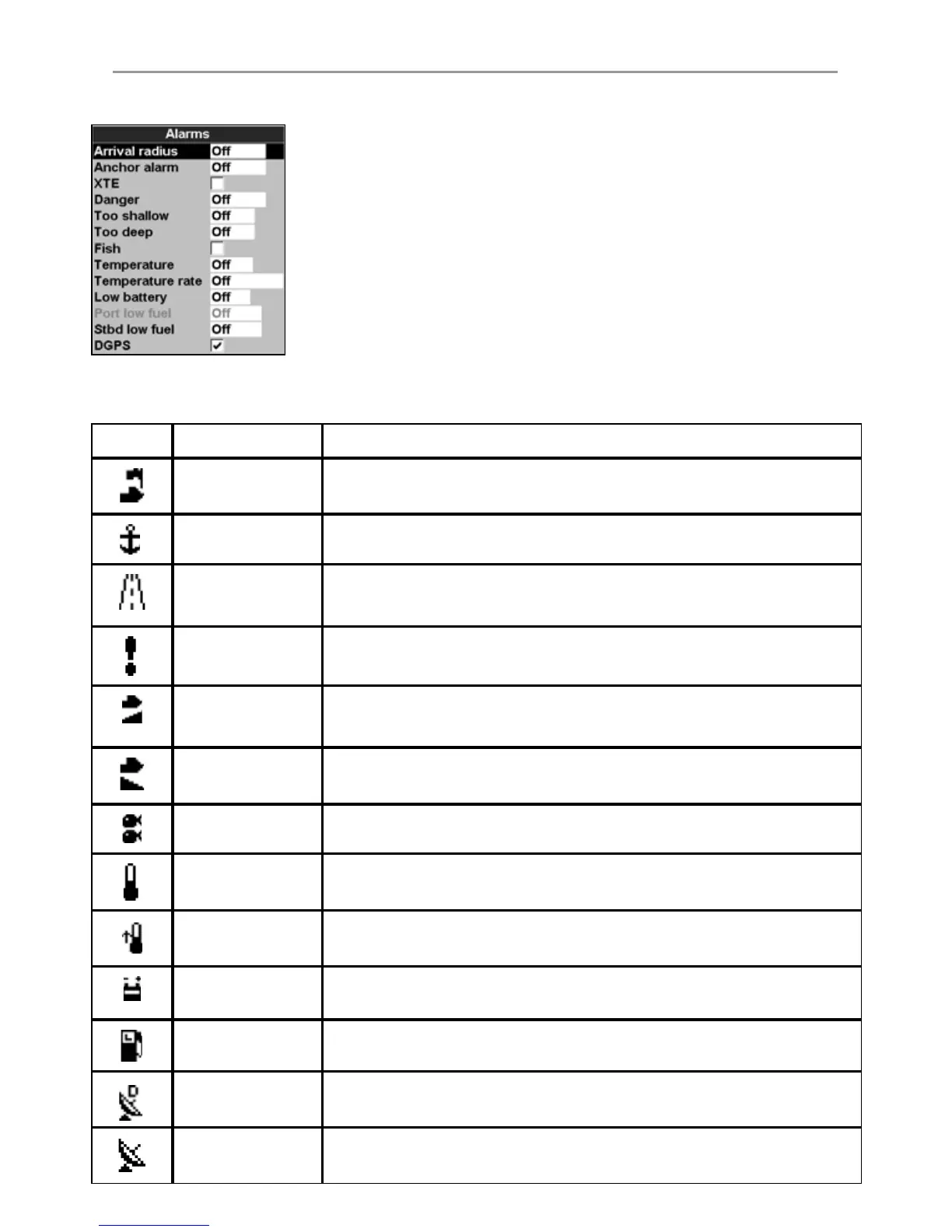
Setup menu is displayed, then select Alarms:
The Explorer 660 has thirteen alarms. All except
Loss of GPS fix can be turned on
(enabled) or off (disabled).
Symbol Alarm Alarm sounds when it is on and the:
Arrival radius
boat is closer to the destination or to a waypoint than the alarm trigger
value
Anchor alarm boat moves by more than the alarm trigger value
XTE boat moves off course by more than the alarm trigger value
Danger boat comes closer to a danger waypoint than the alarm trigger value
Too shallow depth is less than the alarm trigger value
Too deep depth is greater than the alarm trigger value
Fish echo matches the profi le of a fi sh
Temperature temperature equals the alarm trigger value
Temperature rate rate of change of temperature equals the alarm trigger value
Low battery battery voltage is less than the alarm trigger value
Low fuel fuel remaining equals the alarm trigger value
Loss of DGPS fi x
Explorer 660 can not receive the DGPS signal
(beacon, WAAS or EGNOS)
Loss of GPS fi x
Explorer 660 can not receive the GPS signal
(this alarm is always on)
The Fish and Loss of DGPS fix alarms
can be set to on or off. For the other alarms,
enter a trigger value to turn the alarm on. The
alarm will sound each time the alarm value
equals the trigger value. For example, the Too
shallow alarm will sound if the depth is less
than its trigger value and the Too deep alarm
will sound if the depth is more than its trigger
value. To turn these alarms off, enter a trigger
value of 0 (zero).
Icons for alarms that are on can be displayed in
the data header (see sections 2-6-3 and 10). An
alarm icon is normally black and turns red when
the alarm sounds.



 To Next Page