Northstar Explorer 660 Installation and Operation Manual38
Manual range is useful in areas of rapidly
changing bottom depth, such as around
pinnacles, to prevent the display from
redrawing often to always show the bottom.
To revert to automatic range, with the
bottom always displayed:
• Either press GOTO/AUTO and select
Cruise or Fishing.
• Or press MENU, select Range and select
Auto. If gain and threshold are manual,
they will stay manual.
8-5-2 Using the A-scope to set gain and
threshold manually
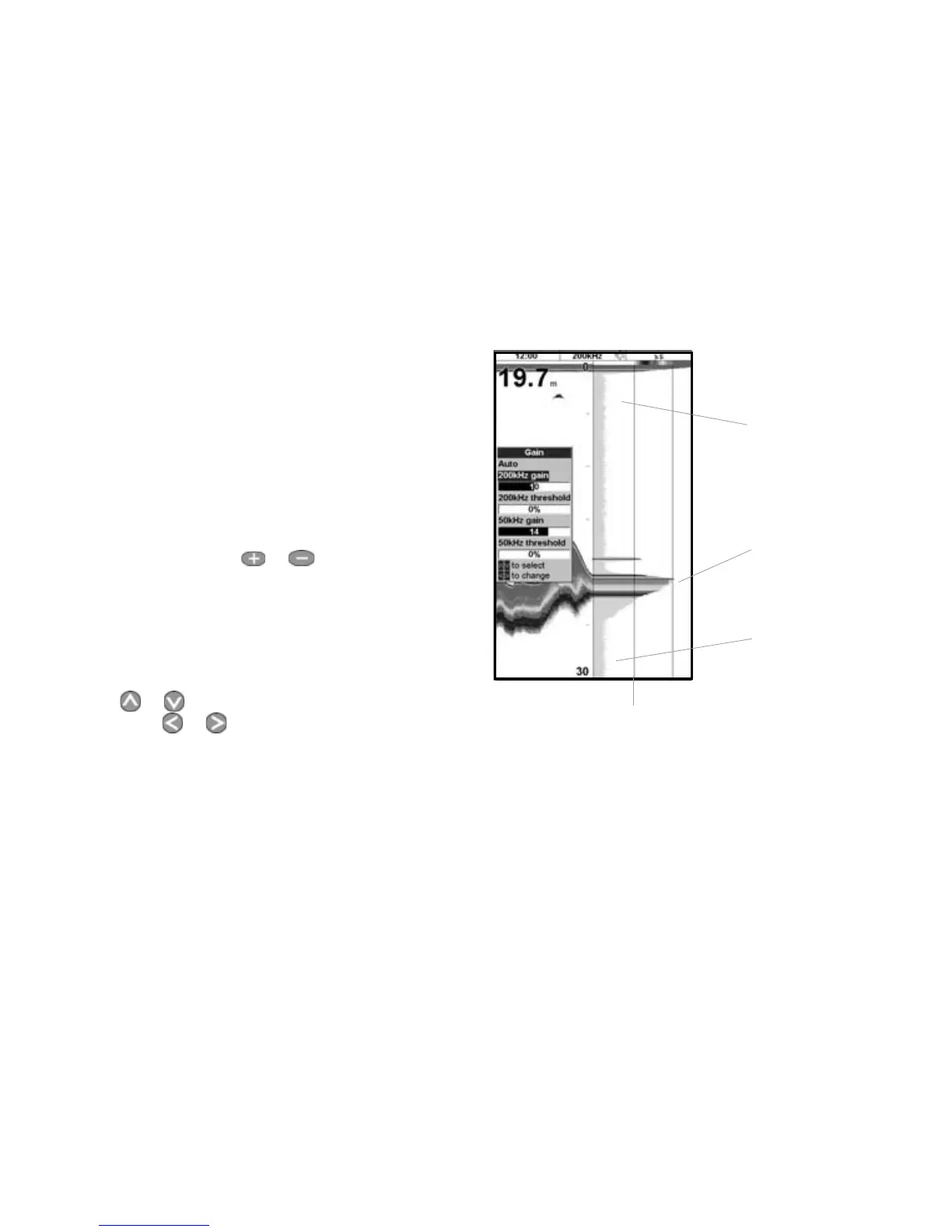
It is convenient to use the A-scope display when
adjusting gain and threshold manually. Follow
this procedure to adjust gain and threshold for
normal circumstances:
1 If necessary, select the sonar frequency to
adjust the settings for
(see section 15-3).
2 Select the sonar display (see section 2-6). If
necessary, press
or to adjust range so
that the bottom is displayed.
3 Press MENU, select Sonar splits then
select Split A-scope.
4 Press ENTER to display the Gain window. To
adjust gain or threshold for a frequency, press
or to select the setting to adjust, then
press or to change the setting.
Threshold line
Gain line
Unwanted noise signal
Peak of
bottom
signal
5 Set threshold to zero.
6 Adjust Gain so the peak of the strong signal
from the bottom just touches the gain line.
7 Adjust threshold so that it is just to the right
of the noise.
8 Press ESC to close the gain window.
9 If required, repeat these steps to adjust gain
and threshold for the other frequency.
Note: Setting the gain higher will display more
detail from weak echoes, like fish, but will loose
detail from the strong echo from the bottom.



 To Next Page