User's Manual of Led Display Video Controller VX4S/VX4
www.novastar-led.com 7
Rotate the knob to select menu or press the knob under the operation interface of menu to
select current menu or enter submenu;
Rotate the knob to adjust the parameter after selecting the menu with parameter; press the
knob again for confirmation after adjustment.
ESC: Return key, exit current menu or operation.
Key lock/unlock: long press knob and ESC key simultaneously.
Main Interface
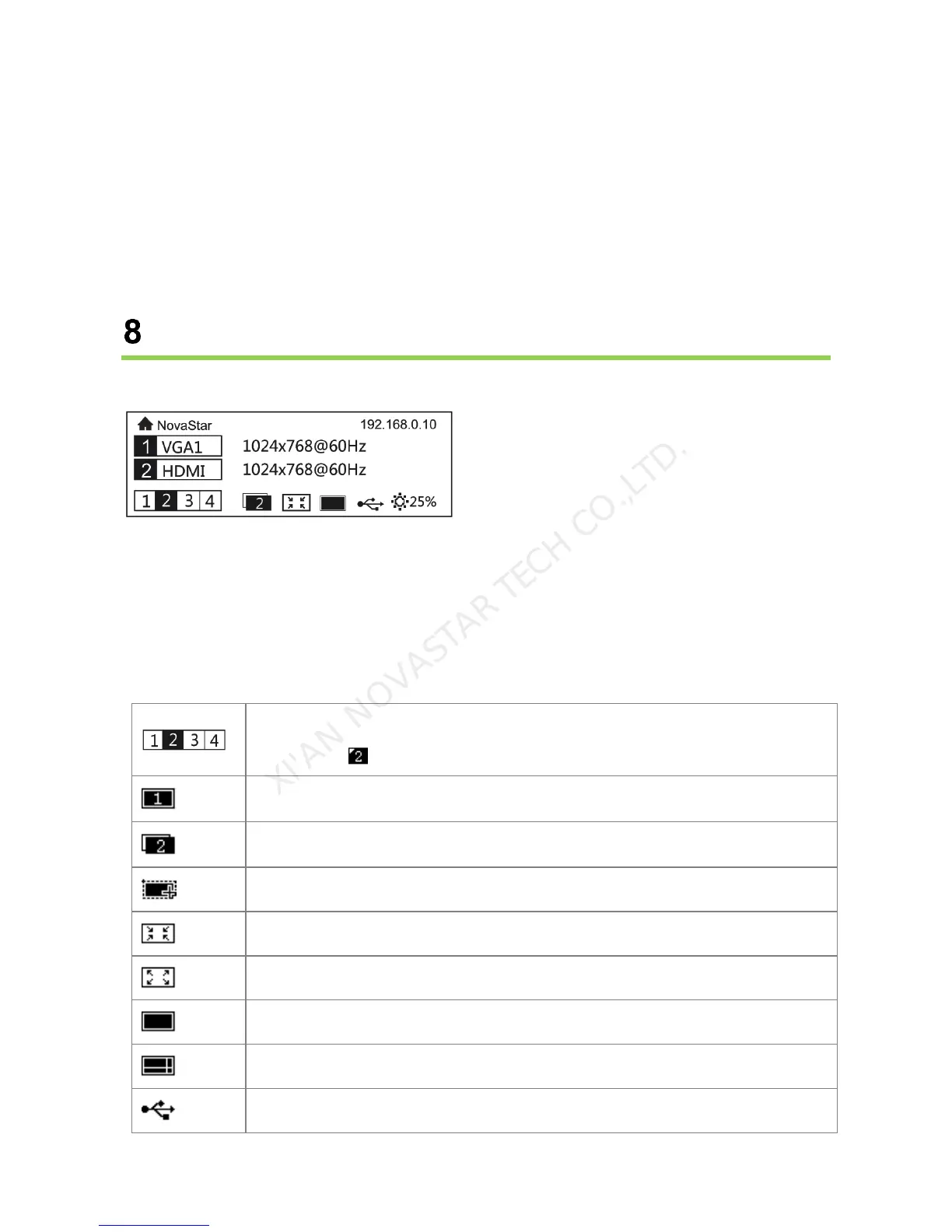
After starting the controller, the main interface of OLED display is as follows:
First row: Company name; the name and IP of the product are shown alternately;
Second row: Main screen 1; signal source; input source signal format;
Third row: PIP 2; signal source; input source signal format;
Forth row: Status bar. the meanings of all icons are shown below.



 To Next Page