User's Manual of Led Display Video Controller VX4S/VX4
www.novastar-led.com 12
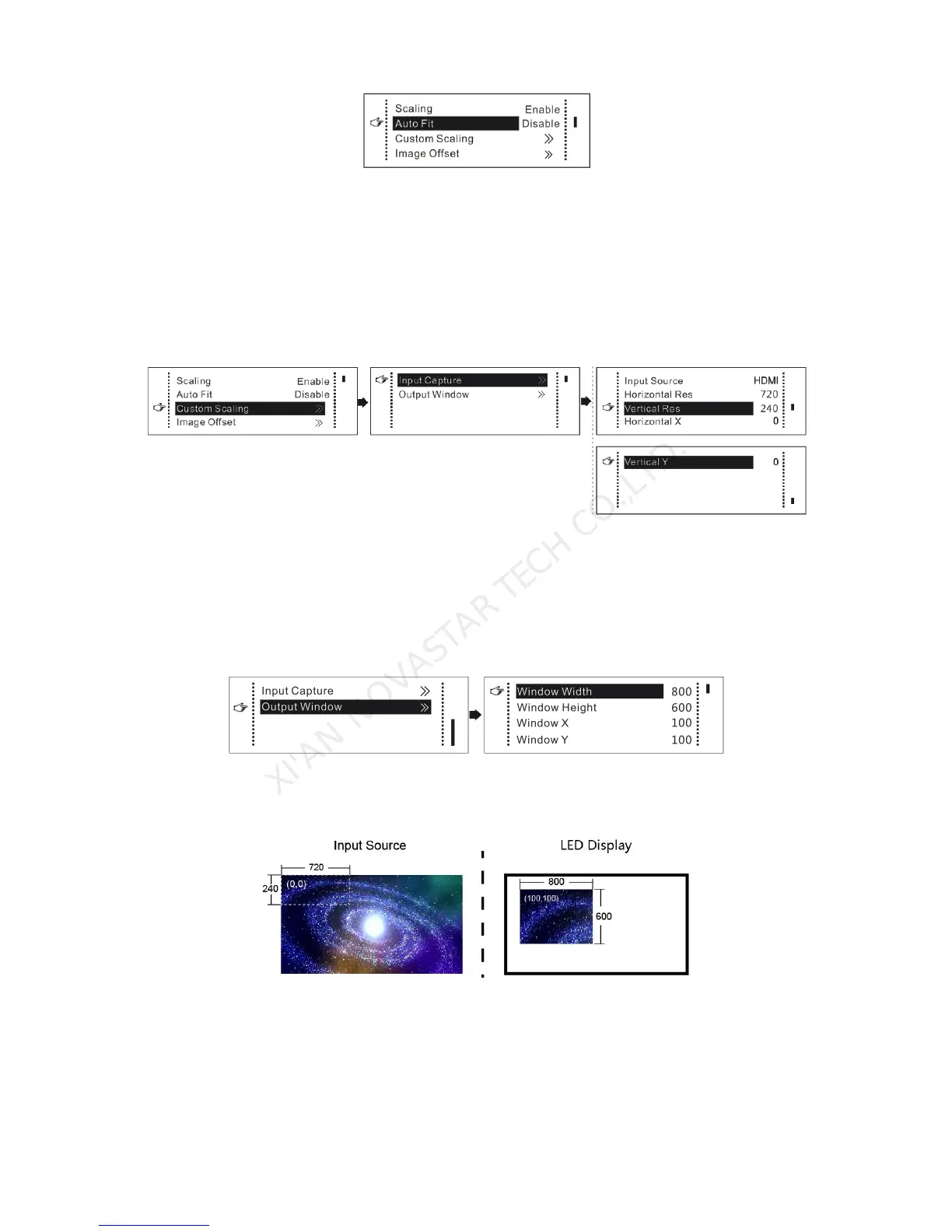
The following steps should be performed for custom scaling:
Step 1: Set the input Capture, i.e., capture part of interesting screens from behind one starting point of
inputting image and display it on LED display. It is generally required to set Horizontal Res (smaller than
or equal to the lateral resolution of input source), Vertical Res (smaller than or equal to the vertical
resolution of input source), horizontal X and vertical Y.
Step 2: Set output window, the size of window is smaller than or equal to the size of LED display; after
setting the window, the images can only be adaptive to the displayed size within the range of window,.
This option is applicable to the application scenarios requiring reserving border at the LED display or
restricting playing area.
After setting according to the above two steps, the captured contents will only be input and displayed at
the set area on the LED display, as shown below:
Schematic diagram of custom scaling



 To Next Page