User's Manual of Led Display Video Controller VX4S/VX4
www.novastar-led.com 24
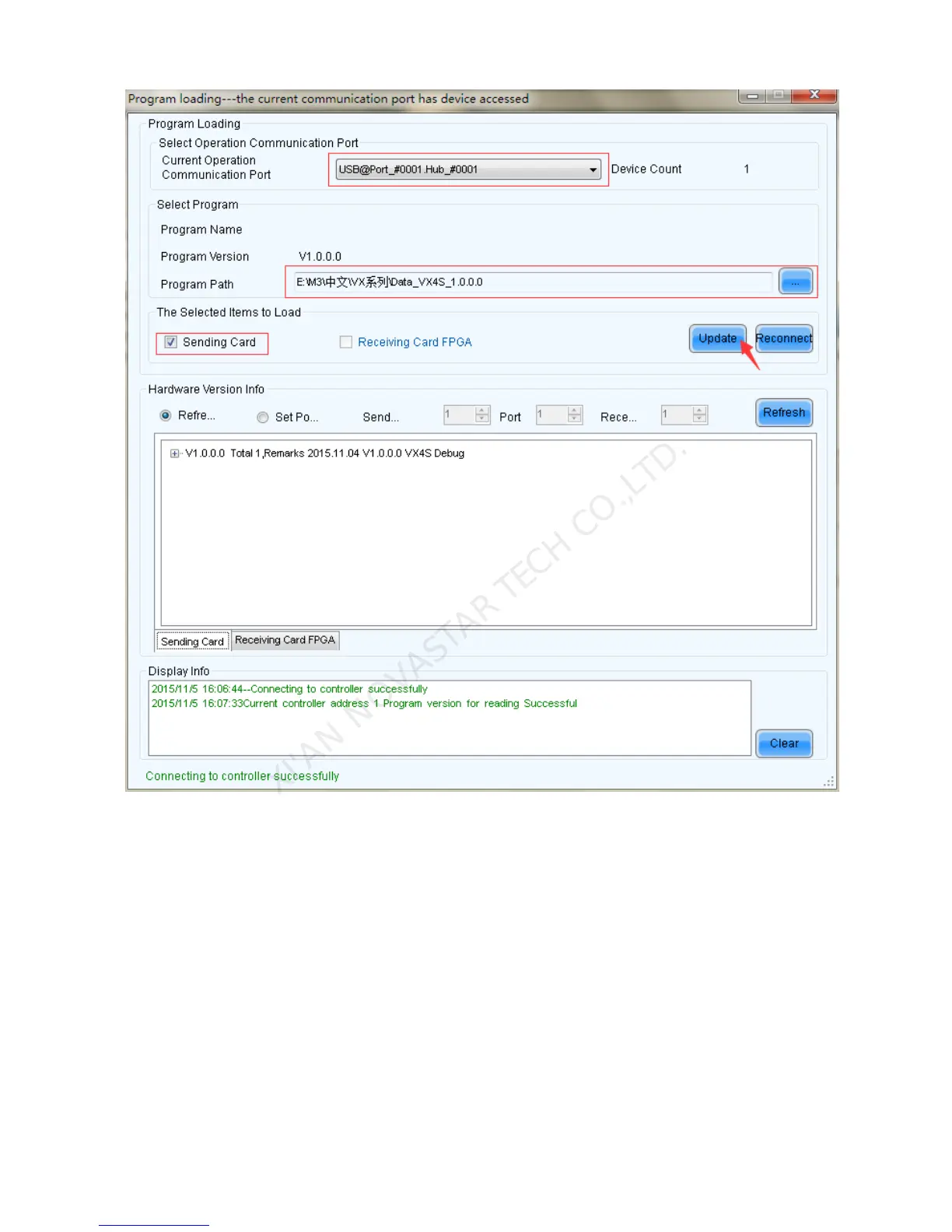
Current operation communication port:The serial port under which the hardware program needs
update.
Program Path:Select the hardware program needs to be updated currently.
Sending Card:Check to update the program of sending card.
Receiving Card FPGA:Check to update the FPGA program of sending card.
Update:Update the hardware program into hardware equipment.
Refresh All:Select the option and click refresh button to refresh the software, thus displaying all the
programs of sending cards and receiving cards under current serial interface.
Set Refresh:Click the refresh button to display the version information of a specified receiving card.
Refresh:Refresh the display to show the version information of hardware so as to confirm whether the



 To Next Page