Radio Configuration and Activation Chapter 5
ProPak6 Installation and Operation User Manual Rev 4 89
5.3 Cellular Activation GSM/GPRS/HSDPA
By default, the cellular radio is disabled.
5.3.1 Configure Cellular as the Network Default
Ethernet (ETHA) is the default network for internet access for the ProPak6. The default network can be
changed to Cellular by issuing the SETPREFERREDNETIF CELL command. Refer to the OEM6
Firmware Reference Manual (OM-20000129) for additional command details.
5.3.2 Cellular Network Activation and Configuration
The GSM/GPRS/HSDPA modem is not “locked” to any particular carrier. To activate a ProPak6 on a
GSM/GPRS/HSDPA network, follow these steps:
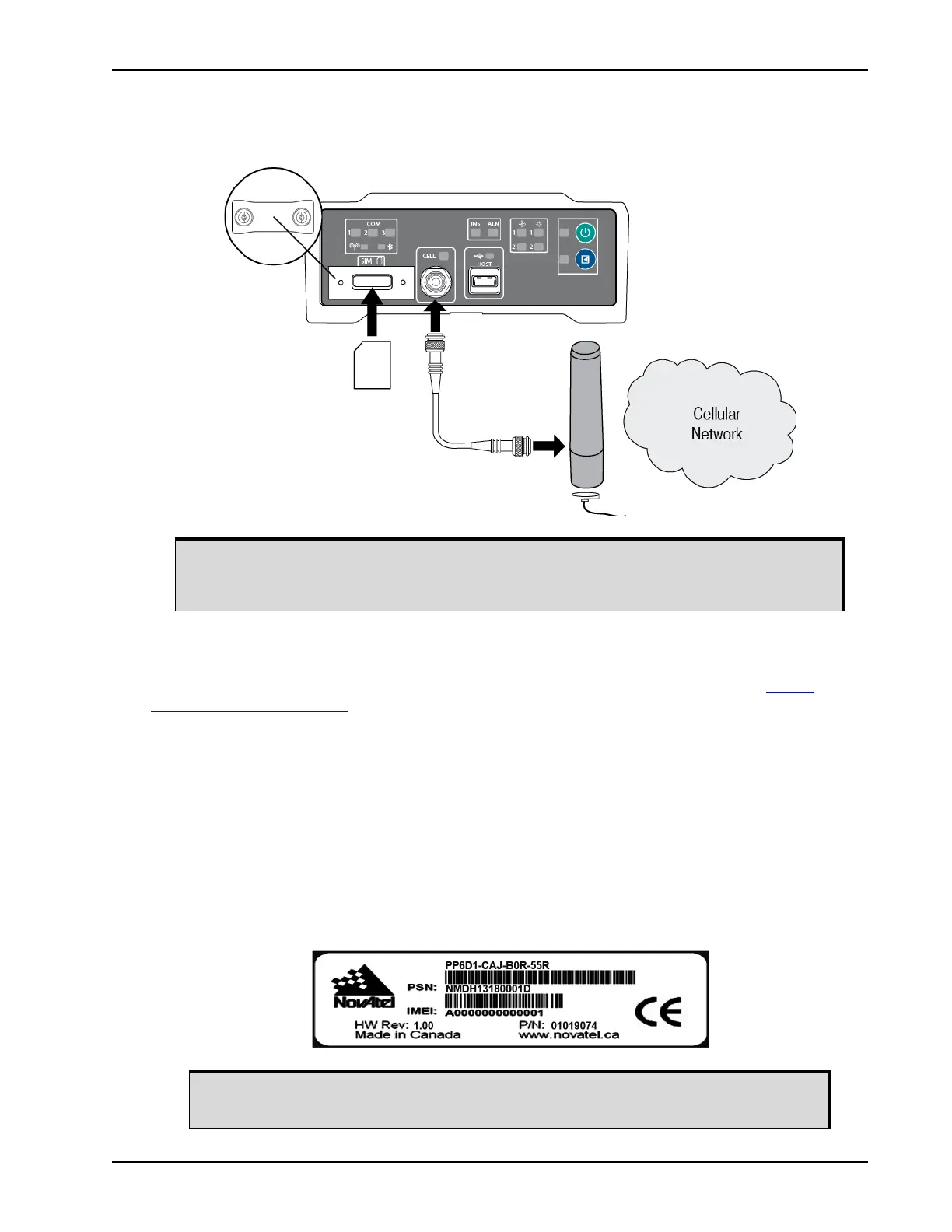
1. Obtain an active account and SIM card providing GSM/GPRS/HSDPA data services (recommended
data plans for Network RTK are 5GB/Month Rate Plans). The Service Provider may require the fol-
lowing information to setup an active account.
a. Product Name: ProPak6 GSM/GPRS/HSDPA
b. Modem Serial Number (IMEI): Modem serial number from ProPak6 product label
Refer Section 2.6, Cellular Antenna Installation on page 27 for instructions on installing
a cellular radio antenna. Refer to Section 3.1.9, Cell Port and LED on page 39 for
status LED information.
The cellular provider may require additional activation steps. Refer to any
instructions provided with the SIM card.


 To Next Page