—15—
Operation of the Aero
®
Press
Initializing Press: Prior to rst time use you
must register your press. is will allow Flexco
to communicate critical rmware and features in
the future.
a. Screen will show press is locked and requires
access code. Go to exco.com/code to obtain
your access code.
b. Using the selector knob, scroll to “Enter
Access Code” and depress knob.
c. Scroll down, enter access code and enter
“Conrm”. Contact Flexco Customer Service if
you have diculties entering the code.
A7
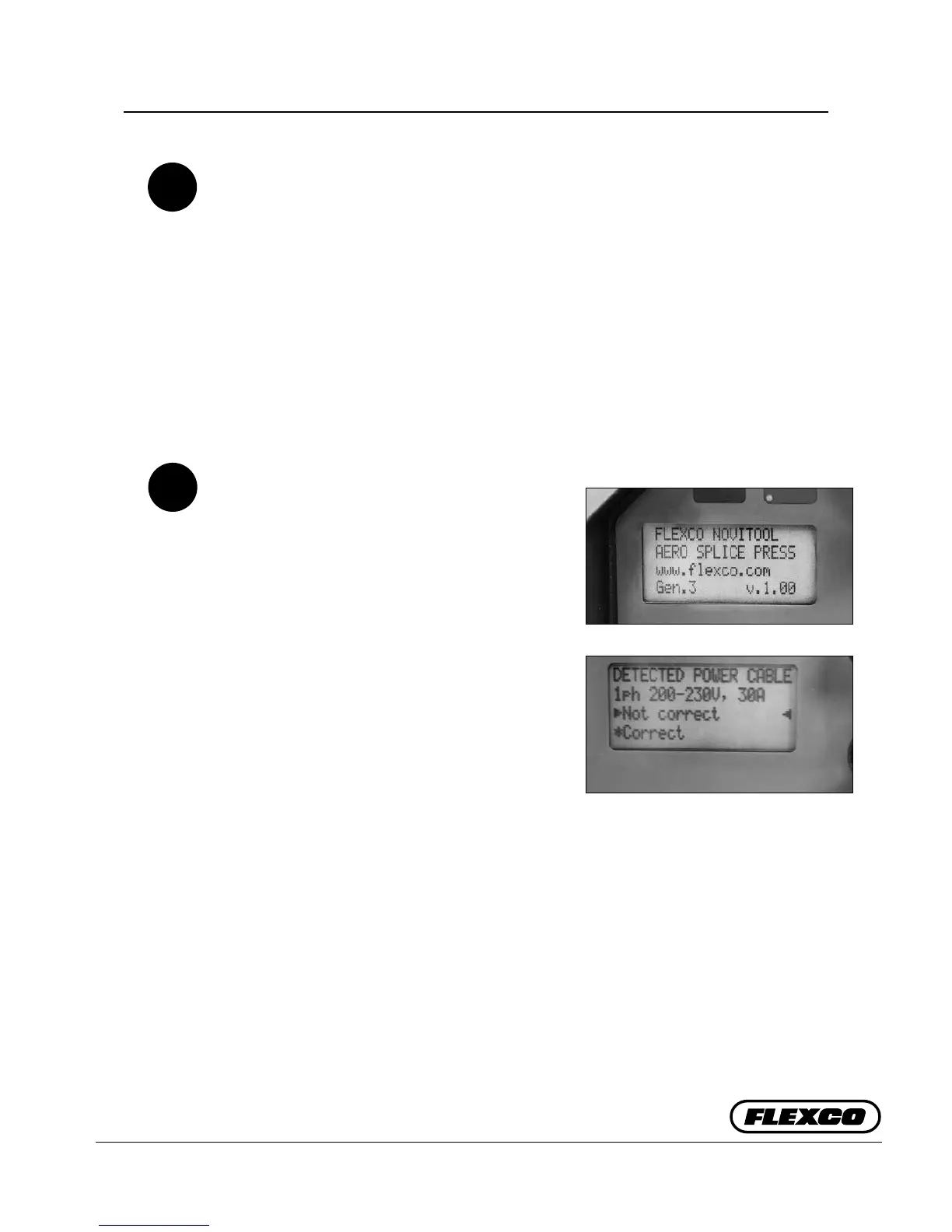
Display: Start Screen
a. Initialization screen only shows the rst
time the press is used. With future uses the
rst screen will display for 5 seconds stating
“FLEXCO NOVITOOL, AERO® SPLICE
PRESS, www.exco.com, Gen.3 v.x.xx”. If
display stays blank, the power source might
be out of order, or the wrong press-cable
combination has been made (e.g. a 115V cable
on a Aero® 1525 press).
b. Next, display will show detected power cable
and waits for user conrmation. is is an
extra check to ensure that the right cable
is connected. If the combination is correct,
rotate selector knob to select “Correct” and
push knob to conrm. Display advises when
press will run in reduced power mode.
NOTE: Incorrect cable for wall voltage or
amperage can cause serious damage to the
press. Please take time to verify wall voltage
and amperage matches your power cable.
A8
a.
b.


 To Next Page