—23—
Recipes
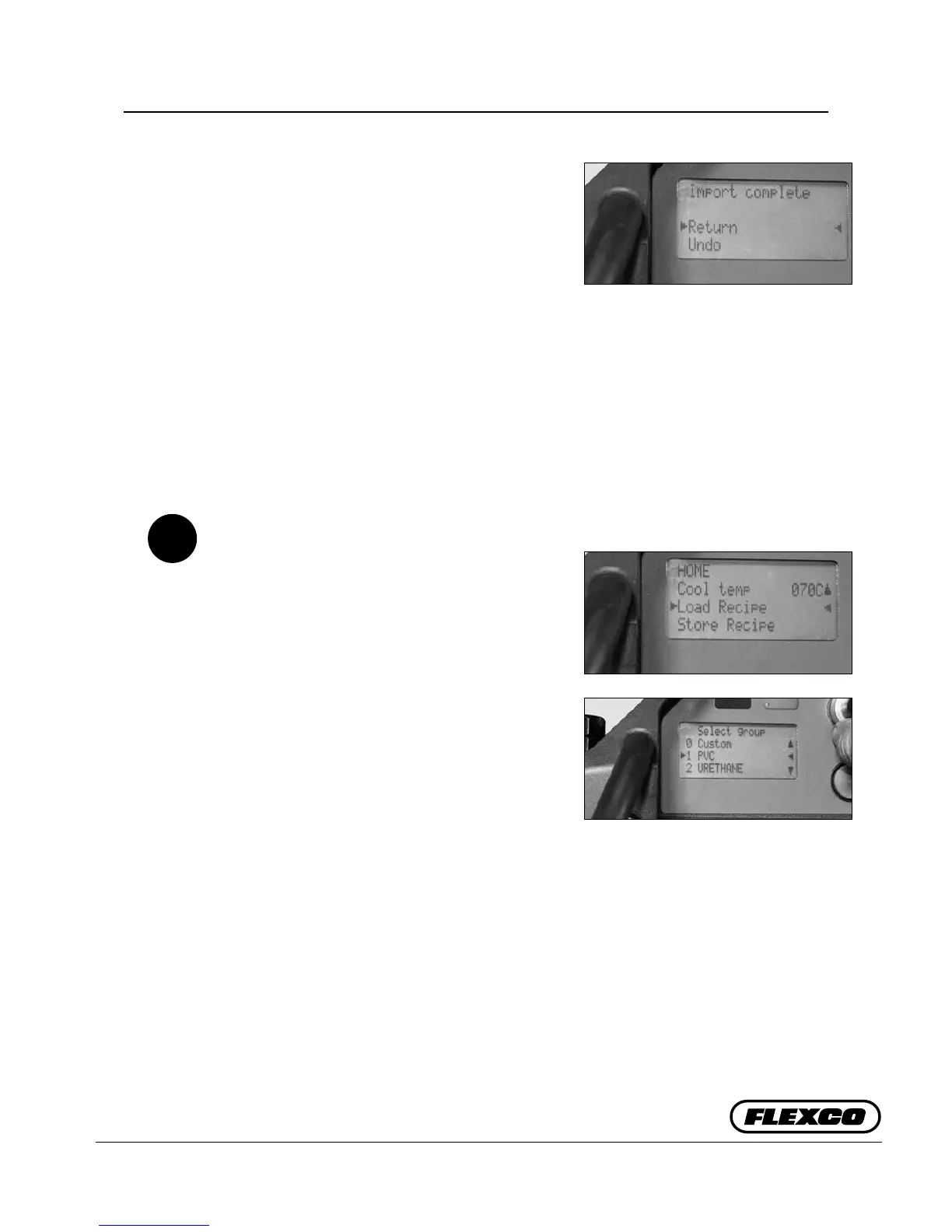
c. Once complete display reads “Import
complete”. Select “Return” or “Undo”. “Return”
brings you back to “Options” where you can
scroll down to “Back to Home”. At end of
updating recipes the USB ash drive may be
removed.
“Undo” allows you to remove the USB ash
drive without making recipe updates.
In addition to internal recipes, third parties,
like conveyor belt manufactures might develop
splice recipes for their range of belts. ese
external recipes can in imported into the Aero
Recipe Management Tool.
If you have multiple presses at your facilities,
you can load Group 1-10 recipes on multiple
presses.
Loading a Saved Recipe
a. Scroll down display list and select “Load
Recipe”, depress selector knob.
b. “Select Group” from created groups 0 Custom
or 1-10. 0 Custom are recipes that have been
generated and stored directly on the press.
“Select Recipe” by number and name. Recipe
is loaded.
NOTE: If a recipe is deleted then the number
of other stored recipes changes based on next
number. erefore, in internal documentation
it is better to reference the name of the recipe
than the number, as numbers can change.
If select “Cancel”, it will bring you back to last
used recipe.
C5
a.
b.
c.


 To Next Page