English
Nederlands Espanol
Italiano Francais DeutschEnglish
17
Note: We recommend checking the device‘s
rmware from time to time to ensure that you
have the latest version and to update it if
necessary – only in this way can you access
the latest functions of your device. We‘ll explain
how to do so later on in this manual. Listen and
enjoy
After you have set the device up successfully,
the (almost) innite variety of Internet radio is at
your ngertips.
Listen and enjoy
After you have set the device up successfully, the (almost) innite variety of Internet
radio is at your ngertips.
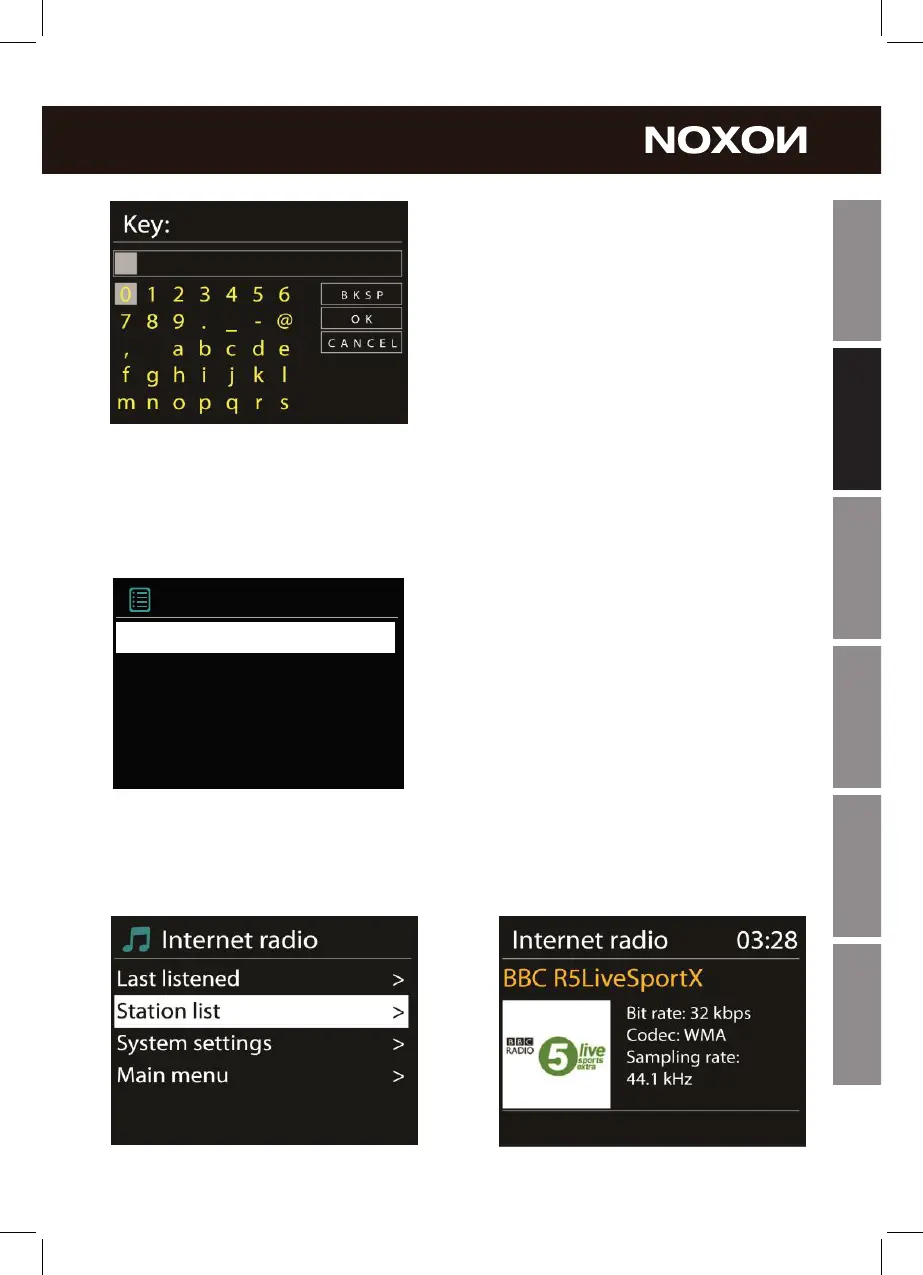
From the main menu, select „Internet Radio“
and conrm the selection.
In the submenu that follows, navigate to the
station of your choice according to your perso-
nal taste.
To accommodate the large number of stations
available from around the world, our database
is conveniently sorted into countries, genres,
popular stations etc. and is updated on an
ongoing basis.
To adjust the volume during playback, use the button on +/ - on the remote control of
A560+ or on your amplier.
Main Menu
Music Player
Sleep
Alarm
System settings >
>
>
Internet radio >
>



 To Next Page