EasyManua.ls Logo

Noxon A571 CD - User Manual

Noxon A571 CD
60 pages
Go to English
Print Icon
To Next Page IconTo Next Page
Loading...
DE-1
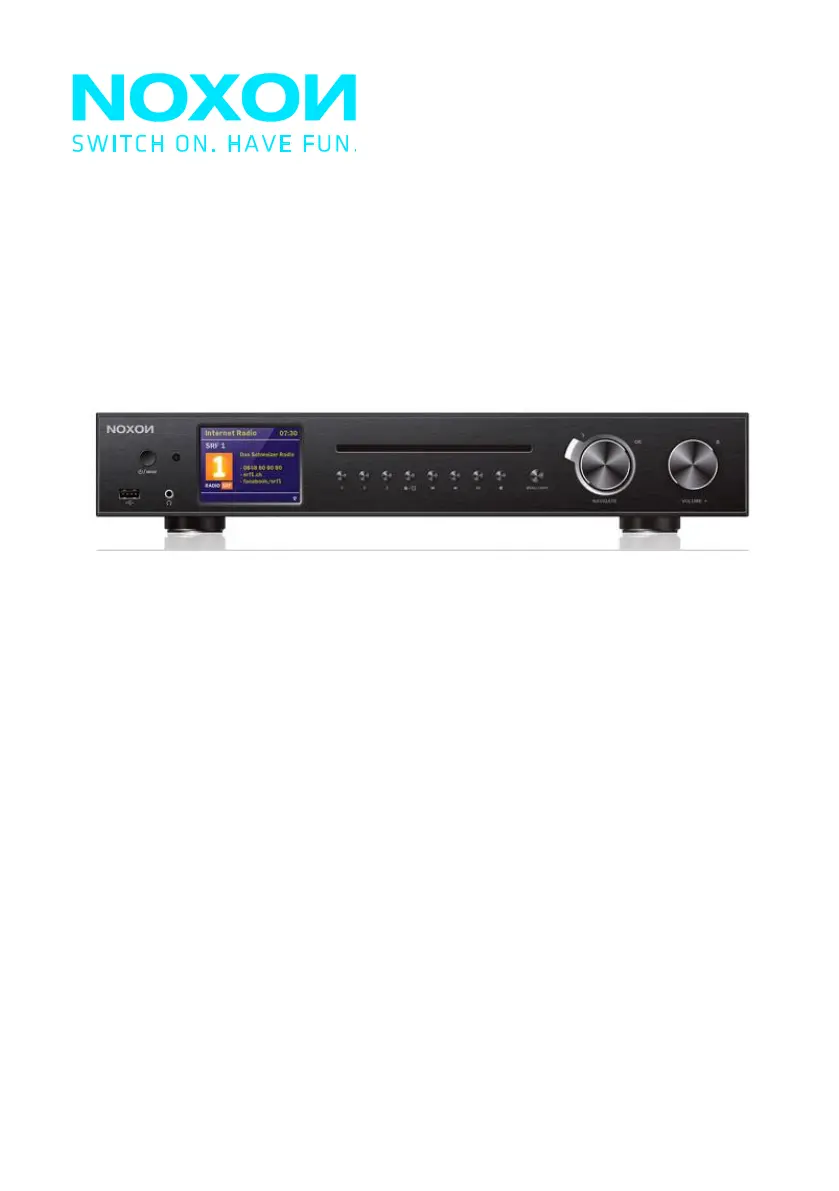
19"-IR- und DAB+-Tuner für HiFi-Systeme
Noxon A571 CD
Internet-, DAB+/UKW-, Bluetooth-, USB-, CD-Player
V1.0

Table of Contents

Questions and Answers

  • C
    Courtney ZavalaAug 14, 2025
    What to do if there is no sound from my Noxon CD Player?
    • S
      Scott GonzalesAug 15, 2025
      If you're not getting any sound from your Noxon CD Player, first, ensure that the sound isn't muted. Then, increase the volume. If that doesn't work, try re-connecting the speaker from the connector jack.
  • J
    Jill SharpAug 17, 2025
    How to fix WiFi connection issues on Noxon CD Player?
    • T
      thompsondanielAug 17, 2025
      To fix WiFi connection issues on your Noxon CD Player, verify the WLAN network is available on your router. If it is, try moving the device closer to the router. Also, double-check that you're entering the correct password.
  • C
    carrie54Aug 21, 2025
    What to do if no network connection can be established on Noxon CD Player?
    • J
      Jessica MaxwellAug 21, 2025
      If your Noxon CD Player can't establish a network connection, try the following: 1. Check the WLAN function. 2. Set an IP address on the device. 3. Activate the DHCP function on the router and reconnect the device. 4. If a firewall is active, configure it to allow access. 5. Reboot the router.
  • R
    Richard MorenoAug 25, 2025
    Why is my Noxon CD Player skipping or not playing CDs?
    • J
      Jennifer McguireAug 25, 2025
      If your Noxon CD Player is skipping or not playing CDs, it might not be in CD mode or a faulty CD might be inserted. Also, make sure the CD is inserted correctly with the labeled side facing upwards. The CD might also be dirty or faulty, so try cleaning it or using a different CD.
  • B
    balvarezAug 27, 2025
    Why is the alarm not working on my Noxon CD Player?
    • R
      Robin MedinaAug 28, 2025
      If the alarm on your Noxon CD Player isn't working, make sure the alarm is switched on. Also, check the volume settings, referring to the solutions for “No sound.” If the alarm source is set to a station but there's no network connection, change the alarm source or reconfigure the connection.
  • T
    Troy CannonAug 31, 2025
    What to do if USB drive or MP3 player is not detected by Noxon CD Player?
    • E
      Erin RosarioAug 31, 2025
      If your Noxon CD Player isn't detecting a USB drive or MP3 player, first ensure that the device is properly plugged in. Some USB hard disks need an external power supply, so make sure that's connected. Note that not all MP3 players can be read directly; try using a USB drive instead.
  • S
    Samuel EspinozaSep 3, 2025
    What to do if Noxon CD Player is not finding any stations?
    • B
      Brenda RiosSep 3, 2025
      If your Noxon CD Player isn't finding any stations, check the network, access point, and firewall. The station may also be temporarily unavailable, so try again later. The station's link may have changed, or the station may no longer transmit; contact the provider for information. If you manually added the station, the link may be incorrect, so check and change it.
  • S
    sheamarkSep 6, 2025
    How to resolve DAB mode issues (no stations, burbling, intermittent) on Noxon CD Player?
    • M
      Michael BrooksSep 6, 2025
      To resolve DAB mode issues like no stations, burbling, or intermittent reception on your Noxon CD Player, try moving the radio. Rescan for local stations only, focusing on high-strength signals. Also, check the local DAB coverage in your area.
  • T
    toddrobertsonSep 10, 2025
    How to reduce hiss in FM mode on Noxon CD Player?
    • R
      robertthomasSep 10, 2025
      To reduce hiss in FM mode on your Noxon CD Player, try checking or moving the FM antenna. You can also try moving the radio itself to a different location.

Summary

Safety

General Safety Precautions

General safety advice and precautions for operating the device.

Compact Disc Safety

Safety guidelines and warnings for using compact discs with the device.

Power Adapter Safety

Safety instructions and precautions for using the power adapter.

High Volume Risks

Warnings and advice regarding listening to audio at high volumes.

Maintenance and Cleaning

Guidelines for proper maintenance and cleaning of the device.

Overview

Front Panel Description

Detailed description and labeling of the front panel controls and features.

Back Panel Connections

Detailed description and labeling of the back panel connections and ports.

Getting Started

Connection and Preparation Guide

Instructions for connecting and preparing the device for initial use.

General Device Functions

Explanation of the basic functions and controls of the device.

First-time Setup Wizard

Step-by-step guide for the initial setup wizard and configuration.

Menu Operation

Internet Radio and Podcasts

How to access and use Internet Radio and Podcasts features.

Spotify Connect Usage

Guide to connecting and using Spotify Connect with the device.

USB Playback

Instructions for playing audio files from a USB device.

DAB+ Radio Operation

How to receive and use DAB and DAB+ digital radio stations.

FM Radio Tuning

Instructions for receiving and tuning FM radio stations.

Bluetooth Connectivity

Guide to pairing and using Bluetooth devices with the radio.

CD Playback Guide

Information on playing audio CDs with the device.

Sleep Timer Function

How to set and use the sleep timer function.

Alarm Settings

Instructions for setting and managing the alarm functions.

UNDOK Remote App

Guide to using the UNDOK app for remote control.

System Settings

Equaliser Settings

How to adjust audio settings using preset or custom equalisers.

Network Configuration

Configuration options for connecting to wired or wireless networks.

Factory Reset Procedure

Procedure to reset the device to its original factory settings.

Software Update Guide

Instructions for checking and installing software updates.

Setup Wizard Re-run

How to re-run the initial device setup wizard.

Troubleshooting

Technical Specifications

Conformity

Trademarks

Noxon A571 CD Specifications

General IconGeneral
Supported Disc TypesCD, CD-R, CD-RW
Internet radioYes
WLANYes
USB portYes
Headphone jackYes
Playable file formatsMP3, WMA