EN-15
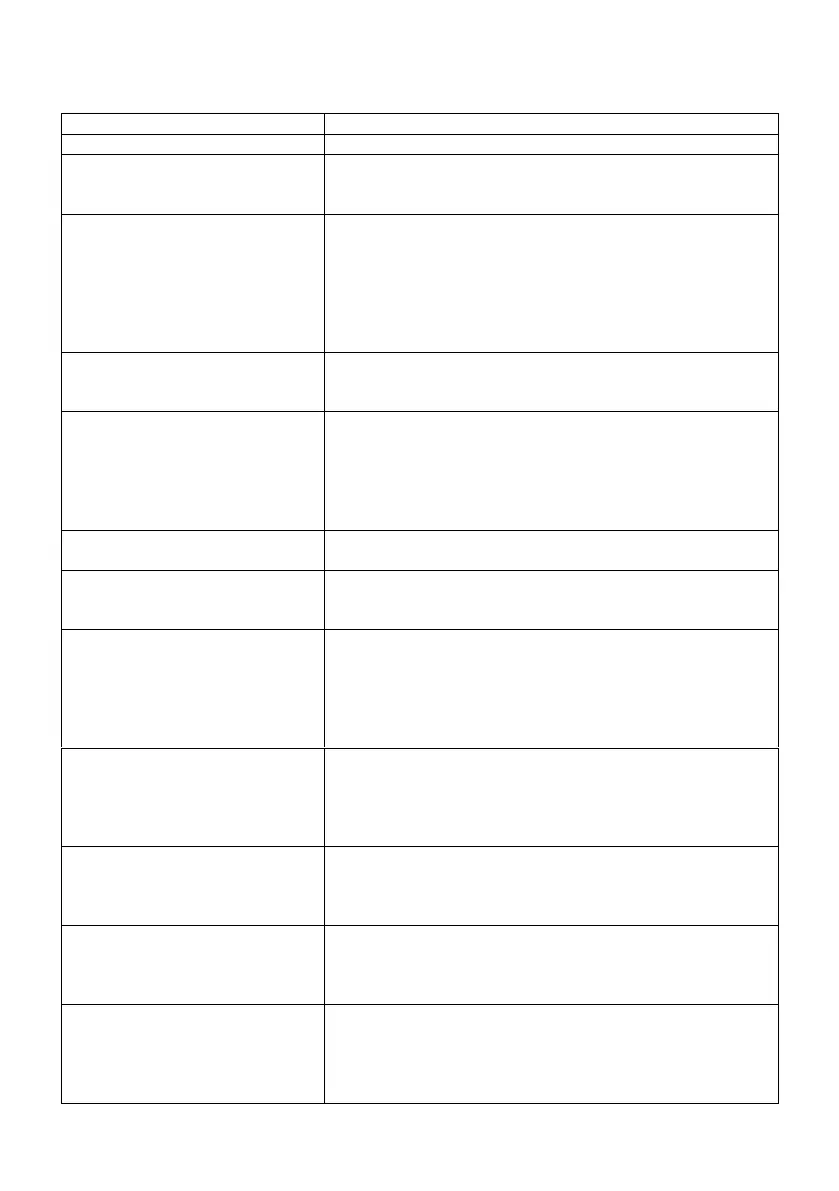
9 Troubleshooting
The device does not switch on.
Check it the power adaptor is connected properly.
1. Turn on the sound as it may be muted
2. Increase the volume.
3. Re-connect the speaker from the connector jack.
No network connection can be
established.
1. Check the WLAN function.
2. Try to set an IP address at the device.
3. Activate the DHCP function on the router and make the
connection again at the device.
4. A firewall is activated on the network – set the respective
program in such a way that access is possible.
5. Reboot the router
WiFi connection cannot be
established.
1. Check the availability of WLAN network on the router.
2. Place the device closer to the router.
3. Make sure the password is correct.
1. Check the network as well as the access point and firewall.
2. The station may not be available currently. Try again later.
3. The link of the station is changed or the station no longer
transmits – ask the provider for information.
4. The link of manual added station may not be correct, check
and change it.
1. Check/Move the FM antenna.
2. Move the radio.
No stations
available/burbling/intermittent in
DAB mode.
1. Move the radio.
2. Rescan local stations only (high-strength).
3. Check the local DAB coverage.
1. Switch on the alarm.
2. Due to the volume setting, refer to the solutions of “No
sound”.
3. The source of alarm was set to be station but there is no
network connection. Change the source of alarm or
reconfigure the connection.
USB driver or MP3 player is not
detected.
1 Check if the USB driver or MP3 player is plugged properly.
2 Some USB hard disks need external power supply. Make sure it
is connected to the power.
3 Not all MP3 players can be read directly on the device – use an
USB drive instead.
The CD is not playing or skips during
playback.
1 The device is not in CD mode. Faulty CD inserted.
2 The CD is incorrectly inserted. Insert the CD with the labelled
side facing upwards.
3 The CD is dirty or faulty. Clean the CD. Use another CD.
All other undetermined cases.
The smart radio may process a large amount of data after a period
of operation. No matter in which mode, it will cause the system to
freeze or malfunction.
Reboot the device if necessary.
All other undetermined cases.
The normal function of the product may be disturbed by strong
Electro-Magnetic Interference. If so, simply reset the product to
resume normal operation by following the instruction manual. In
case the function could not resume, please use the product in
other location.


 To Next Page