63
TRX Series II - Installation - Startup - Maintenance Instructions
Part 9 - Controls
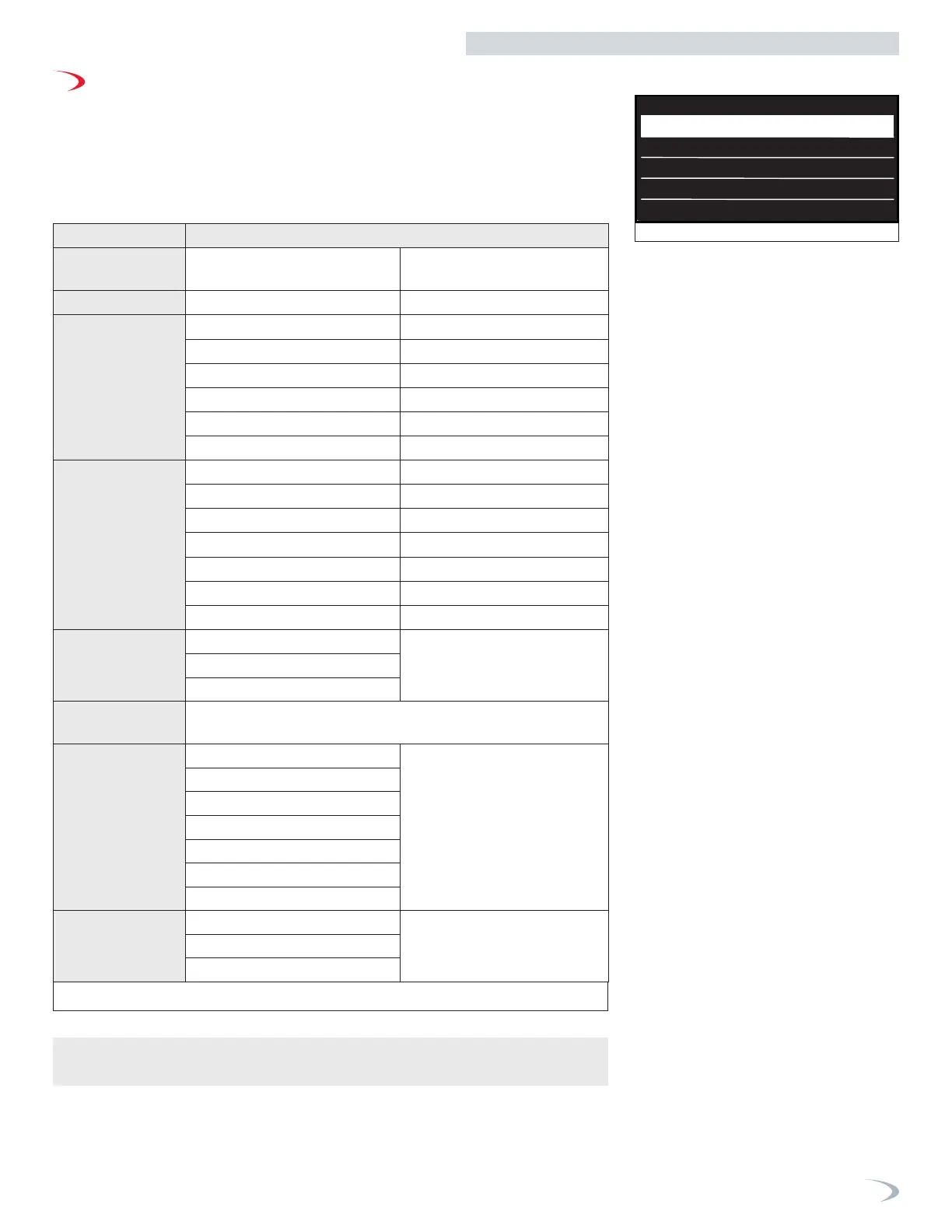
Figure 78 - Main Menu screen
D. Main Menu
Main Menu Description
Setup wizard (*)
The display steps you through the
setup procedure of the controller.
See page 64
Boiler Details
View boiler I/O readings. See page 65
User menu
Screen Settings
See page 66
Time & Date
See page 67
CH Setup
See page 67
DHW Setup
See page 68
Operating Mode
See page 69
Time program
See page 70
Tech Menu (*)
CH Setup
See page 74
DHW Setup
See page 77
Cascade Setup
See page 78
Restore/Backup
See page 78
BMS Control
See page 79
Complete Menu
See page 80
PCB Replacement
See page 88
Test Mode (*)
Burner Test
See page 89
Output Test
Air purge Function
Error Hystory
The display shows the last 10 errors with details of the code, descrip-
tion and date. Turn the dial to scroll the errors.
Connectivity
WiFi Enable
See page 90
Read the ComfortLink
Quick Start Guide to connect
the boiler.
Network Conguration
Serial Number
Connectivity reset
Signal Level
Internet Time
Internet Weather
Diagnostics
Service
See page 91
Statistics
Version (SW)
Setup wizard
Boiler Details
User Menu
Tech menu
Test mode
Inserisci codice tecnico
222
Inserimento codice
Save
Inserisci codice tecnico
234
Inserimento codice
Save
Outdoor rest
AUTO Function
CH - Select the number of heating zone
directly controlled by the boiler
CH
1
Max Temperarture
CH Zone 1
179°F
Min Temperarture
CH Zone 1
104°F
AUTO Temp Contrl Mode
Outdoor Temp
CH Zone 1
Select the type of heating
High Temperature
(e.g Fin-tube Baseboard)
CH Zone 1
Disabled Enabled
Outdoor rest
AUTO Function
Disabled Enabled
Save
MENU
Navigate the Main Menu as follows:
1. From the Home Page, press ENTER.
Note: if the display is “asleep”, you will need to press ENTER a 2nd time to access the
Main Menu.
2. Turn the dial to highlight the option you wish to access then press ENTER.
3. Press ESC to return to the previous screen.
(*) If password protection is enabled, you will be prompted to enter the password (234)
before accessing the Setup Wizard, Tech Menu, and Test Mode menus
Table 26 - Technical Area



 To Next Page