0807
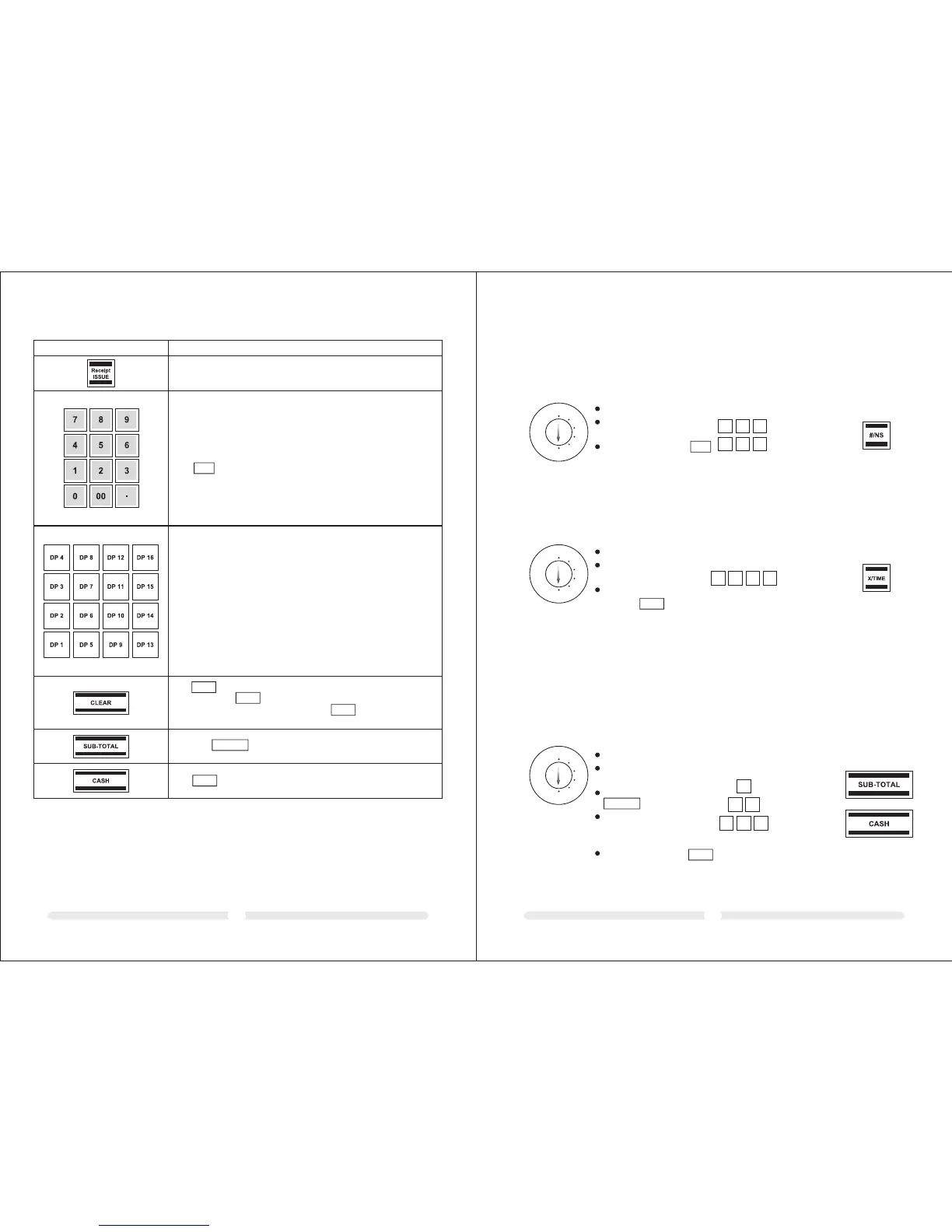
The is used to delete all the entries made using the numeric
keyboard or the key before the entries have been finalised by
pressing a department or function key. The is also used to clear
error states.
CLEAR
X/TIME
CLEAR
Press the key to display the total amount of the sale.
SUB-TOTAL
The key is used for transactions made with cash.
CASH
KEY
Explanation
Numeric keys:
The numeric keys are used to enter numbers.
The is used to enter the decimal point.
.
The Department keys serve to register departments.
6 Programming
6.1 Programming the date
Example: 15 June 2010
REG
X
Z
LOCK
PRG
Set the key to PRG
Enter the date as 6 digits
(DDMMYY)
Confirm by pressing
Input Display Confirm by pressing
1506,10
1
5
0
6
1
0
6.2 Programming the time
Example: 9:30 a.m.
REG
X
Z
LOCK
PRG
Set the key to PRG
Enter the time as 4
digits (hhmm)
Confirm by
pressing
#/NS
X/TIME
A maximum of four different VAT (Value Added Tax) rates can be programmed.
6.3 Programming the VAT rate
Note: On leaving the factory, the following value added tax rates are pre-programmed: TX 1 = 19%
and TX 2 = 7%. If these rates correspond with those you need, no adjustments to the programme
are necessary at this point.
Example 1: VAT rate 1 is 19%
REG
X
Z
LOCK
PRG
Set the key to PRG
Enter the storage location
(1, 2, 3 or 4)
Confirm by pressing
Enter the VAT rate
(to 3 decimal places but
without a decimal point)
Confirm by pressing
SUB-TOTAL
CASH
9.30
0
9
3 0
Input Display Confirm by pressing
0.01
19.000
0
0
0
1
9
1
Input Display Confirm by pressing
This key is used to print a copy of the receipt.



 To Next Page