PLU DUMP REPORT
************* ***********
************* ***********
PRG
PLU-001
NAME
PRICE 100.00
TAX NO 01
STATUS 00
LINK-DEPT 01
PRG
PLU-002
NAME
PRICE 100.00
TAX NO 01
STATUS 00
LINK-DEPT 02
PLU no.
1211
99 PLUs can be programmed for the 200 PLUs .
PLUs are programmed in two steps:
6.6 Programming the PLU (price look up)
Enter the price and department assignment for all PLUs.
Enter the PLU status and department assignment for all PLUs.
(Not necessary if the PLU is operated with a fixed price.)
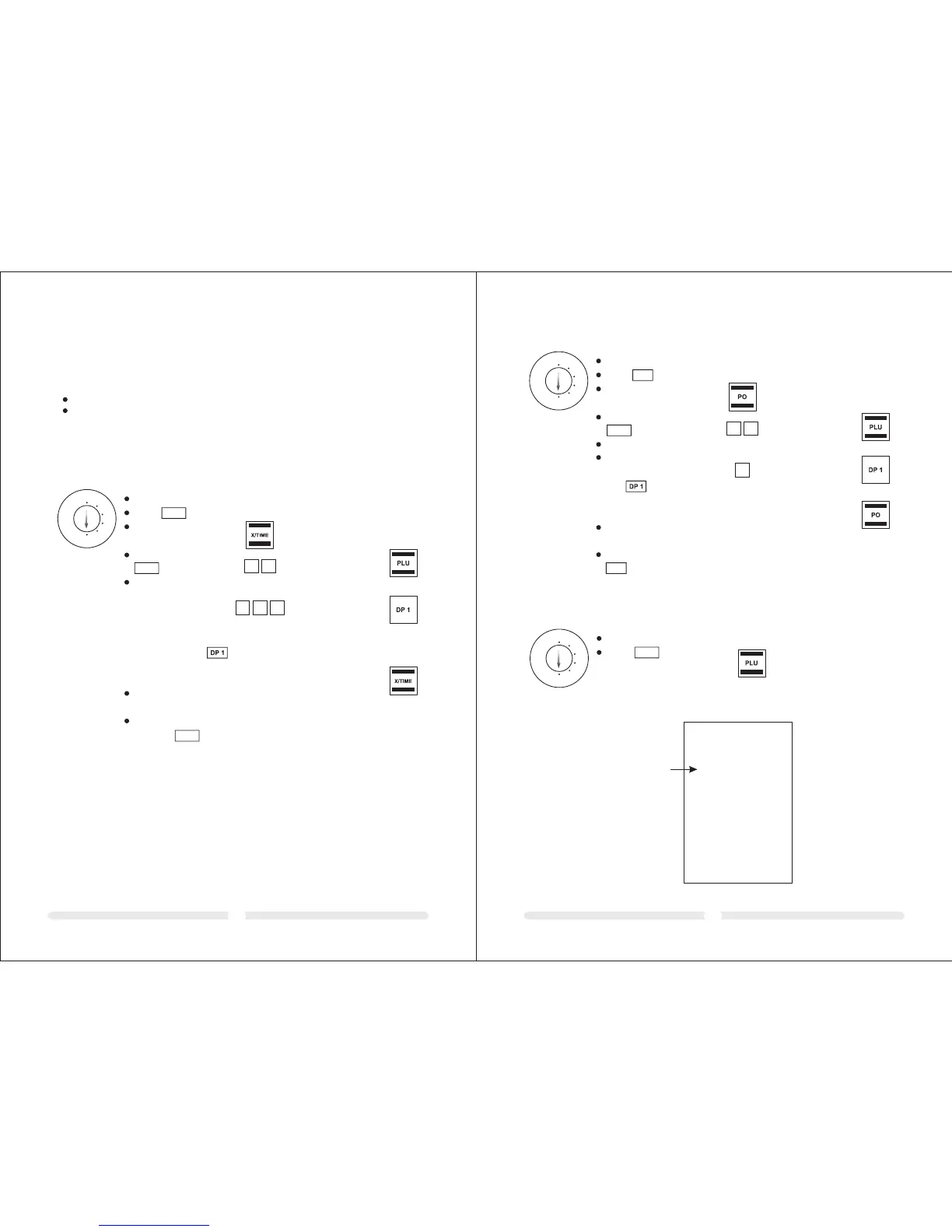
6.6.1 Programming the price and department assignment
Example: PLU 12 must be priced at 2.50 € and is assigned to Department 1.
P001 0.00
P 12 0.12
2.50
P 13 0.00
0
0 0
Input Display Confirm by pressing
REG
X
Z
LOCK
PRG
Set the key to PRG
Press
Enter the required
PLU number
Confirm by pressing
Enter the fixed price
of the PLU and
assignment it to the
department required
by pressing the relevant
department key
Proceed in the same
way for the other PLUs.
Conclude input by
pressing
X/TIME
PLU
X/TIME
The next PLU automatically
appears in the display.
1 2
Note: This step is only necessary for PLUs which should also be able to operate with
free pricing.
PLU status (1 digit)
Fixed price only 0
Also with free pricing 1
6.6.2 Programming the PLU status and department assignment
Example: In the case of PLU 12 (Department 1), free pricing is permitted.
P001 0.00
P 12 0.12
0.01
P 13 0.00
Input Display Confirm by pressing
REG
X
Z
LOCK
PRG
PLU
1 2
Set the key to PRG
Press
Enter the PLU number
to be programmed
Confirm by pressing
Enter the PLU status
Confirm by pressing
the relevant department
key
Proceed in the same way for
the other PLUs.
Conclude input by pressing
The next PLU automatically
appears in the display.
PO
PO
1
6.6.3 Printing the PLUs programmed
Input
REG
X
Z
LOCK
PRG
PLU
Set the key to PRG
Press
Example printout:



 To Next Page