EasyManua.ls Logo

Numark AXIS 8 - User Manual

Numark AXIS 8
24 pages
Print Icon
To Next Page IconTo Next Page
Loading...
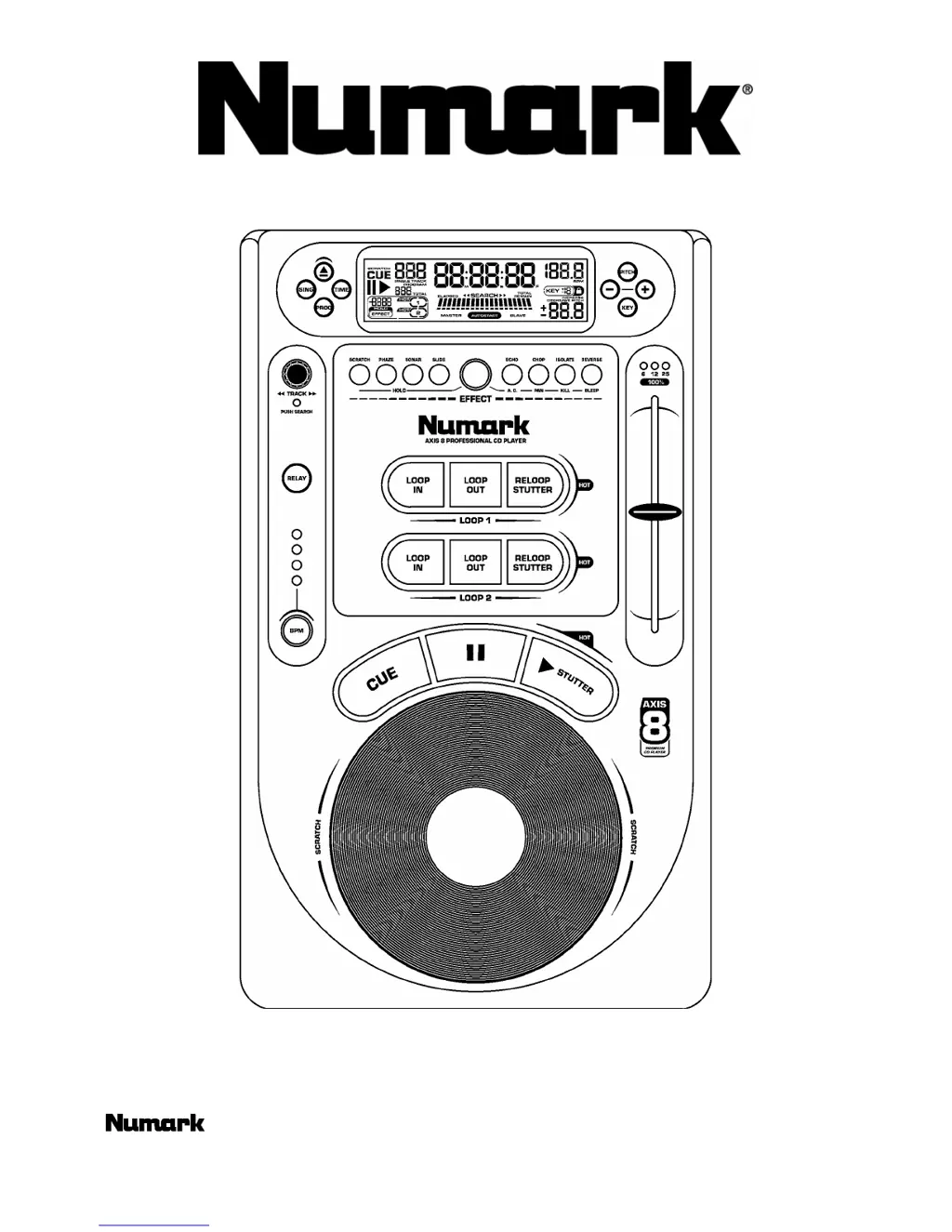
AXIS 8 Premium CD Player
Owner Manual
©2002 Industries; R33 http://www.numark.com

Other manuals for Numark AXIS 8

Questions and Answers

  • J
    Joshua HernandezJul 30, 2025
    Why does my Numark AXIS 8 CD Player have no sound?
    • J
      jeffrey37Jul 30, 2025
      If your Numark CD Player isn't producing any sound, there might be a couple of things to check: First, make sure the output cables are correctly connected. Second, verify that your amplifier is properly set up.
  • S
    strongshaneAug 4, 2025
    What to do if Numark AXIS 8 CD Player sound skips?
    • J
      John StevensonAug 4, 2025
      If the sound skips on your Numark CD Player, even with Anti-Shock™ enabled, it could be due to a couple of reasons. It might be that the CD player is experiencing vibrations or physical shock. Try changing the installation location. Also, the disc might be dirty, so try cleaning it.
  • P
    Patricia MaciasAug 11, 2025
    How to fix Numark AXIS 8 disc play that does not start?
    • H
      hansenbarbaraAug 11, 2025
      If your Numark CD Player isn't starting disc play, there are a couple of things you can check: First, make sure the disc is loaded with the label side up. If it is, the disc might be too dirty, so try cleaning it.
  • J
    Jonathon SanchezAug 17, 2025
    What to do if my Numark AXIS 8 CD Player has hum?
    • T
      Tyrone MezaAug 17, 2025
      If you're experiencing a hum with your Numark CD Player, it's likely due to loose cable connections. Ensure that all audio plugs are firmly connected.
  • M
    Mario CastroAug 23, 2025
    Why Numark CD Player power fails to switch on?
    • N
      nicholasnguyenAug 23, 2025
      If your Numark CD Player isn't powering on, the issue might be a poor power plug connection at the AC outlet, or the IEC power cord might be loose from the rear of the unit. Ensure the power plug is firmly inserted into the AC outlet and that the connection is secure at the rear of the unit.

Summary

Safety and Precautions

Electrical and Laser Hazards

Warnings regarding electric shock risk and dangerous laser radiation exposure.

Product Features Overview

Core DJ Functions

Details on scratching, beatkeeping, and pitch/key control capabilities.

Setup and Connections

Audio and Control Interfaces

Connecting audio outputs, fader start, relay cables, and digital outputs.

Control Panel Functions

Pitch, Key, Loop, and Effects

Details on adjusting pitch, key, setting loops, and activating effects.

Basic Operations Guide

Disc Handling and Playback

Instructions for loading discs, starting, pausing, and stuttering playback.

Cueing and Navigation

Setting cue points, managing time displays, single/continuous play, and track selection.

Pitch, Key, and Beatkeeper Functions

Pitch Adjustment

Controlling music speed with pitch slider, range, and bend.

Key Lock and Change

Features for locking music key or changing it while maintaining pitch.

BPM and Beat Matching

Matching Beats Per Minute

Steps for synchronizing tempos between two CD players.

Pitch Bend for Beat Alignment

Utilizing pitch bend to align beats when tempos are matched.

Looping Operations

Loop In Point Setup

Defining the start point for a continuous music loop.

Loop Out Point Setup

Setting the end point for a music loop and releasing it.

Loop Point Editing and Stutter

Stutter (Hot Start) Functionality

Instant playback from pre-set points (hot starts) or loop in points.

Special Effects

Effect Selection and Control

How to select, activate, and adjust parameters for various effects.

Connection Modes

Fader Start Operation

Controlling playback via a DJ mixer's crossfader.

Cue and Loop Point Management

Saving Cue and Loop Points

Storing cue and loop points on the CD for later recall.

Troubleshooting Guide

Common Issues and Solutions

Diagnosing and resolving common problems like power, sound, and skipping.

Numark AXIS 8 Specifications

General IconGeneral
TypeCD Player
Playback FormatsCD, CD-R, CD-RW
DisplayLCD
Channels2
Frequency Response20Hz - 20kHz
Signal-to-Noise Ratio> 90 dB
Total Harmonic Distortion< 0.01%
Pitch Control±8%
OutputsRCA
Digital OutputS/PDIF
Power Supply110V - 240V, 50/60Hz

Related product manuals