CDN-34
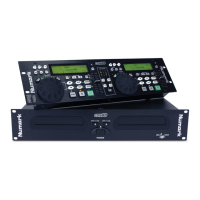
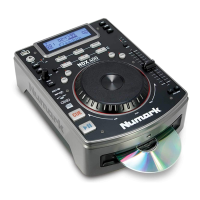
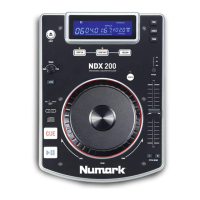
DESCRIPTION CDN-34 FEATURES
1. PROGRAM - Depress this button and the unit will stop and
program will be indicated on the display. Select each track
to be programmed and press the PROGRAM button between
selections. You can program up to 30 tracks. Press PLAY
to start the program. To exit and erase program hold the
program button down for more than 2 seconds while the unit
is stopped, open the disc tray, or turn off the power.
2. CONT/SING - Will cause just a single track to play or all
tracks in order. Continuous play mode will cause the entire
CD to repeat once the final track is ended.
3. LCD DISPLAY - Indicates all the functions, as they are
occurring, with the CD.
4. TIME (Time Button) - The TIME button switches the time
display between elapsed playing time, remaining time on the
track, and total CD time remaining.
5. OPEN/CLOSE (Disc Tray Open/Close) - Press to
load or eject the disc. Each press will open or close the disc
tray on the transport. NOTE: The tray will not open unless
the disc has been paused.
6. TRACK (Track Buttons) - These buttons are used to
select the track to be played.
7. Track 10 Button - This button is for quickly advancing to
higher tracks on a CD.
8. PITCH (Pitch Button) - This button activates the Pitch
Slider (14).
9. PITCH BEND (Pitch Bend Button) - When each of the
two CD players are playing a CD, the pitch bend function
allows the positioning of the bass beats to be matched after
the pitch of each disc is matched. Either player can “catch
up” or “fall back” to match the other player. The pitch will
automatically rise while the (+) button is pressed (allowing
“catch up”) and return to the original pitch when the button is
released. The pitch will automatically drop while the (-) button
is pressed (allowing “fall back”) and return to the original pitch
when the button is released. By changing the pitch of one
disc relative to the other, beats can be matched for mixing.
These buttons can effect the pitch of the CD by up to +/-16%.
10. SEARCH WHEEL (OUTER RING) - This wheel has 3
forward and 3 reverse speed positions for searching through
songs. The more you turn the wheel in either direction the
faster you search through the music.
11. PITCH/CUE JOG WHEEL (INNER RING) - This jog
wheel serves 2 functions depending on the mode you are
working in.
a. The jog wheel will act as a slow frame search control when
the CD is not playing but either paused or set to a cue point.
To set a new frame cue point, spin the wheel then press play
when you have determined the proper position. Press CUE to
return to the “CUE POINT”.
b. The jog wheel will temporarily bend the pitch of the music
up to +/-16% if the song is already playing by rotating the
wheel clockwise to speed up or counterclockwise to slow
down. The amount of pitch change is determined by the
speed of rotation.
- The Leader in DJ Technology
©1999 Industries 8 http://www.numark.com



 To Next Page